
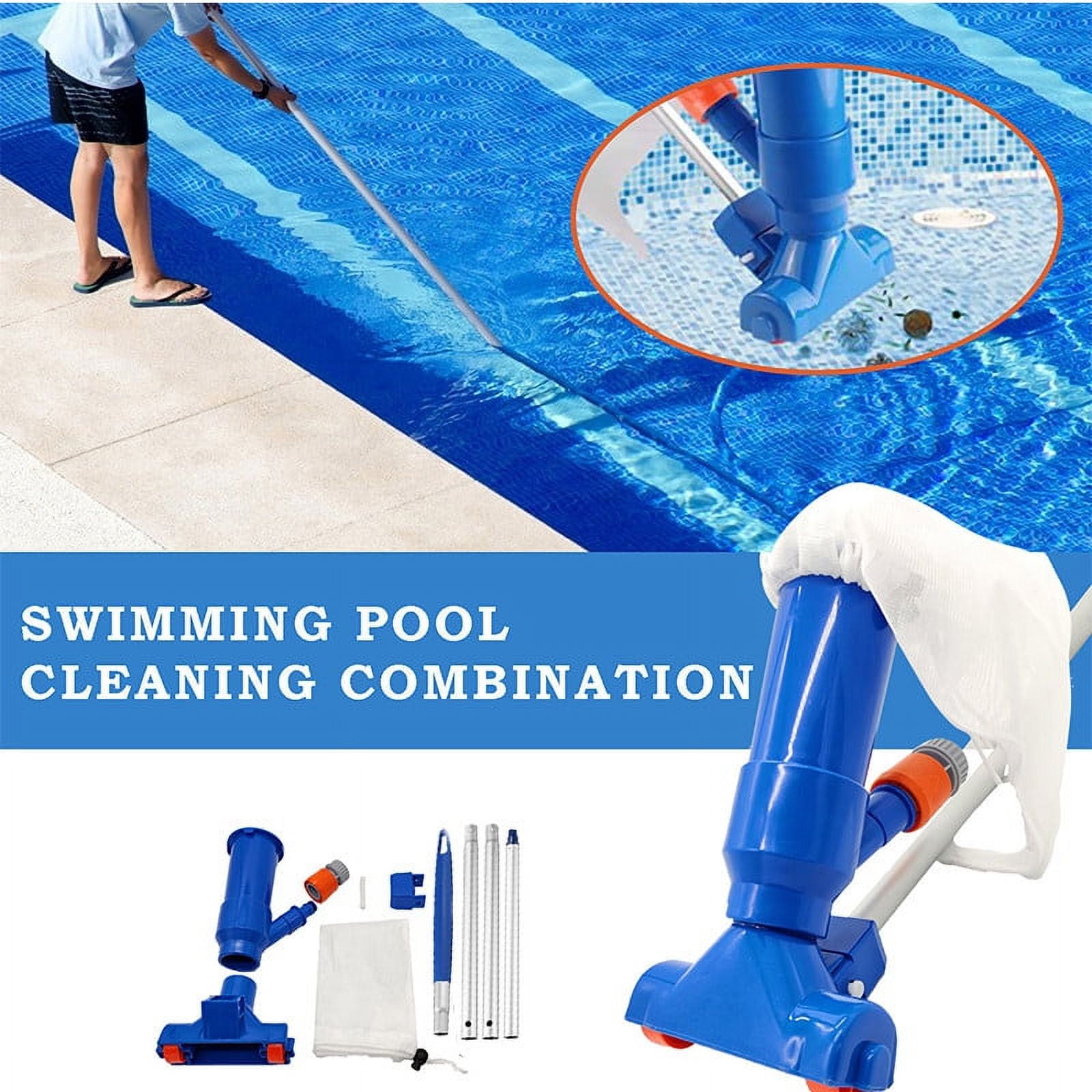
A manual pool vacuum removes dirt, leaves, sand, and algae from the bottom of a swimming pool. For most U.S. pools, the process is simple: connect the vacuum head to a telescoping pole, attach a hose, fill the hose with water, connect it to the skimmer or vacuum port, and move the head slowly across the pool floor.
The key is to protect the pump, keep air out of the system, and choose the correct filter setting before you begin. This guide explains how to use a manual pool vacuum in an inground or above-ground pool.

What You Need Before You Start
Gather the right tools before turning on the pool pump. You will usually need:
- A manual pool vacuum head
- A telescoping pool pole
- A vacuum hose long enough to reach the farthest point in the pool
- A skimmer basket or vacuum plate
- A clean pump and skimmer basket
- A pool brush
- A leaf net
- Pool test strips or a test kit
- The correct equipment manual for your filter system
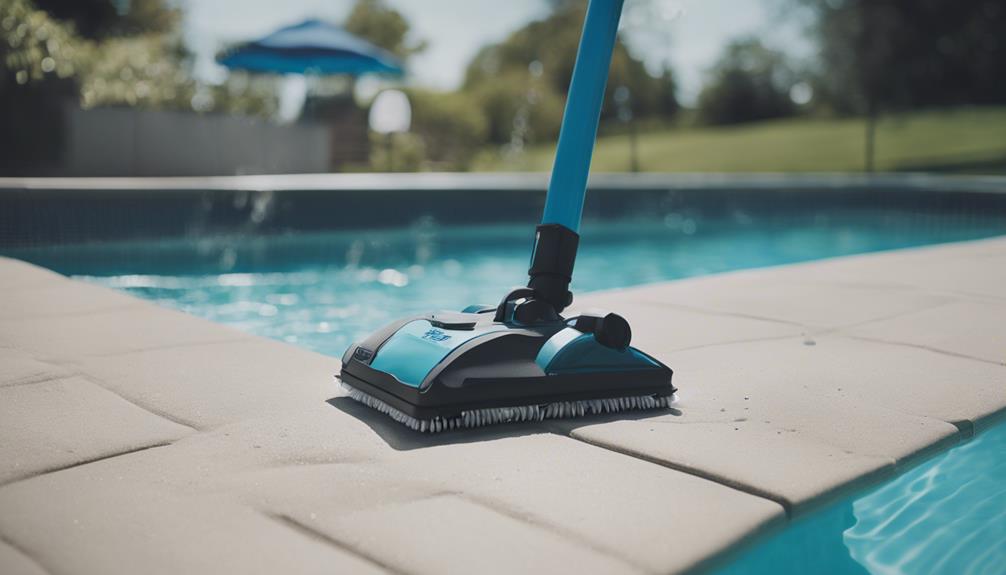
Manual vacuum heads come in several shapes. A wide head works well on large flat floors. A weighted head is useful because it stays on the pool surface instead of floating. A brush-style head can loosen dirt and algae as you vacuum.
Check the hose for cracks before use. A small hole can draw air into the system and reduce suction.
Check the Pool Equipment
Before connecting anything, inspect the following:
- Make sure the water level is high enough for the skimmer to work.
- Empty the skimmer basket if it contains leaves or debris.
- Check the pump basket and remove trapped debris.
- Confirm that the water level covers the vacuum head.
- Turn off the pump before changing valves, lids, or filter settings.
Never open a pump lid or move a multiport valve while the pump is running. Always shut the pump off first.
Choose the Correct Filter Setting
The correct filter setting depends on the type of debris in the pool and the kind of filter you have.
| Pool condition | Recommended setting | Why |
|---|---|---|
| Light dirt and normal debris | Filter | Sends water through the filter and returns it to the pool |
| Heavy dust or cloudy water | Waste, if available | Sends dirty water out of the pool instead of through the filter |
| Fine algae or large debris | Waste, if available | Helps prevent the filter from loading too quickly |
| Routine vacuuming with a cartridge filter | Filter | Most cartridge systems do not have a waste setting |
| Backwashing a sand or diatomaceous earth filter | Backwash | Cleans the filter; it is not the normal vacuum setting |
A sand or diatomaceous earth filter may have a Waste setting. This setting bypasses the filter and sends water to a waste line. It is useful for heavy debris, but it lowers the pool water level.
A cartridge filter normally does not have a waste setting. If you vacuum a pool with a cartridge filter, use the normal Filter setting. Clean the cartridge after vacuuming if the pressure rises or the water flow drops.
Do not use Backwash as a substitute for Waste. Backwash cleans the filter in a different way and may not be suitable for vacuuming.
The equipment manual is the final authority because valve layouts vary between brands and installations. Hayward and Pentair manuals, for example, may use different plumbing designs and control labels.
How to Use a Manual Pool Vacuum Step by Step
Follow these steps for a standard vacuum through the pool skimmer.
1. Remove Large Debris First
Use a leaf net to remove leaves, insects, twigs, and other large items from the water. This prevents the debris from clogging the vacuum head or filling the pump basket too quickly.
If dirt has settled on the pool floor, let it rest before vacuuming. Brushing too soon can make the water cloudy and spread fine particles across the pool.
2. Assemble the Vacuum
Connect the vacuum head to the telescoping pole. Make sure the head locks into place.
Attach one end of the vacuum hose to the vacuum head. Push the hose firmly onto the fitting. A loose connection can allow air into the system.
Keep the other end of the hose near the pool deck for now.
3. Prime the Vacuum Hose
The hose must be completely full of water before it connects to the skimmer. Air in the hose can cause weak suction, loss of prime, or noisy pump operation.
To fill the hose:
- Lower the vacuum head into the pool.
- Keep the vacuum head on the pool floor.
- Hold the free end of the hose in front of a return jet.
- Allow water from the return jet to push air out of the hose.
- Watch for a steady stream of water from the hose end.
- Keep the hose underwater while moving it to the skimmer.
You can also submerge the entire hose slowly. Start at the vacuum head and let water fill the hose as you lower it into the pool.
Do not lift the hose end out of the water after priming it. Even a short exposure to air can reduce suction.
4. Connect the Hose to the Skimmer
Turn off the pump before making the connection.
There are two common connection methods:
- Skimmer suction port: Connect the hose to the port inside the skimmer.
- Vacuum plate: Place a vacuum plate over the skimmer basket and connect the hose to the plate.
A vacuum plate lets the debris collect in the skimmer basket. Without a plate, some systems send debris directly through the plumbing and into the pump basket.
Use the method listed in your pool equipment manual. Keep the hose underwater during the connection.
If your skimmer has a flow-control device, follow the manufacturer’s instructions. Some systems need the main drain partly closed to create stronger suction at the skimmer. Do not fully close every suction line. The pump must have a safe water supply.
5. Set the Valves and Start the Pump
Make sure the filter is set to Filter or Waste, depending on your plan.
Close the pump lid tightly if you opened it. Then start the pump and watch the system for several seconds.
Look for:
- A steady stream from the return jets
- No loud rattling or grinding
- No air bubbles collecting in the pump basket
- No water leaking around the pump lid
- Suction at the vacuum head
If the pump loses prime, turn it off. Do not let the pump run dry. Refill the pump basket with water if the equipment manual permits it, check the hose for air, and restart the system.
6. Vacuum the Pool Slowly
Move the vacuum head slowly across the floor in overlapping lines. Start at the shallow end and work toward the deep end.
Use smooth movements. Fast strokes stir up dirt and can make the water cloudy before the filter captures it.
Pay close attention to:
- Steps
- Corners
- Around ladders
- Behind return fittings
- The area near the main drain
- Seams and floor drains
- Places where wind pushes debris
If the vacuum head loses contact with the floor, reduce the movement speed. Check that the head is weighted correctly and that the hose is not pulling at an angle.
For algae, brush the area first if the surface allows it. Then vacuum the loosened material. Do not use a metal brush on a vinyl liner because it can damage the surface.
7. Watch the Water Flow and Filter Pressure
Check the pump and filter during the job. A dirty filter can reduce suction.
If you have a pressure gauge, note the clean starting pressure. The correct cleaning point depends on the filter system and manufacturer. Many pool professionals use a rise of about 8 to 10 pounds per square inch above the clean pressure as a signal to clean or backwash, but the equipment manual should take priority.
Stop vacuuming if:
- The pump basket is nearly full
- The filter pressure rises sharply
- The return flow becomes weak
- The water level falls near the skimmer opening
- The pump begins pulling air
- The vacuum loses suction
8. Finish and Clean the Equipment
When the pool floor looks clean:
- Turn off the pump.
- Remove the hose from the skimmer or vacuum plate.
- Remove the vacuum head from the pool.
- Return valves to their normal circulation positions.
- Empty the pump or skimmer basket.
- Clean or backwash the filter if needed.
- Rinse the vacuum head and hose.
- Store the equipment out of direct sunlight.
If you used the Waste setting, add water before the level drops too far. The skimmer needs enough water to prevent the pump from drawing air.
How to Vacuum a Pool to Waste
Vacuuming to waste sends pool water and debris out of the system instead of through the filter. This method is useful when the pool contains a large amount of dirt, dead algae, or fine sediment.
Use this process only if your system has a waste line and a documented waste setting:
- Turn off the pump.
- Set the multiport valve to Waste.
- Open the correct waste line or valve.
- Prime the vacuum hose.
- Connect the hose to the skimmer or vacuum port.
- Start the pump.
- Vacuum slowly.
- Watch the pool water level the entire time.
- Stop before the water falls below the skimmer opening.
- Turn off the pump before returning the valve to its normal position.
The major trade-off is water loss. A waste setting may remove a large amount of water during a long cleaning session. This can be a problem during drought restrictions or in areas with water-use rules.
Do not send chlorinated pool water into a storm drain unless local rules allow it. Disposal requirements vary by state, county, and city. Check your local water authority before draining pool water.

How to Vacuum a Pool With a Cartridge Filter
A cartridge filter usually vacuums through the normal Filter setting. It does not normally send water to waste.
Use a vacuum plate over the skimmer basket if your system supports one. This helps catch large debris before it reaches the pump.
After vacuuming:
- Turn off the pump.
- Remove the vacuum equipment.
- Check the pressure gauge.
- Turn the pump on briefly.
- Watch the return flow.
- Turn the pump off again if the filter needs cleaning.
- Remove and rinse the cartridge according to the filter manual.
Do not use a garden hose with excessive pressure against the cartridge pleats. A high-pressure spray can damage the filter material. Rinse from the top down and clean between the pleats.
If the pool contains a heavy layer of algae or very fine dust, vacuuming through a cartridge filter may clog it quickly. In that case, remove large debris first and clean the cartridge more often.
How to Vacuum an Above-Ground Pool
The basic method is the same for an above-ground pool, but the equipment may use a smaller pump and a shorter hose.
Before you start:
- Make sure the vacuum head is rated for your liner type.
- Avoid dragging the head across the wall or top rail.
- Keep the skimmer water level high enough.
- Use slow strokes to avoid stirring up fine dirt.
- Check that the pump can maintain prime with the hose attached.
Some above-ground pools use a small filter pump with limited suction. If the vacuum barely moves debris, check for air leaks, a blocked filter, or a hose that is too long for the pump.
Never use a vacuum head or brush that can scratch or cut a vinyl liner.

Troubleshooting Manual Pool Vacuum Problems
The vacuum has no suction
Possible causes include:
- Air remains in the hose.
- The hose connection is loose.
- The skimmer basket is full.
- The pump basket is blocked.
- The filter is dirty.
- The water level is too low.
- A valve is in the wrong position.
- The pump has lost prime.
Start with the simplest checks. Refill the hose, inspect both baskets, and confirm the water level. Then check the valve setting and filter pressure.
The pump keeps losing prime
A pump that loses prime may be pulling air through the vacuum hose or skimmer connection. It may also have a loose pump lid, a damaged lid O-ring, or a low water level.
Turn off the pump before inspecting fittings. Do not keep restarting a pump that is running without water. If the pump repeatedly loses prime after the hose and water level checks, contact a pool service professional.
The water becomes cloudy
Cloudy water often means the vacuum head moved too fast or the filter could not capture the fine particles quickly enough.
Stop vacuuming and let the water settle. Clean the filter if its pressure is high. Then vacuum again with slow, overlapping passes.
Cloudiness can also come from poor water balance, suspended algae, or a filter problem. Test the water and follow the chemical product label. Do not add several chemicals at once without checking compatibility and required wait times.
The vacuum head floats
A floating head usually means air is trapped in the head or hose. Submerge the head and refill the hose with water.
If the head still floats, check whether the head is weighted. Some heads are designed for specific pool surfaces and may not work well with every liner or floor shape.
Suction is too strong
Very strong suction can make the head difficult to move. It may also pull a vinyl liner toward the vacuum head.
Open the appropriate suction valve slightly if your system allows it. Do not close all other suction lines or make valve changes while the pump is running. Follow the pool equipment manual.
The hose keeps collapsing
A collapsing hose can restrict water flow. It may be damaged, kinked, too thin, or not designed for pool vacuum use.
Straighten the hose first. If the problem continues, inspect the hose for cracks and soft spots. Replace it if it cannot maintain its shape.
Common Manual Pool Vacuum Mistakes
Avoid these frequent errors:
- Starting the pump before filling the hose with water
- Moving the vacuum head too fast
- Using the wrong filter setting
- Vacuuming with a full skimmer basket
- Letting the water level fall below the skimmer
- Opening the pump lid while the pump is running
- Turning a multiport valve while the pump is running
- Using a metal brush on a vinyl liner
- Running the pump without water
- Forgetting to return the valves to normal circulation
- Ignoring local rules for draining pool water
The safest habit is to stop the pump before every equipment change. This protects the pump and reduces the chance of a valve or pressure-related problem.
How Often Should You Manually Vacuum a Pool?
Vacuum when debris collects on the floor or when brushing leaves dirt behind. Many residential pool owners vacuum about once a week during regular use, but the right schedule depends on the pool.
Vacuum more often when:
- Trees drop leaves near the pool
- Wind carries dust into the water
- The pool has frequent use
- Pets enter the water
- Algae has recently been treated
- Heavy rain washes dirt into the pool
A clean pool may need less manual vacuuming. A pool with poor circulation, damaged equipment, or recurring algae may need more attention.
Vacuuming removes settled debris, but it does not replace filtration, brushing, water testing, or proper chemical care. The U.S. Centers for Disease Control and Prevention advises pool operators and owners to maintain proper disinfectant and pH conditions. Follow current CDC guidance and the label on each pool chemical.
How Do You Know the Pool Is Clean?
The vacuum job is complete when:
- The pool floor has no visible leaves or dirt
- Corners and steps have been cleaned
- The water is moving normally through the returns
- The pump remains fully primed
- The filter pressure is within its normal range
- The skimmer and pump baskets are clear
- The water level is still above the skimmer opening
Afterward, test the water if the pool was cloudy, contaminated by runoff, or treated for algae. Wait the time listed on chemical labels before swimming.
If the pool remains cloudy after vacuuming and filtering, the issue may not be debris alone. Test the water, check the filter, and seek professional help if the pump, filter, or electrical equipment behaves abnormally.
Frequently Asked Questions
Should I vacuum a pool on filter or waste?
Use Filter for normal dirt and routine cleaning. Use Waste for heavy debris or fine material when your filter system has that setting. Waste removes pool water, so monitor the water level closely.
Do I vacuum with the pump on or off?
Connect the hose and change valves with the pump off. Turn the pump on only after the hose is full of water and the equipment is set correctly.
Can I vacuum a pool without a skimmer?
Some pools have a dedicated vacuum port. Others may use a skimmer adapter or a specialty above–ground pool vacuum. The connection depends on the plumbing design. Do not create an improvised connection that can draw air or damage the pump.
Why does my pool vacuum lose suction?
The most common causes are air in the hose, a full basket, a dirty filter, low water, a loose fitting, or a pump that has lost prime. Check those items in that order.
Can I vacuum algae from the pool?
Yes, but vacuuming alone does not remove the cause of algae. Brush the affected surface when appropriate, test and balance the water, and follow the product label for any treatment. Heavy algae may require repeated cleaning and filter maintenance.
Final Takeaway
To use a manual pool vacuum, connect the vacuum head to a pole and hose, fill the hose with water, attach it to the skimmer or vacuum port, select the right filter setting, and move the head slowly across the pool floor.
Use Filter for routine cleaning and Waste for heavy debris when your system supports it. Protect the pump by removing air, watching the water level, cleaning baskets, and turning the pump off before changing equipment settings.
4 Comments