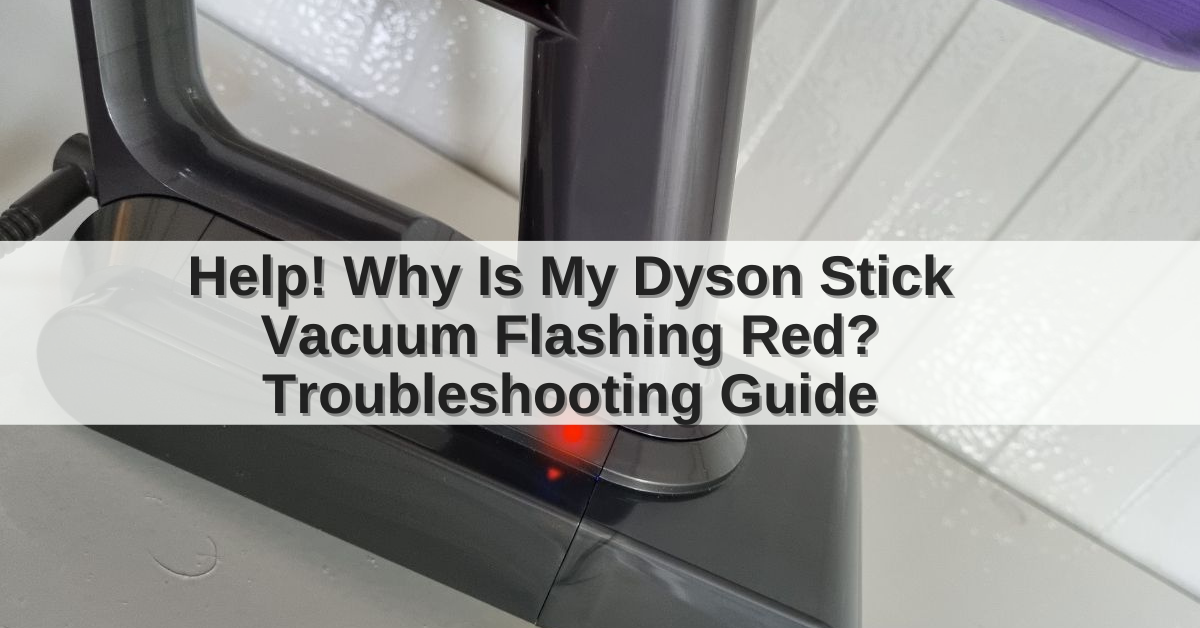
If your Dyson vacuum has a flashing red light, stop using it for a moment and check the model, battery, filter, and air path. On many Dyson cordless vacuums, a flashing red light means the machine has detected a fault. Common causes include a blocked wand or brush bar, a dirty filter, overheating, or a battery problem.
The exact meaning depends on the Dyson model and the number or pattern of flashes. A red light is not always a simple “low battery” warning. Use the steps below to find the cause safely.

What does a flashing red light mean on a Dyson vacuum?
A flashing red light usually signals a fault that needs attention. Dyson uses different light patterns across its cordless, upright, canister, and robot vacuum ranges, so the same red light does not have one universal meaning.
The most common causes are:
- A blocked hose, wand, inlet, or cleaner head
- Hair or thread wrapped around the brush bar
- A filter that needs washing or replacing
- A vacuum that has overheated
- A worn, damaged, or poorly seated battery
- A charger or charging connection problem
- An internal fault that requires Dyson service
A red light that appears briefly when you press the trigger may be different from a red light that keeps flashing while the vacuum is on the charger. The timing matters.
Flashing red light versus other Dyson lights
| Light or symptom | Likely meaning | First action |
|---|---|---|
| Flashing red light while cleaning | Fault, blockage, overheating, or battery issue | Turn off the vacuum and inspect the air path |
| Red light while charging | Charging or battery fault | Check the charger, contacts, and battery |
| Solid red light | Model-specific warning or fault | Check the model manual |
| Blue light | Normal charging or operation on many cordless models | Confirm with the manual |
| No light and no response | Flat battery, charger issue, or internal fault | Test the charger and power connection |
| Pulsing power or repeated shutoff | Blockage, overheating, or battery protection | Clear the blockage and let the unit cool |
These are general troubleshooting clues, not a replacement for the instructions for your exact Dyson vacuum. Dyson documents light codes by model in its official support center.

Before troubleshooting the Dyson red light
Prepare the vacuum before you inspect it. Turn the machine off and disconnect it from the charger. If you have a cordless model, remove the wand and cleaner head before checking for blockages.
You may need:
- A dry cloth
- A soft brush
- Scissors for cutting hair from the brush bar
- A flashlight
- Clean water for washable filters
- The vacuum’s model name or serial number
Never put your fingers near a moving brush bar. Do not test the vacuum while a cover, filter, brush bar, or battery is loose.
If the vacuum smells hot, shows melted plastic, makes a crackling sound, or has a swollen battery, stop. Move it away from flammable items and contact Dyson or an authorized repair provider. Do not open or puncture a lithium-ion battery.

How to fix a Dyson vacuum flashing red light
Follow these checks in order. This sequence starts with simple causes and moves toward issues that may need service.
1. Turn the vacuum off and let it cool
A Dyson vacuum can stop or show a warning when its motor or battery becomes too hot. This may happen after long use, in a high-power mode, or when airflow is restricted.
Turn off the vacuum and unplug the charger. Leave it in a cool, dry place for at least 30 minutes. Do not place it against a heater or in direct sun.
After it cools, try the vacuum once. If the red light returns at once, do not keep restarting it. A repeated warning points to a blockage, filter problem, battery fault, or internal issue.
2. Check the cleaner head and brush bar
A jammed brush bar is one of the easiest causes to miss. Hair, pet fur, carpet fibers, and thread can stop the brush from turning. The motor may then protect itself and shut down.
Remove the cleaner head if your model allows it. Clear the brush bar, end caps, air openings, and neck of the cleaner head. Use scissors to cut tangled hair, but keep the blades away from the belt and bristles.
Look for these signs of a successful fix:
- The brush bar turns freely by hand when the vacuum is off.
- No hair or thread remains around the ends.
- The cleaner head clicks fully back into place.
- The vacuum runs without rapid pulsing or a red warning.
Do not force a locked brush bar. A damaged cleaner head may need replacement.
3. Check the wand, hose, and inlet
A blockage in the wand can look like a motor or battery fault. Detach the wand and look through it toward a bright light. Check the opening where the wand joins the cleaner head and the inlet on the main body.
For upright and canister Dyson models, inspect:
- The floor head
- The hose
- The hose connection
- The bin inlet
- The airway behind the brush roll
Remove loose debris with a blunt tool or soft brush. Do not push a sharp object deep into the hose, because it can damage the hose or create a hidden puncture.
Reassemble each part firmly. Dyson cordless vacuums often will not run correctly if the wand or cleaner head is not fully seated.
4. Empty the dust bin
A full bin can reduce airflow. Fine dust may also collect around the cyclone and inlet. Empty the bin over a trash can, then check that the bin door closes completely.
Do not wash the cyclone or main motor unit unless the manual for that model specifically allows it. Water inside the motor can cause permanent damage and may create an electrical hazard.
If the bin is clean but the vacuum still loses suction, continue to the filter check.
5. Clean and dry the filters
Many Dyson vacuums have one or more washable filters. A blocked filter limits airflow and can cause the motor to heat up. Dyson commonly advises washing washable filters with cold water and allowing them to dry fully before refitting them. The exact number of filters and cleaning schedule varies by model.
Use this safe process:
- Remove the filter according to the model instructions.
- Shake off loose dust outdoors or over a trash can.
- Rinse the filter with cold water.
- Gently squeeze out excess water.
- Continue rinsing until the water runs clear.
- Leave the filter in a well-ventilated place until completely dry.
- Reinstall it firmly.
Do not use detergent, a dishwasher, a clothes dryer, or a hair dryer unless Dyson specifically permits it. Never run the vacuum with a damp filter.
Drying can take at least 24 hours, and a thick filter may need longer. If the red light disappears after a fully dry filter is installed, restricted airflow was a likely cause.
6. Check the battery and charger
If the red light appears during charging or the vacuum stops quickly after a full charge, inspect the battery system.
Check that:
- The charger is the correct Dyson charger for the model.
- The charger is fully inserted into the wall outlet and vacuum or dock.
- The charging contacts are clean and dry.
- The battery is attached correctly.
- The wall outlet works with another device.
- The charger cable has no cuts, exposed wires, or crushed areas.
Some Dyson cordless models have a removable battery. If yours does, remove and refit it only as the manual shows. Do not use a third-party battery or charger unless Dyson confirms compatibility.
A battery that charges but fails quickly may be worn out. A battery that becomes unusually hot, swells, leaks, or smells unusual should not be used or charged.

Dyson red light meanings by vacuum type
The light behavior changes by product family. Use your model name, usually printed on the cleaner head, battery, bin, or handle, to find the correct guide.
Dyson cordless stick vacuums
Cordless models such as some V-series, V15, Gen5, and Outsize machines may show red warning lights when the motor detects a fault. A blockage, dirty filter, jammed brush bar, or battery issue can produce similar symptoms.
On some models, the number of red flashes helps Dyson identify the fault. Count the flashes before switching the machine off. Record whether the light appears:
- When you press the trigger
- While cleaning
- When the vacuum is charging
- After the vacuum stops
- With or without an attachment fitted
Do not assume that a red light means the battery alone is defective. Clear the air path first.
Dyson upright and canister vacuums
Older Dyson upright and canister machines may use red indicator lights near the brush bar, filter, or power controls. A red brush-bar light may indicate that the brush bar is jammed or switched off, rather than a general motor fault.
Check the owner’s manual for the exact indicator. Upright vacuums may also lose suction when the hose or airway is blocked. Their filters may need cleaning even when the dust bin is not full.
Dyson robot vacuums
Dyson robot vacuums use different status lights and alerts from cordless stick models. A red light may relate to navigation, a trapped machine, a brush blockage, or a charging problem.
For a robot vacuum, check whether it is:
- Stuck under furniture
- Sitting on an uneven surface
- Blocked by hair in a brush
- Unable to reach its dock
- Showing an alert in the Dyson app
Use the app or model-specific support page rather than applying cordless vacuum light codes.
What if the red light still flashes after cleaning?
If the vacuum still flashes red after you clear the brush bar, inspect the air path, clean and fully dry the filter, and allow the machine to cool, the issue may be electrical or internal.
At that point:
- Stop repeated restart attempts.
- Record the light pattern and flash count.
- Note whether the light appears during use or charging.
- Find the model number and serial number.
- Check the model-specific Dyson support guide.
- Contact Dyson Support or an authorized service provider.
A repair may be needed if the vacuum has a damaged battery, failed sensor, charging fault, motor problem, or damaged circuit. Do not bypass a safety switch or open the motor housing.
If the machine is still within its warranty period, avoid unauthorized repairs that could affect warranty support. Keep the receipt and note the date the problem began.

Common mistakes that can make the problem worse
Several quick fixes can damage a Dyson vacuum or hide the real cause.
- Running the vacuum without its filter: Dust can enter parts that the filter protects.
- Installing a wet filter: Moisture can reach the motor and electronics.
- Using compressed air inside the machine: This can force dust deeper into the motor or circuit area.
- Pushing a sharp object through a blockage: It may puncture a hose or damage a seal.
- Charging a hot or swollen battery: Stop using a battery with signs of damage.
- Using the wrong charger: Voltage and connector differences can damage the battery.
- Repeatedly pressing the trigger: This will not reset a serious fault and may increase heat.
- Assuming every red light means low charge: Dyson uses different warning patterns by model.
The safest reset is simple: switch the machine off, remove it from the charger, clear accessible blockages, clean the correct filters, let it cool, and then test it once.

When should you contact Dyson?
Contact Dyson when the red warning returns after basic checks or when the vacuum shows a safety concern. Service is especially appropriate when:
- The light flashes in a repeated code that the manual does not explain.
- The vacuum stops immediately after starting.
- The battery becomes hot, swollen, or damaged.
- The charger or cable is damaged.
- The vacuum smells of burning.
- The motor makes a new grinding, clicking, or crackling sound.
- The red light appears even with the wand and cleaner head removed.
- The vacuum will not charge after the outlet and contacts are checked.
Dyson’s US support team can match a flash pattern to the correct model. Have the serial number ready. The serial number is often found on the machine, battery, or documentation.

Key takeaways
- A flashing red Dyson light usually means a detected fault, not a normal operating signal.
- Start with the cleaner head, brush bar, wand, hose, bin, and filters.
- Let an overheated vacuum cool before testing it again.
- Wash only filters marked as washable, and refit them only when completely dry.
- Treat a hot, swollen, leaking, or damaged battery as unsafe.
- Model and flash pattern matter. Check the correct Dyson manual before replacing parts.
- If the warning returns after cleaning, contact Dyson or an authorized repair provider.
Frequently asked questions
Why is my Dyson vacuum flashing red and stopping?
The most likely causes are a blockage, jammed brush bar, restricted filter, overheating, or battery fault. Turn it off, let it cool, clear the air path, and check the filter. If it stops again, record the flash pattern and contact Dyson.
Does a flashing red light mean my Dyson battery needs replacing?
Not always. A red light can result from a blockage or overheating. If the light appears during charging, the battery will not hold a charge, or the battery becomes hot or swollen, battery service becomes more likely. Use the model-specific Dyson guide before buying a replacement.
How long should I let an overheated Dyson cool?
Allow the vacuum to cool in a dry, ventilated place for at least 30 minutes before one test. A blocked filter or airway may cause the heat, so cooling alone may not solve the problem.
Can I use my Dyson while the red light is flashing?
No. Stop using it until you identify the warning. Continuing to run a vacuum with restricted airflow or a battery fault can increase heat and may damage the machine.
Why is my Dyson flashing red after I cleaned the filter?
The filter may still be damp, fitted incorrectly, or not the main cause. Remove the filter and let it dry fully, then check the cleaner head, wand, hose, bin inlet, and battery. If the warning remains with the machine properly assembled, seek model-specific support.
What information will Dyson Support need?
Provide the vacuum model, serial number, flash count or pattern, when the light appears, and the checks you have completed. Explain whether the warning occurs during cleaning, charging, or both.
Conclusion
A Dyson vacuum flashing red light is a warning to pause and inspect the machine. Clear blockages, check the brush bar, clean the correct filter, let the vacuum cool, and inspect the charger and battery without opening electrical parts. If the light continues or the battery shows damage, stop using the vacuum and contact Dyson Support with the model and flash pattern.