If you use a Dyson vacuum in the United States, emptying the dust bin is usually quick and mess-free. Most Dyson cordless, upright, and canister vacuums are bagless. They collect dirt in a clear bin that you remove or open when it reaches the MAX line.
To empty a Dyson vacuum, turn it off, disconnect it from the charger or outlet, hold the dust bin over a trash can, and use the bin-release mechanism. The exact button or lever depends on your Dyson model.

Before You Empty Your Dyson Vacuum
Check the vacuum model before you begin. Dyson uses different bin designs across its product lines, including:
- Dyson V7, V8, V10, V11, V12, V15, and Gen5 cordless vacuums
- Dyson Outsize and Submarine models
- Dyson Ball and other upright vacuums
- Dyson Cinetic and Big Ball canister vacuums
The bin may slide out, open from the bottom, or detach from the main body. Do not force it. If the bin does not move, look for a release button or check the model-specific guide on the Dyson Support website.
What you need
You normally need only:
- A trash can or garbage bag
- A dry cloth, if dust falls around the bin
- The vacuum turned off
- The charger or power cord disconnected
For less dust, empty the bin outdoors or close to a well-ventilated trash can. People with asthma, allergies, or strong dust sensitivity may want to wear a mask and avoid shaking the bin.
How to Empty a Dyson Cordless Vacuum
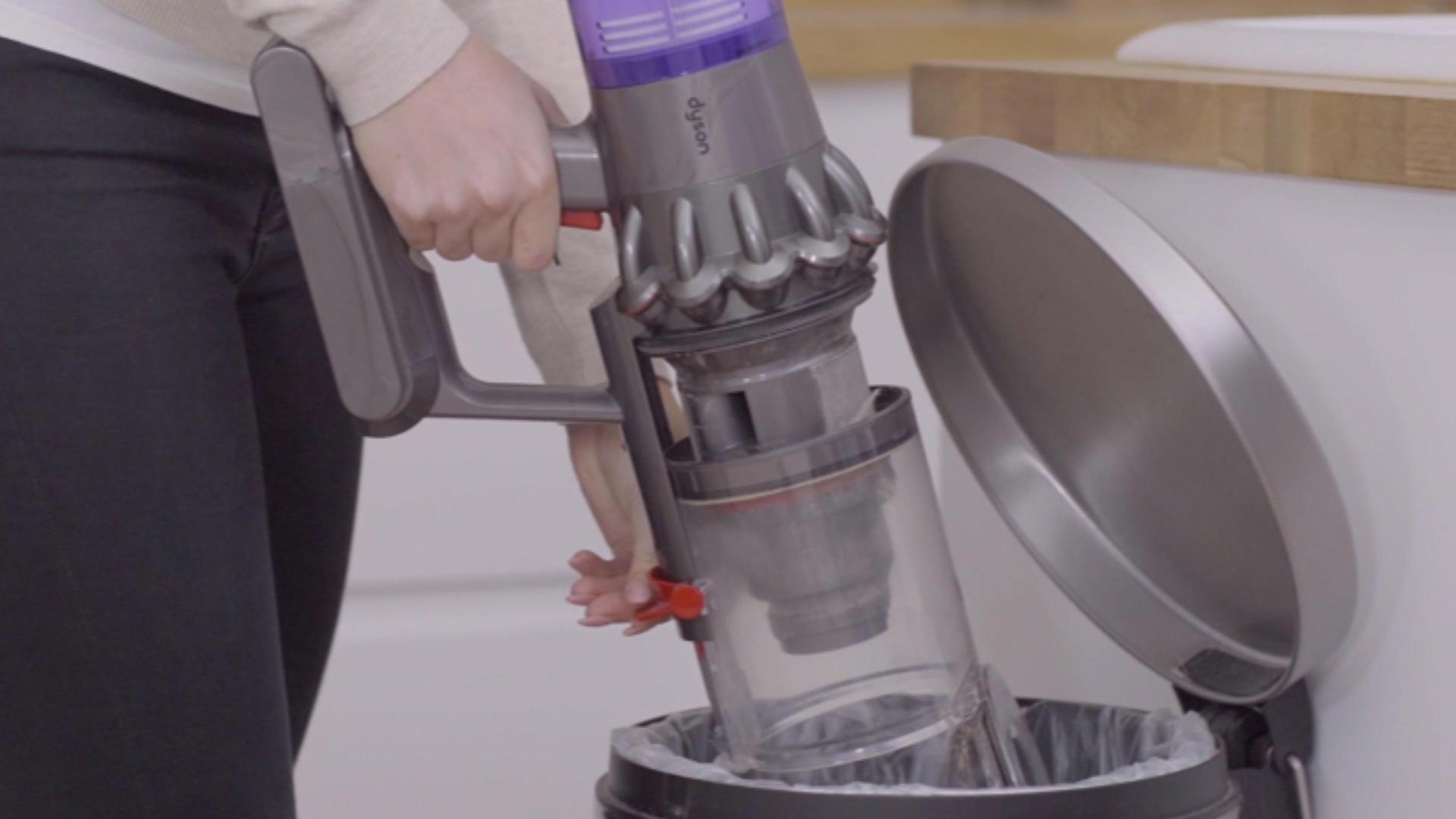
Most Dyson cordless vacuums use a clear dust bin with a red release button or red lever. The steps below work for many V-series models, but the location and action can vary.
1. Turn off and disconnect the vacuum
Release the power trigger or press the power button to stop the vacuum. If it is charging, unplug the charger before handling the bin.
Do not empty the vacuum while the motor is running. Keep fingers away from the brush bar and other moving parts.
2. Check the MAX line
Look at the clear bin. Empty it when dust reaches the MAX line. Waiting until the bin is packed full can reduce airflow and make the vacuum harder to empty.
You do not need to fill the bin completely before emptying it. Frequent emptying is helpful if you have pets, fine dust, or a small home.
3. Hold the vacuum over the trash can
Place the bin opening as far inside the trash can as possible. This helps contain dust and hair.
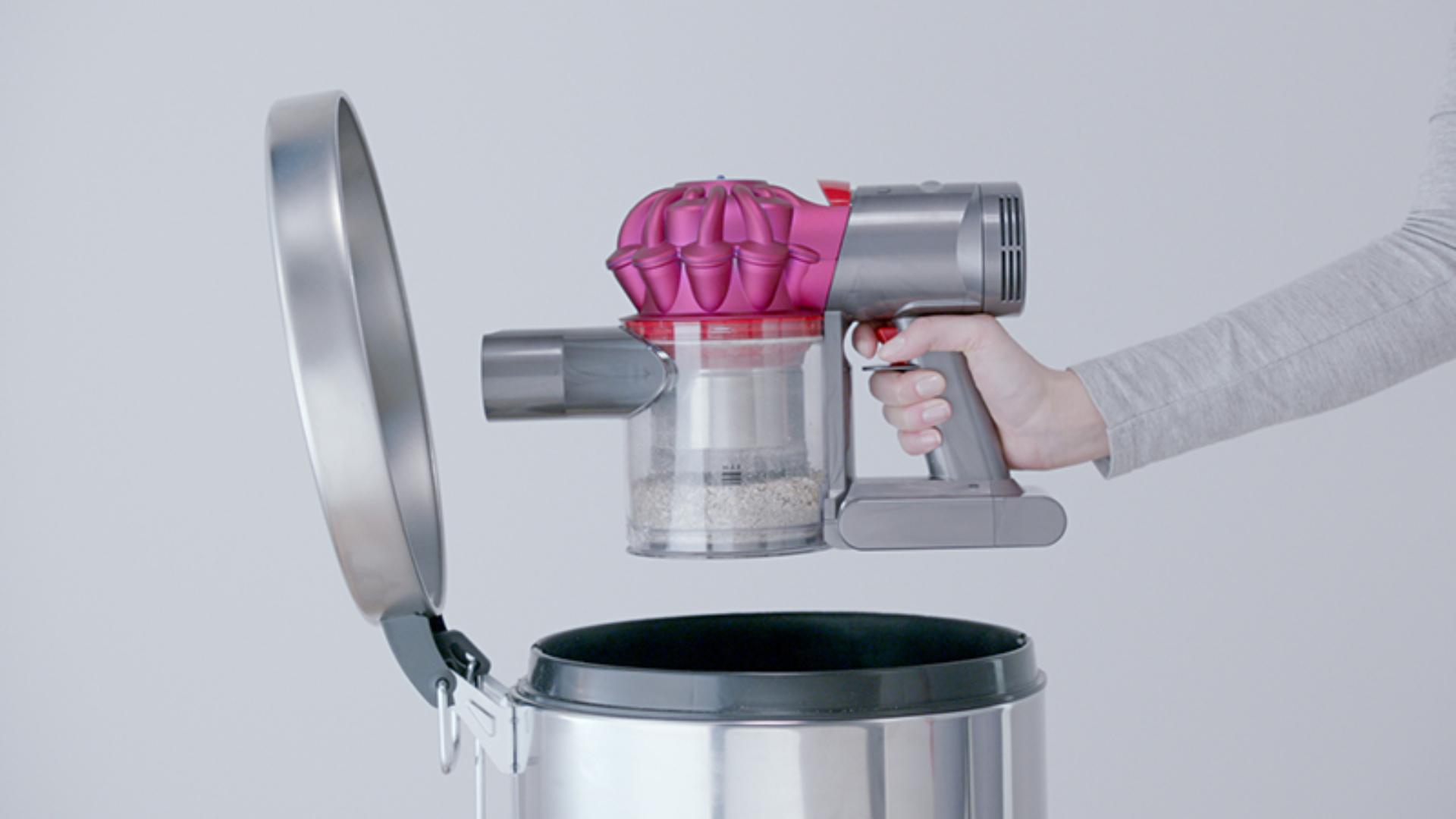
For a cordless stick vacuum, you can hold the vacuum upright with the bin pointing down. Keep the motor and filter area away from the trash.
4. Open the bin
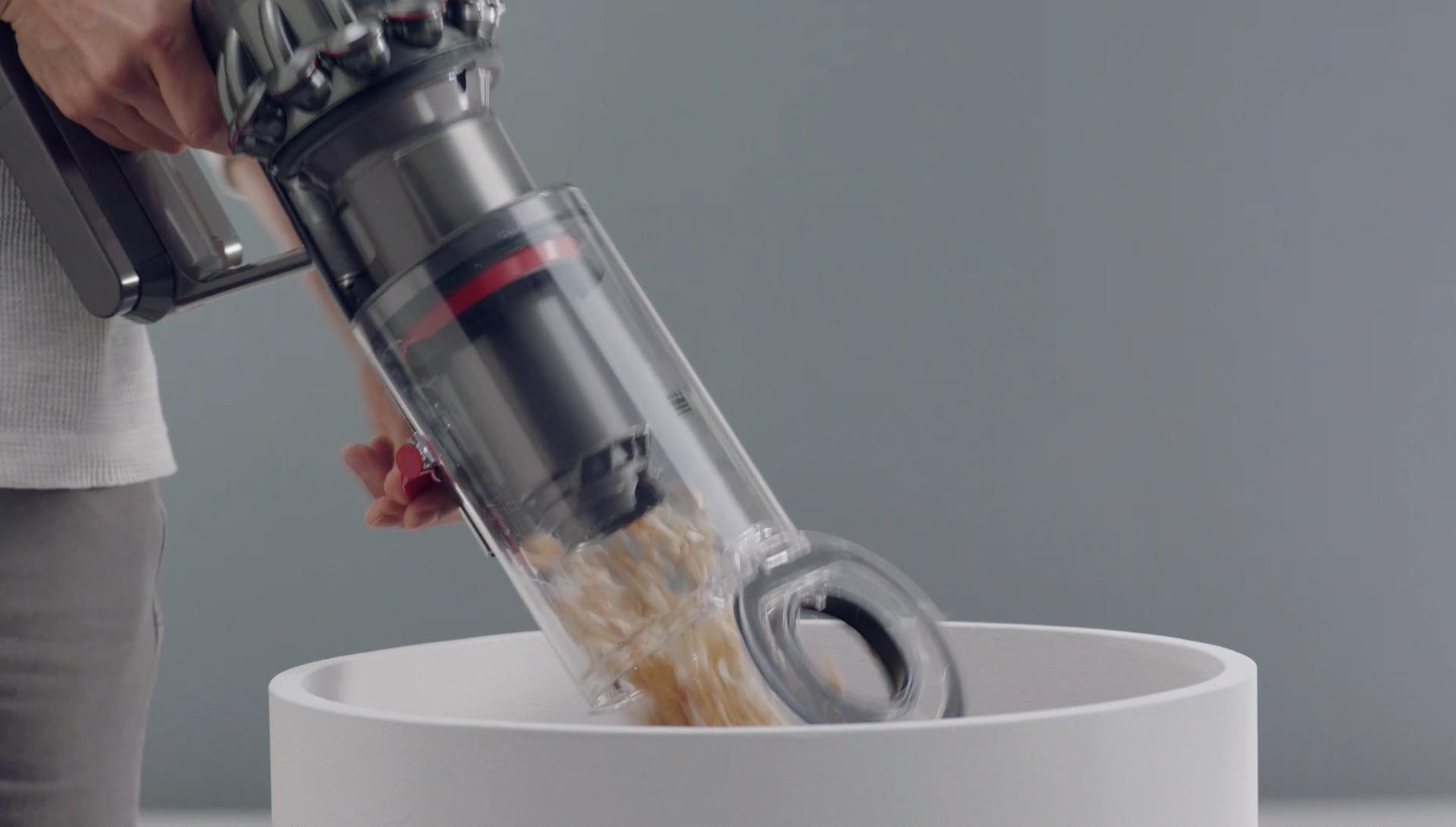
On many Dyson cordless models, pull the red bin-release lever upward. This opens the bin base and pushes dirt out.
On some models, press a red button or slide the bin forward before opening it. The correct action depends on the model.
5. Let the dirt fall out
Keep the release control open until the dust, hair, and debris drop into the trash. Do not hit the bin against the can. Tapping can damage plastic parts and may send dust into the air.
If hair or debris remains, close the bin and remove the blockage by hand only after turning the vacuum off and disconnecting it from power.
6. Close the bin securely
Push or release the bin mechanism until it clicks into place. Check that the bottom door is fully closed before using the vacuum.
A loose bin can leak dust or prevent the vacuum from starting.
How to Empty a Dyson Upright or Canister Vacuum
Dyson upright and canister vacuums have larger dust bins, but the basic method is similar. The bin may need to be removed from the main machine first.
Dyson upright vacuum
- Turn off and unplug the vacuum.
- Find the dust-bin release button near the top or side of the clear bin.
- Lift or pull the bin away from the vacuum.
- Hold the bin over a trash can.
- Press the bin-emptying button or open the bottom flap.
- Shake the bin gently only if the manual allows it.
- Close the flap until it clicks.
- Reattach the bin to the vacuum.
Many Dyson upright models use a “hygienic dirt ejector.” This inner collar helps push dust and hair out as the bin opens. If debris wraps around the collar, remove it carefully with the machine unplugged.
Dyson canister vacuum
- Switch off and unplug the canister.
- Press the bin-release button.
- Lift the clear bin from the canister.
- Position it over the trash can.
- Open the bin base using the release control.
- Empty the debris.
- Close the bin and reinstall it.
Some Dyson canister bins open from the bottom. Others may have a separate handle or latch. Never pull on the clear plastic container unless it has released properly.

Model-Specific Emptying Differences
The main difference between Dyson models is how the bin opens. The table below gives a general guide, not a substitute for the manual for your exact model.
| Dyson type | Common emptying method | Important detail |
|---|---|---|
| V7 and V8 | Pull the red lever to open the bin | The bin may need to be positioned directly over the trash |
| V10, V11, V12, and V15 | Slide or pull the red bin mechanism | Some models push debris out as the bin opens |
| Gen5detect | Use the red bin-release control | Keep the bin pointed down and check the door is closed |
| Outsize | Release the larger dust bin | The bin may detach from the main body |
| Ball upright | Remove or release the clear bin | Unplug the machine first |
| Big Ball or Cinetic canister | Press the bin-release control | Empty the bottom flap over the trash |
Model names can appear similar while using different release systems. For reliable instructions, enter the model name or serial number on Dyson’s official support page.
If your Dyson has a label near the bin, use that label to identify the model. The serial number may also appear on the machine, battery, or paperwork.

What to Do if the Dyson Bin Will Not Empty
A bin that will not open usually has a blocked release path, trapped hair, or a latch that is not fully engaged.
Try these checks in order:
- Turn off and unplug the vacuum or remove it from the charger.
- Confirm that you are pressing the bin-release control, not the power control.
- Look for hair or debris caught around the bin door.
- Move the bin gently back into its normal position.
- Try the release again without forcing it.
- Check the model guide for the correct release direction.
Do not use a knife, screwdriver, or other sharp tool to pry open the bin. This can damage the seal or cause injury.
If the release button moves but the door remains shut, stop and contact Dyson Support. A broken latch may allow dust to escape or make the vacuum unsafe to use.

How to Clean the Dyson Dust Bin
Emptying the bin removes dirt, but fine dust may remain on the clear plastic and inner parts. Clean the bin only as directed for your model.
Dry cleaning
For routine care:
- Remove the bin if the manual permits it.
- Wipe the inside with a dry or slightly damp cloth.
- Remove hair from the inner collar and door.
- Let all parts dry fully before reassembly.
A soft brush can help remove dust from corners. Do not brush dust into the motor or filter opening.
Washing the bin
Some Dyson bins can be washed after removal, while others should not be submerged. Check the manual before using water.
If washing is approved:
- Use cold or lukewarm water.
- Do not use bleach, detergent, or other cleaning chemicals unless Dyson specifically allows them.
- Keep electrical parts away from water.
- Let the bin dry completely before installing it.
Do not use a wet bin. Moisture can damage the motor and may cause odors or electrical problems.
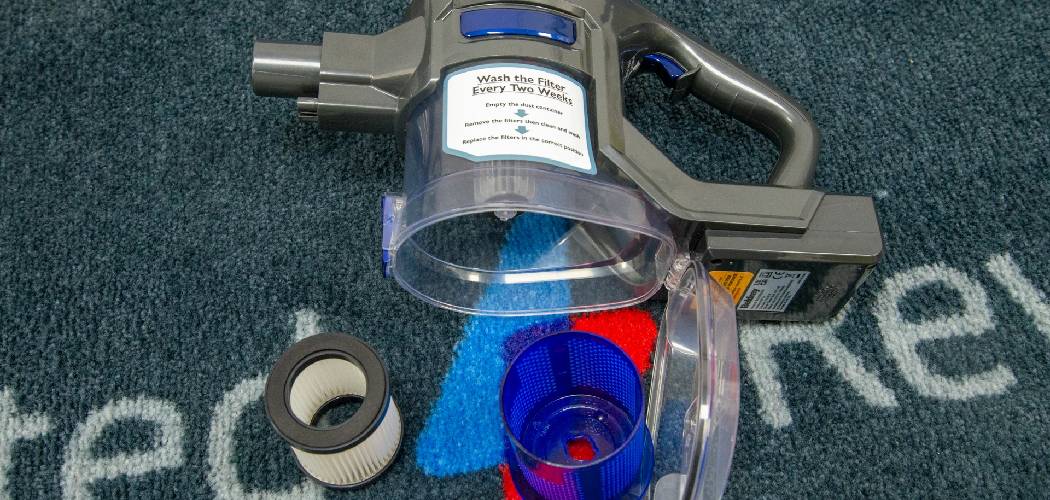
Cleaning the filter is a separate task
The dust bin and filter are different parts. Emptying the bin does not clean the filter.
A clogged filter may cause:
- Weak suction
- A pulsing motor
- A warning light
- A dusty smell
- Shorter battery life on cordless models
Follow the filter-washing and drying instructions for your exact Dyson model. A filter that looks dry on the outside may still hold moisture inside, so allow the full drying time stated by Dyson.
Common Mistakes to Avoid
Avoid these mistakes when emptying a Dyson vacuum:
Waiting past the MAX line
A full bin leaves less room for incoming dirt. It can also reduce airflow and make the machine seem weak.
Opening the bin indoors
Fine dust can float through the room. Hold the bin inside the trash can or empty it outdoors when practical.
Pulling the bin in the wrong direction
Some models slide forward. Others lift away or open at the base. Forcing the wrong part can break the latch.
Washing the wrong component
The filter, bin, cyclone, and motor housing have different care instructions. Never wash a part unless the manual says it is washable.
Using the vacuum with a wet bin
Water near the motor can cause damage. Reinstall the bin only when it is clean and completely dry.
Ignoring trapped hair
Long hair, pet hair, and string can collect around the bin door or inner collar. Remove buildup before it blocks the release mechanism.
How Often Should You Empty a Dyson Vacuum?
Empty the Dyson vacuum whenever dirt reaches the MAX line. For many homes, this may mean emptying it after each cleaning session or every few sessions.
Empty it more often when:
- You have dogs or cats
- You clean carpets with heavy debris
- You pick up fine dust
- You have recently remodeled
- You use the vacuum in a workshop or garage
- Someone in the home has dust allergies
The right schedule depends on the amount and type of debris. Pet hair can fill a bin faster than visible crumbs because it takes up more space and may wrap around internal parts.
:max_bytes(150000):strip_icc()/Dyson-Ball-Multi-Floor-Vacuum-3-d1990b7574aa42b4b8765fc6edeff220.jpg "Dyson Vacuum Emptying Troubleshooting Guide")
Dyson Vacuum Emptying Troubleshooting Guide
Use this table to match a symptom with a likely next step.
| Symptom | Possible cause | Safe next step |
|---|---|---|
| The bin will not open | Wrong release control or trapped debris | Check the model guide and remove visible hair |
| Dust leaks after emptying | Bin door is not closed | Refit the bin and listen for a click |
| Suction is weak after emptying | Blocked filter, wand, or cleaner head | Check each airway with the vacuum off |
| The motor pulses | Restricted airflow or filter issue | Empty the bin and inspect the filter |
| A dusty smell remains | Dust in the bin, filter, or airway | Clean approved parts and dry them fully |
| The vacuum will not start | Bin or battery is not seated correctly | Reinstall the bin and check the charger |
| Debris stays inside | Hair wrapped around the inner collar | Remove it by hand with the machine disconnected |
If the vacuum still pulses, smells burnt, sparks, overheats, or makes a new grinding sound, stop using it. Contact Dyson or a qualified repair service rather than continuing to run the machine.

Frequently Asked Questions
Can I empty a Dyson vacuum while it is charging?
No. Disconnect the charger first. Emptying the bin while the vacuum is connected to power creates an unnecessary safety risk and makes the vacuum harder to handle.
Do I need to remove the wand before emptying a Dyson cordless vacuum?
Usually, no. Some models empty more easily with the wand removed, but the correct method depends on the design. If the wand blocks the bin release, remove it using the normal release button.
Can I rinse the Dyson dust bin?
Only if Dyson permits washing the bin for your model. Keep the motor and electrical parts dry, and allow any washed part to dry completely before reinstalling it.
Why does my Dyson smell after I empty it?
A smell may come from trapped pet hair, damp dust, a dirty filter, or debris in the cleaner head. Emptying the bin alone may not remove the cause. Inspect the bin, filter, wand, and cleaner head according to the model guide.
How do I empty a Dyson vacuum without making a mess?
Put the bin deep inside a trash can, open it slowly, and avoid shaking it. Emptying the vacuum outdoors can also reduce dust indoors. If you are sensitive to dust, wear a suitable mask and wash your hands afterward.

Final Takeaway
To empty a Dyson vacuum, turn it off, disconnect it from power, hold the dust bin over a trash can, and use the model’s bin-release control. Empty the bin at the MAX line, remove trapped hair carefully, and make sure the bin is fully closed before cleaning again.
For the safest result, use the instructions for your exact Dyson model. Do not force the latch, wash unapproved parts, or operate the vacuum with a wet bin.

One Comment