For homes in the United States, a robot vacuum is a small, self-driving cleaning machine. It uses sensors, wheels, brushes, and suction to move across floors, pick up dirt, and return to its charging dock. Some models also map rooms, avoid objects, empty their dustbins, and mop hard floors.
The short answer is simple: a robot vacuum senses its surroundings, plans a route, cleans as it moves, and docks when its battery is low or its work is done. The quality of that process depends on the robot’s sensors, software, brush design, suction system, and the layout of your home.
What Is a Robot Vacuum?
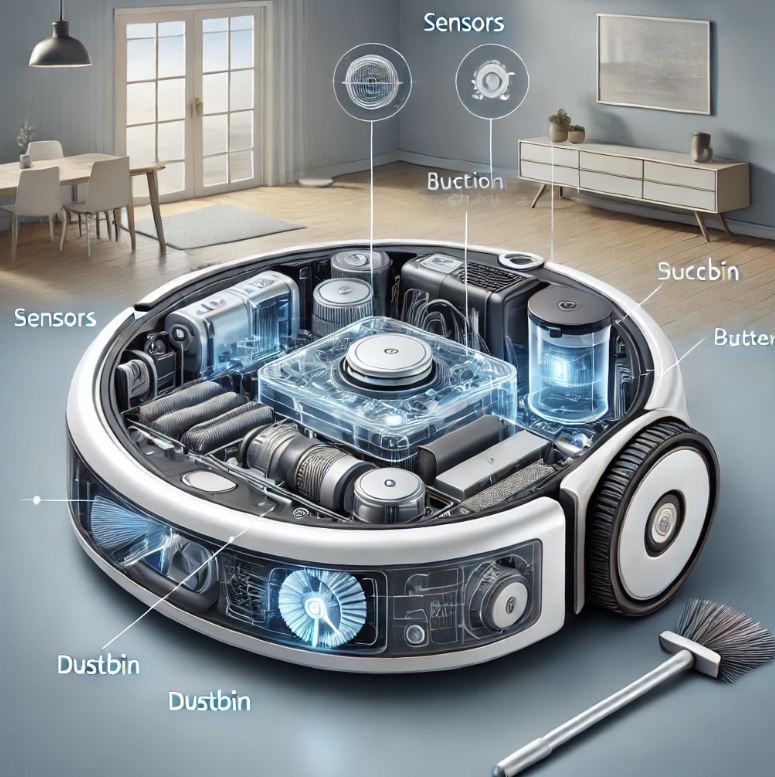
A robot vacuum is an automated floor cleaner. It has a motor, wheels, brushes, sensors, a battery, and onboard software. Many models also connect to a smartphone app through home Wi-Fi.
Unlike a traditional upright vacuum, a robot vacuum does not need you to push it. You set a cleaning schedule or start a cleaning run from the robot, a remote, or an app. The robot then follows a route across the floor.
Most robot vacuums are made for:
- Hardwood floors
- Tile
- Vinyl
- Laminate
- Low- and medium-pile carpet
- Area rugs
Some models can handle thicker carpet, but performance varies. A robot vacuum may also struggle with high thresholds, loose cords, deep shag rugs, and cluttered rooms.
A robot vacuum is not a fully independent housekeeper. It still needs regular care. You must empty or replace filters, remove hair from the brush roll, clean sensors, and keep the floor clear enough for the robot to move.
How Does a Robot Vacuum Navigate?
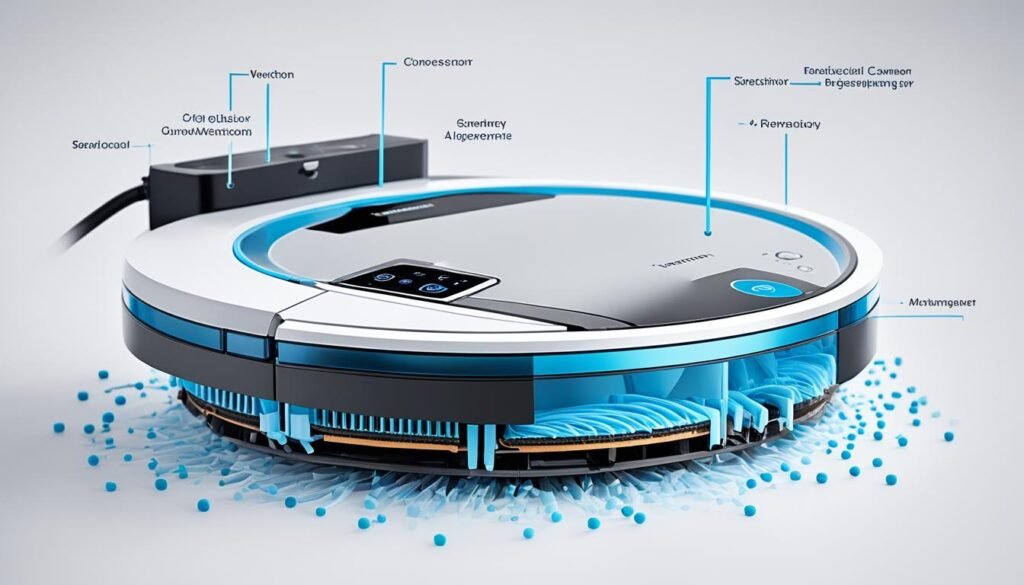
A robot vacuum navigates with a mix of sensors, software, wheels, and stored map data. Basic models may move in changing patterns, while advanced models build a map and clean in neat rows.
Basic robot vacuum navigation
Entry-level robot vacuums often use random or semi-random movement. The robot moves forward until a sensor detects a wall or object. It then turns and continues.
This method can clean a room, but it may take longer. The robot may also pass over the same area several times while missing another area.
Many basic models use these sensors:
- Bumper sensors: Detect physical contact with furniture or walls.
- Infrared sensors: Detect nearby objects and drop-offs.
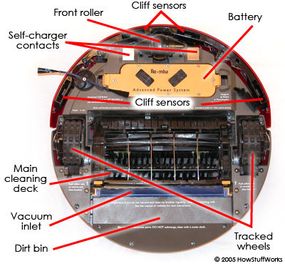
- Cliff sensors: Help prevent falls from stairs or ledges.
- Wheel sensors: Track wheel movement and distance.
- Wall sensors: Help the robot follow room edges.
Smart navigation with cameras or LiDAR
More advanced robot vacuums use cameras, LiDAR, or other mapping systems.
LiDAR, short for light detection and ranging, uses light pulses to measure distance. A rotating sensor can create a map of walls and other fixed objects. The robot can then plan a more direct route.
Camera-based systems use images to identify walls, furniture, floors, and objects. Some models use artificial intelligence to identify items such as shoes, cords, or pet waste. Camera performance may change with poor lighting, reflective surfaces, or blocked lenses.
Other models use gyroscopes, floor sensors, or a combination of technologies. The exact system depends on the brand and model.
Why maps matter
A map helps a robot vacuum:
- Clean one room instead of the whole home
- Divide a home into rooms
- Clean in straight lines
- Set no-go zones
- Return to a dock and resume cleaning
- Track where it has already cleaned
A map is not always a perfect copy of your home. Moving furniture, open doors, mirrors, dark surfaces, and clutter can affect the result. A robot may also need one or more mapping runs before the map becomes useful.
How Does a Robot Vacuum Pick Up Dirt?
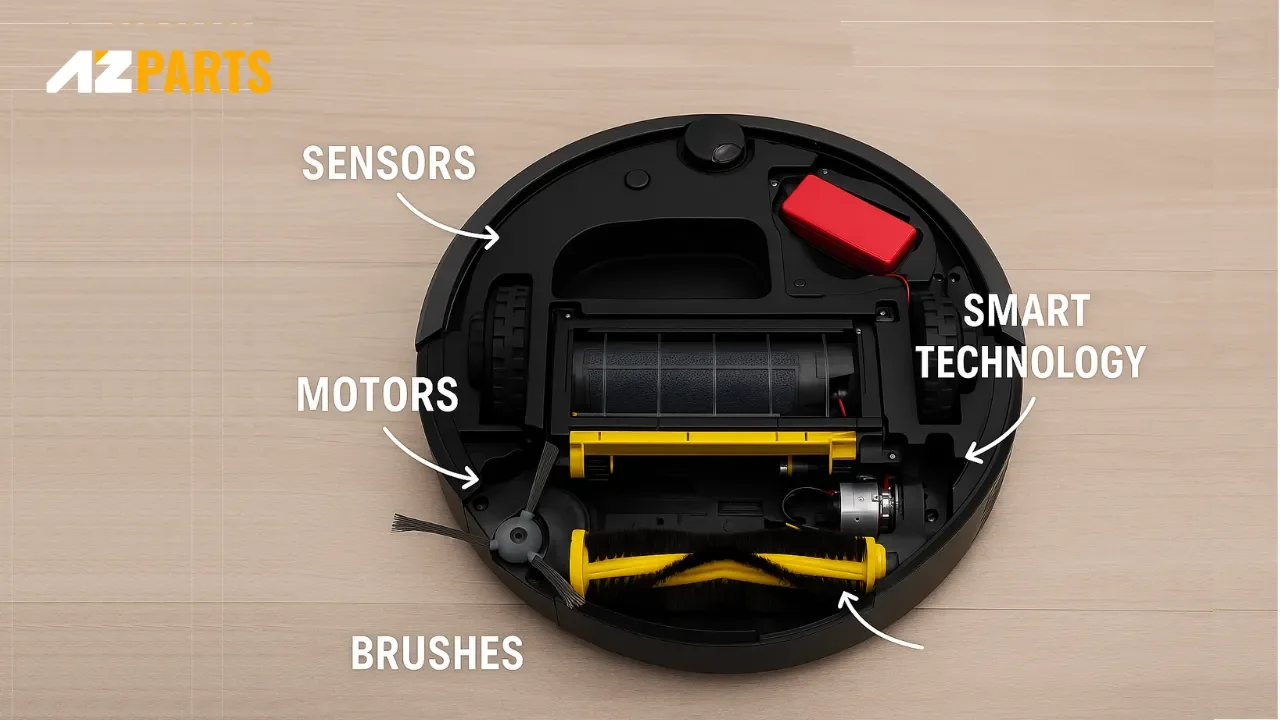
A robot vacuum picks up dirt through a combination of side brushes, a main brush roll, airflow, and suction. Each part has a different job.
Side brushes
One or more side brushes spin near the edge of the robot. They sweep dirt away from walls, corners, and furniture legs.
Side brushes do not always clean corners perfectly. Their main purpose is to move debris toward the robot’s intake path.
The main brush roll
The main brush roll sits under the robot. It agitates carpet fibers and gathers dirt from hard floors.
Common brush designs include:
- Bristle brushes for lifting debris
- Rubber or flexible rollers that resist hair tangles
- Combination rollers with bristles and rubber fins
Brush rolls can collect long hair, thread, and pet fur. If you do not clean the roll, tangled material can slow the motor or reduce cleaning performance.
Suction and airflow
The motor creates airflow through the intake. That airflow pulls dirt into the dustbin.
Manufacturers may list suction with different measurements, such as pascals. These figures are not always measured under the same conditions, so a larger number does not automatically prove better cleaning on every floor.
Real performance also depends on:
- Brush design
- Air path design
- Filter condition
- Floor type
- Dirt type
- Battery mode
- Robot speed
- How well the robot seals against the floor
A robot vacuum may pick up crumbs and dust well on hard floors but need more passes to remove embedded pet hair from carpet.
The dustbin and filter
Collected dirt moves into a dustbin inside the robot. A filter traps fine particles before air leaves the machine.
Many filters are washable, but not all are. Follow the manual for your model. A wet filter can damage some vacuums or restrict airflow if it is installed before it dries fully.
Some premium robots use a self-emptying dock. The dock transfers dirt from the robot’s small dustbin into a larger bag or container. This reduces daily emptying, but it adds more parts, noise, cost, and maintenance.

How Does a Robot Vacuum Know Where to Go?
A robot vacuum uses location data and route-planning software to decide where to move next. The robot may compare wheel movement, sensor readings, camera data, LiDAR data, and its stored map.
When a smart robot begins a cleaning run, it may:
- Leave the dock.
- Find the room or area to clean.
- Move around the room boundary.
- Divide the area into smaller sections.
- Clean each section in rows or another planned pattern.
- Detect obstacles and change course.
- Return to the dock when needed.
The exact sequence differs by model.
How robot vacuums avoid stairs
Downward-facing cliff sensors look for sudden changes in floor height. If the sensors detect a drop, the robot should turn away.
These sensors are helpful but not perfect. Very dark flooring, reflective surfaces, unusual steps, or dirt on the sensors may affect detection. Keep the area near stairs clear, and check your owner’s manual before relying on the robot near a drop.
How robot vacuums avoid furniture
The robot may use bumpers, infrared sensors, LiDAR, or cameras to detect furniture. Some models slow down before contact. Others gently touch an object and then turn.
Obstacle avoidance works best when the robot can detect the object’s size, shape, and position. Thin wires, small toys, socks, and low objects can be difficult for many models to see.
How virtual walls and no-go zones work
A virtual wall is a digital or physical boundary that tells the robot where not to go.
Depending on the model, you may create boundaries in the app. You might block:
- Pet bowls
- Cables
- A child’s play area
- A rug that causes problems
- A room with fragile items
- Stairs or a raised platform
Some older models use separate physical boundary devices. Digital zones usually require a working map and a compatible app.
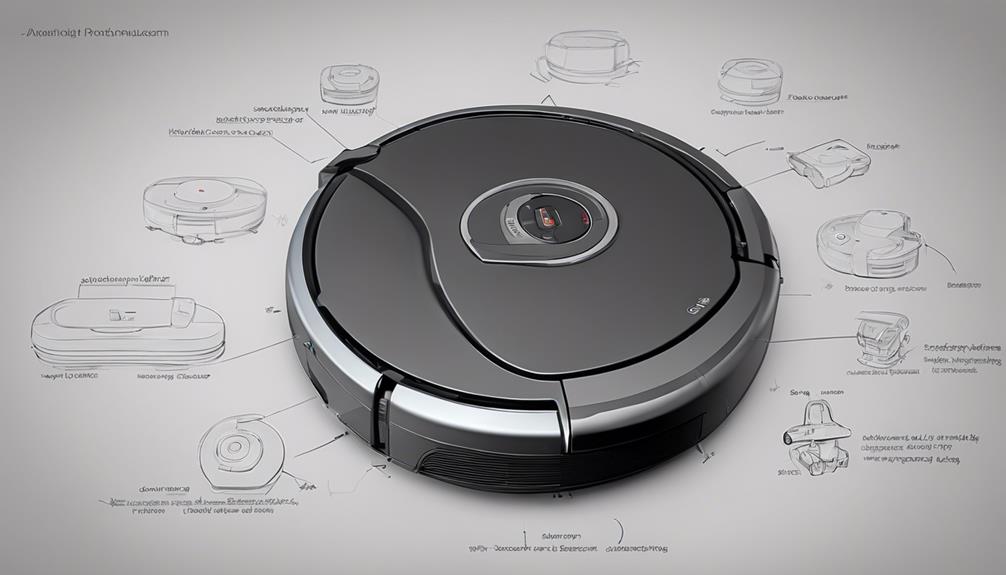
How Does a Robot Vacuum Return to Its Dock?
A robot vacuum returns to its dock by using stored location data, navigation sensors, and a signal from the dock. The dock usually sends an infrared or other short-range signal that helps the robot find the final approach.
The robot may return when:
- The battery is low
- A cleaning run is complete
- The dustbin needs emptying
- The mop pad needs washing
- You send it back through the app
Many models use a “recharge and resume” feature. The robot charges until it has enough power, then returns to the place where it stopped.
Docking can fail if:
- The dock is blocked
- The dock has moved
- The robot starts far away without a clear route
- The floor is slippery
- The charging contacts are dirty
- The map is incorrect
- Furniture blocks the approach
Place the dock on a level floor with open space around it. The exact clearance depends on the manufacturer’s instructions.
Clean the metal charging contacts on the robot and dock with a dry, soft cloth. Do not use water on electrical contacts unless the manual specifically allows it.
How Do Robot Vacuums Clean Different Floor Types?
Robot vacuum performance changes with the floor. Hard floors, rugs, carpet, and transitions each create different challenges.
Hardwood, tile, and vinyl
On hard floors, the main task is to collect dust, crumbs, hair, and grit. A soft roller or a brush with flexible fins may help reduce scratching, but no brush design can guarantee that a floor will never be marked.
Small stones or grit can also scratch delicate flooring if dragged across the surface. Remove large debris before cleaning if the floor maker recommends it.
Area rugs
A robot may climb onto an area rug if the edge is low enough. High edges, tassels, fringe, and loose backing can cause problems.
A side brush may pull at fringe. A brush roll may wrap loose fibers. If a rug repeatedly causes trouble, add a no-go zone or remove the rug during cleaning.
Carpet
On carpet, the brush roll must lift dirt from the fibers. Some robots raise suction automatically on carpet. Others let you select a stronger cleaning mode.
High-pile and shag carpet can block wheels or trap the robot. A robot vacuum may also have trouble moving from smooth floors onto thick rugs.
Check the robot’s documented floor limits before buying it for a home with thick carpet.

How Do Robot Vacuum and Mop Combos Work?
Robot vacuum-and-mop models usually use a water tank, a mop pad, and a controlled water system. The robot vacuums debris and then drags or presses a damp pad across a hard floor.
Basic combination models may use a passive pad. More advanced models may control water flow, scrub with moving pads, lift the mop on carpet, or wash and dry mop pads at the dock.
These machines are best for light surface cleaning. They do not replace a deep floor wash for sticky spills, grease, or heavy stains.
Use only the cleaning solution approved by the manufacturer. The wrong liquid may damage the water system, leave residue, or void warranty coverage.
Before using a mop function:
- Remove loose debris.
- Keep the robot away from unsealed wood unless the flooring maker allows damp cleaning.
- Block carpets if the robot cannot lift its mop.
- Do not leave a wet mop pad on a delicate floor.
- Empty and rinse the water tank as directed.
- Let washable parts dry before storage when required.
Never use a robot mop to collect large spills unless the manual says it can. Water and electrical parts require special care.

Do Robot Vacuums Use Wi-Fi and Apps?
Many robot vacuums use Wi-Fi for setup, remote control, maps, schedules, and software updates. Some basic models work without Wi-Fi through physical buttons or a remote.
An app may let you:
- Start or stop cleaning
- Choose rooms
- Set schedules
- Adjust suction
- Set no-go zones
- View maps
- Receive maintenance alerts
- Monitor cleaning history
App features can change by model, operating system, region, and software version. Read the current product manual and privacy policy before buying.
A robot can often perform basic cleaning without an internet connection after setup, but cloud features may stop working. The exact behavior depends on the manufacturer.
If privacy matters, check whether the robot has a camera, what data the app collects, and whether maps or images are stored online. A LiDAR-only model may still collect home layout data even without a camera.
What Are the Main Limits of Robot Vacuums?
Robot vacuums save time, but they do not remove every cleaning task. Their limits are part of how they work.
They may struggle with:
- Stairs
- Thick shag carpet
- High thresholds
- Loose cords
- Socks and small clothing
- Small toys
- Long tassels
- Pet waste
- Dark or reflective surfaces
- Very tight spaces
- Wet or sticky spills
- Cluttered rooms
A robot can also push light objects, trap itself under furniture, or miss dirt in corners. A clean map does not prove that every spot received the same level of cleaning.
The best results come from light preparation. Pick up cords, clothing, toys, and fragile items before starting a run. This protects the robot and improves coverage.
Pet owners should be especially careful with accidents on the floor. A robot can spread soft waste across a larger area and contaminate its brushes, wheels, and internal parts.

How to Maintain a Robot vacuum
Regular maintenance keeps suction, movement, and navigation working as designed.
After each few cleaning runs
- Empty the dustbin if it is full.
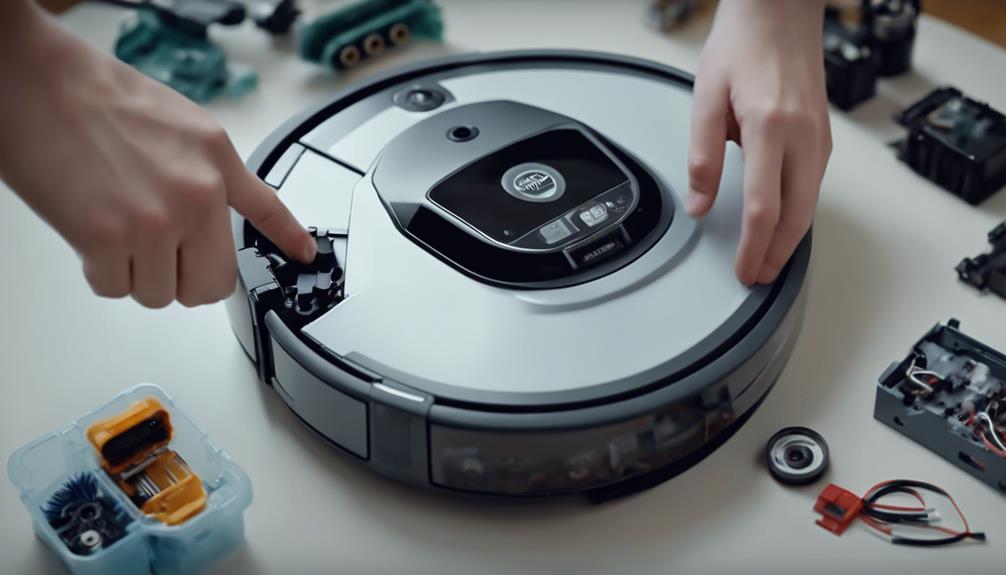
- Check the brush roll for hair.
- Remove debris from the side brush.
- Check the wheels.
- Inspect the filter.
- Look at the charging contacts.
- Confirm that the robot can reach its dock.
Clean sensors regularly
Dust on cliff, wall, camera, or navigation sensors can cause poor mapping or strange movement. Wipe exposed sensors with a clean, dry, soft cloth.
Do not scratch lenses or use harsh cleaners. Follow the model’s manual for removable parts.
Replace parts on the recommended schedule
Filters, side brushes, and brush rolls wear out. Replacement timing depends on use, pet hair, floor type, and the manufacturer’s instructions.
Replace a part sooner if it is cracked, badly worn, bent, or no longer cleans well. Use compatible parts that match the model.
Troubleshoot by symptom
| Problem | Likely causes | First checks |
|---|---|---|
| Robot stops during cleaning | Low battery, blockage, wheel issue | Check the battery, brush roll, wheels, and error message |
| Robot misses areas | Wrong map, blocked route, random navigation | Rebuild the map, open doors, and clear clutter |
| Robot cannot find the dock | Dock moved or blocked | Put the dock back and clear its approach |
| Suction is weak | Full bin, dirty filter, tangled brush | Empty the bin and clean the filter and brush |
| Robot bumps into objects | Dirty sensors or limited obstacle detection | Clean sensors and remove small hazards |
| Mop leaves too much water | High water setting or blocked control system | Lower water flow and follow the manual |
| Robot gets stuck | Rug edge, cable, low furniture, threshold | Create a no-go zone or remove the obstacle |
Unplug or stop the robot before clearing a jam. Do not reach into moving parts while the robot is running.
Are Robot Vacuums Worth It?
A robot vacuum can be worth the cost if you want frequent light cleaning and your home has open floors. It is especially useful for daily dust, crumbs, and pet hair.
It may be less useful if your home has many stairs, thick rugs, high thresholds, or heavy clutter. In those homes, a cordless or upright vacuum may still be needed for deep cleaning and stairs.
When comparing models, focus on these factors:
- Floor type
- Pet hair needs
- Navigation method
- Obstacle avoidance
- Battery life
- Self-emptying features
- Mop design
- Replacement part cost
- App and privacy features
- Warranty and repair support
- Dock size
- Noise level
Do not choose only by suction numbers or the number of advertised features. A simpler robot with reliable navigation may be more useful than a feature-rich model that frequently gets stuck.
A practical test is to ask: Can this robot clean the areas I care about without constant rescue and setup? If the answer is yes, automation may save meaningful time.

Frequently Asked Questions
Can a robot vacuum clean without Wi-Fi?
Usually, yes, if the model has physical controls or a remote. Some functions, such as room selection, maps, schedules, and remote control, may require the app or Wi-Fi.
Do robot vacuums work on dark floors?
Some do, but cliff sensors may mistake very dark or reflective flooring for a drop. Check the manufacturer’s guidance and test the robot before leaving it unattended.
Can a robot vacuum pick up pet hair?
Yes. Most robot vacuums can collect loose pet hair. Long hair may wrap around the brush roll, so homes with pets often need more frequent brush cleaning.
Can a robot vacuum go over thresholds?
It depends on the height and shape of the threshold, plus the robot’s wheel design. A tall, sharp, or uneven threshold may stop the robot or cause it to become stuck.
How often should a robot vacuum run?
Many homes benefit from several light cleaning runs each week. Homes with pets, children, or high foot traffic may need more frequent runs. The right schedule depends on how quickly dirt builds up and how much maintenance you can provide.
Conclusion
Robot vacuums work by combining sensors, wheels, brushes, suction, batteries, and navigation software. Basic models use simple movement and collision detection. Advanced models map rooms, plan routes, avoid objects, and return to a dock for charging or maintenance.
They work best when floors are mostly clear and the machine matches the home’s floor types. Keep the robot maintained, protect it from cords and spills, and treat it as a tool for frequent upkeep—not a full replacement for every kind of vacuuming.
The next step is to check your home’s floor types, thresholds, rugs, stairs, pet needs, and available dock space. Those details will tell you which robot vacuum features matter most.

One Comment