If your Shark vacuum has lost suction, stopped picking up dirt, will not turn on, or has a brush roll that will not spin, the cause is often a full dust cup, blocked hose, dirty filter, or tangled brush roll. Turn the vacuum off, unplug it or remove the battery, then check the easy and safe fixes first.
This Shark vacuum troubleshooting guide covers upright, stick, cordless, handheld, and robot models sold in the United States. Shark models differ, so always check your model’s owner’s guide before removing parts or buying replacements.

Shark Vacuum Troubleshooting: Start With These Checks
Most Shark vacuum problems follow a simple pattern. Air cannot move, the brush roll cannot turn, the battery cannot charge, or the machine has shut down to protect its motor.
Use this order:
- Turn off the vacuum.
- Unplug it or remove the battery.
- Empty the dust cup.
- Check the floor nozzle, hose, wand, and intake openings.
- Remove hair and string from the brush roll.
- Clean the filters as the manual directs.
- Let washable filters dry fully before reinstalling them.
- Reassemble the vacuum and test it again.
Do not run a vacuum with missing filters. Do not wash electrical parts, the motor housing, a power head, or a battery. If the vacuum smells like burning, sparks, smokes, or becomes unusually hot, stop using it and contact Shark Support or a qualified repair service.
Find the model number first
The model number helps you use the correct manual and parts. On many Shark vacuums, it appears on a label near the dust cup, behind the wand, on the bottom of the floor nozzle, or on the back of the main unit.
A model number may look similar to NV352, AZ1002, IZ163H, or RV1001. Small differences can affect:
- Filter type
- Brush-roll design
- Battery and charger
- Hose connections
- Error lights
- Cleaning instructions
- Replacement part compatibility
Shark Vacuum Has No Suction or Weak Suction
Weak suction usually comes from a blocked air path, a full dust cup, dirty filters, or an incorrectly fitted part. Check the dust cup and air path before assuming the motor has failed.
1. Empty the dust cup
Turn off the vacuum and remove the dust cup if the model allows it. Empty it over a trash can. Fine dust can form a plug near the cup’s inlet, so inspect that area too.
Do not fill the cup past its marked line. A full cup limits airflow and can make the vacuum sound normal while picking up very little dirt.
2. Check the hose, wand, and nozzle
Look through each removable air path. A clog may sit at the point where the wand joins the floor head.
Common blockage points include:
- The hose bend
- The wand opening
- The floor nozzle neck
- The brush-roll chamber
- The dirt inlet near the dust cup
- The air path behind a removable cover
Use a flashlight. If you can safely remove the clog, pull it out with your fingers or a blunt tool. Avoid pushing a sharp object into the hose, since it can damage the hose wall.
3. Clean the filters
many Shark vacuums use foam, felt, and post-motor filters. Some are washable, while others may require replacement. Follow the instructions for your exact model.
For a washable filter:
- Remove it with the vacuum turned off.
- Shake off loose dust outdoors or over a trash can.
- Rinse it with cool or lukewarm water.
- Continue rinsing until the water runs clear.
- Squeeze foam gently if the manual allows it.
- Let the filter air-dry completely.
- Reinstall it only when dry.
A wet filter can restrict airflow and may damage the vacuum. Drying time depends on the filter and room conditions; waiting at least 24 hours is a practical minimum, but the manual takes priority.
4. Check the floor setting
Some Shark upright models have settings for hard floors and carpets. On certain designs, the brush roll operates differently in each setting. A setting change may affect agitation, but it will not clear a clog or repair a blocked hose.
If suction is strong at the hose but weak at the floor head, focus on the floor nozzle and brush-roll chamber. If suction is weak at the hose, focus on the dust cup, filters, and main air path.

Shark Vacuum Is Not Picking Up Dirt
A vacuum can have motor suction but still leave debris behind. This often happens when the brush roll is not spinning, the nozzle is too high, or a large object blocks the intake.
Check the surface setting
Use the correct mode for the surface. A carpet setting may lower the nozzle or start the brush roll. A hard-floor setting may reduce brush action to protect delicate surfaces.
If the vacuum pushes debris forward, try a slower pass. Large crumbs, pet litter, and hair may need several passes or a handheld tool.
Inspect the brush roll
Turn off and unplug the vacuum before checking the brush roll. Remove hair, thread, and fibers from the roll and both end areas.
A clean brush roll should move freely by hand when the vacuum is off, unless your model’s design prevents easy movement. Do not force it. If the roll is jammed, remove the visible debris and inspect the end caps for packed hair.
Check the nozzle seal
The floor head needs close contact with the surface to move air well. A damaged or displaced seal can reduce pickup. Look for:
- A loose cover
- Cracked plastic
- A missing gasket
- A nozzle that does not sit flat
- Debris trapped under the head
Do not use tape as a long-term repair. It can loosen and enter the air path.
Test with a small area
Place a few crumbs on a hard floor or low-pile carpet. Use the correct setting and make one slow pass. If the vacuum picks up the test debris but not larger items, the issue may be the item size, nozzle height, or a partial clog.
Shark Brush Roll Is Not Spinning
A Shark brush roll may stop because it is tangled, the nozzle is not fully connected, the vacuum is in the wrong mode, or the motor has detected resistance.
Safe brush-roll reset
- Turn off the vacuum.
- Unplug it or remove the battery.
- Remove hair and string from the brush roll.
- Clear the intake behind and around the roll.
- Reconnect the floor nozzle firmly.
- Turn the vacuum on.
- Select the carpet or brush-roll mode if your model has one.
Some Shark models show a brush-roll indicator light. A red light or flashing light can indicate a jam, while a green light may indicate normal brush-roll operation. Light meanings vary by model, so confirm them in the owner’s guide.
If the brush roll still will not turn
Check whether the vacuum works with the floor nozzle removed. If the motor runs without the nozzle but stops with it attached, the nozzle may be blocked or faulty.
The brush roll may also fail because of:
- A broken belt in a belt-driven model
- A worn brush-roll motor
- A damaged connection
- A failed nozzle circuit
- An electronic protection shutdown
Do not open the motor housing unless the manual allows it and you understand the safety risk. Contact Shark Support when cleaning and correct assembly do not solve the problem.

Shark Vacuum Turns Off by Itself
A Shark vacuum that shuts off during use may be overheating or detecting a blockage. Cordless models may also stop because of a low battery or battery protection system.
Let the vacuum cool
Turn the vacuum off and unplug it. Leave it in a clear, dry area for at least 45 minutes before testing it again. Keep the air vents uncovered.
While it cools, check:
- The dust cup
- The filters
- The hose
- The wand
- The floor nozzle
- The brush roll
- The motor intake
A vacuum that shuts off again after a short time still has a problem. Repeated use can place more stress on the motor.
Clear the airflow path
A clog can make the motor work harder and trigger thermal protection. Do not test the vacuum repeatedly without finding the cause.
If it works after cooling but shuts off again when cleaning carpet, the brush roll may be jammed or the filter may be restricted. If it shuts off even with the wand and floor head removed, the main unit may need service.
Stop using it if you smell burning
A warm plastic smell after a minor clog can fade, but a sharp electrical smell, smoke, sparks, or melted plastic is a reason to stop immediately. Unplug the vacuum if it is safe to do so. Do not keep resetting it.
Shark Vacuum Will Not Turn On
When a Shark vacuum has no power, first check the power source and connections. Then inspect the battery, charger, and controls.
Corded Shark models
For a corded vacuum:
- Push the plug fully into the wall outlet.
- Test the outlet with another small device.
- Reset a tripped ground-fault circuit interrupter, or GFCI, if present.
- Check the vacuum’s power switch.
- Inspect the cord and plug for cuts, exposed wires, or heat damage.
Do not use a damaged cord. Do not run the cord under rugs or through wet areas.
Cordless Shark models
For a cordless vacuum:
- Make sure the battery is fully seated.
- Charge it with the correct Shark charger.
- Check the charger connection.
- Look for battery indicator lights.
- Remove and reinstall the battery if the design allows it.
- Test the vacuum after a full charge.
A cordless vacuum may not start if the battery is too hot or too cold. Let it return to room temperature before charging or using it.
If the battery is swollen, cracked, leaking, unusually hot, or smells chemical, stop using it. Do not puncture, crush, open, or place it in household trash. Follow local battery recycling rules or contact Shark for disposal guidance.
Check the trigger or power button
Some Shark stick vacuums use a trigger, while others use a power button. A trigger model may run only while the trigger is held. This is normal and is not the same as a power failure.
Shark Vacuum Is Not Charging
Charging problems often come from a loose connection, the wrong charger, dirty contacts, a hot battery, or a battery that has reached the end of its service life.
Charging checklist
- Use the charger supplied for the exact model.
- Connect the charger directly to a working outlet.
- Seat the battery or charging dock correctly.
- Check for dust on charging contacts.
- Keep the charger and battery dry.
- Charge at room temperature.
- Watch for the expected charging light pattern.
Never use a charger with the same plug shape unless its voltage, current, connector, and model compatibility match the manufacturer’s requirements.
If the indicator never changes after the recommended charging period, test another known-good outlet. If the vacuum still will not charge, the charger, battery, dock, or charging circuit may be defective.
When a battery replacement may be needed
A battery may need replacement when the vacuum runs for a much shorter time than it did when new, will not accept a charge, or shuts down under normal use after the air path is clear.
Battery life varies with model, mode, floor type, temperature, and age. Avoid buying a battery based only on appearance. Match the model number and battery part number.

Shark Vacuum Makes a Loud Noise
A new rattle, whine, grinding sound, or high-pitched squeal usually points to an obstruction, loose part, or worn component.
Rattling or clicking
Turn off and unplug the vacuum. Check the dust cup, hose, wand, and floor head for coins, screws, pebbles, or other hard objects.
Also check that:
- The dust cup is locked in place.
- The filters are seated correctly.
- The wand is fully inserted.
- The floor nozzle cover is secure.
- The brush-roll cover is closed.
Grinding or squealing
Grinding can indicate a jammed or worn brush-roll bearing. Squealing may come from a brush roll that cannot turn freely or a belt that is slipping on a belt-driven model.
Do not keep running the vacuum to “see if it clears.” Continued use can damage the nozzle motor or belt.
Air noise
A strong hiss may indicate an air leak or an open suction release valve. Check hose connections and covers. If the sound remains after reassembly, a cracked hose or seal may need replacement.

Shark Vacuum Smells Bad or Smells Like Burning
A dusty, musty, or pet odor often comes from a full dust cup, dirty filters, or debris trapped in the brush roll. A burning odor requires more caution.
For dust and pet odors
- Empty the dust cup outdoors if possible.
- Clean washable filters according to the manual.
- Remove hair and debris from the brush roll.
- Check the floor nozzle and hose.
- Let washable parts dry fully.
- Replace filters that remain dirty or smell bad after proper cleaning.
Do not add perfume, essential oil, detergent, or disinfectant to the dust cup or filters. These substances can damage parts, create fumes, or leave a flammable residue.
For a burning smell
Stop using the vacuum and unplug it. A burning smell may come from a stalled brush roll, slipping belt, overloaded motor, damaged wire, or overheated battery.
Do not use the vacuum again until you identify and correct the problem. If you see smoke, sparks, melted plastic, or scorch marks, seek manufacturer support or qualified repair help.
Shark Vacuum Leaks Dust or Blows Dust Back Out
Dust escaping from a Shark vacuum usually means a filter, dust cup, seal, or connection is not fitted correctly. It can also mean the filter is damaged.
Check these points:
- The dust cup is locked into place.
- The lid closes fully.
- The filter is installed in the correct direction.
- The filter is dry.
- The filter has no tears or gaps.
- The post-motor filter cover is closed.
- The hose and wand are connected.
- The dust cup gasket is clean and seated.
If fine dust appears around the exhaust, stop using the vacuum until the filter system is correct. A damaged filter should be replaced with the correct part for the model.
Shark Robot Vacuum Troubleshooting
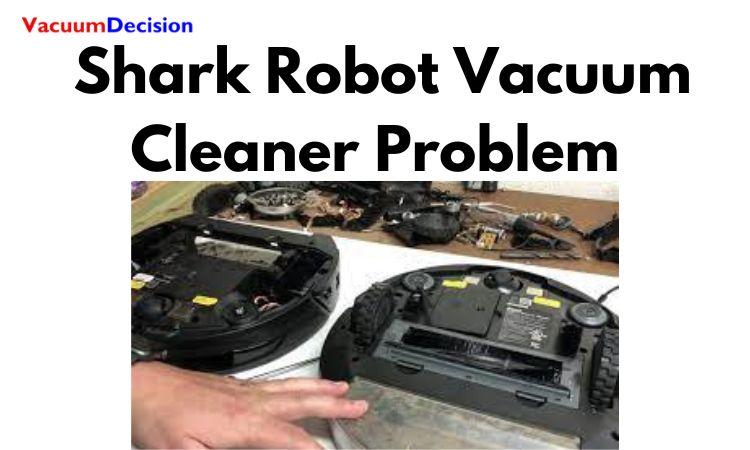
Shark robot vacuums have extra parts to check, including the charging dock, side brushes, sensors, wheels, and app connection.
Robot vacuum will not start
Make sure the power switch is on, the battery has charge, and the robot is not stuck under furniture. Place it on the dock and check whether the charging indicator responds.
Clean dust from the charging contacts on the robot and dock with a dry, soft cloth. Do not use water on the contacts.
Robot vacuum will not dock
Place the dock on a level surface with clear space around it. Move cords, toys, and other objects away from the robot’s path.
Clean the front sensor area and charging contacts. If the dock has moved since mapping, return it to its former position when possible. A changed dock location can affect navigation.
Robot vacuum is stuck or misses areas
Check the wheels, side brushes, and main brush. Hair can wrap around wheel axles and stop movement.
Also inspect:
- Cliff sensors
- Front bumper
- Brush cover
- Dust cup
- Filter
- Floor transitions
- Dark or reflective surfaces
Robot sensors may respond differently to rugs, thresholds, dark floors, and reflective objects. Keep the cleaning area free of cords, socks, pet toys, and small objects.
App or Wi-Fi problems
App features vary by Shark robot model. Confirm that the robot, phone, app, and home network meet the model’s requirements.
Try these basic steps:
- Close and reopen the Shark app.
- Confirm the phone has internet access.
- Restart the robot.
- Restart the router if other devices also have trouble.
- Check that the robot is near the dock during setup.
- Follow the model-specific pairing instructions.
Do not factory-reset the robot unless you are prepared to set up maps and schedules again.

Shark Vacuum Troubleshooting Table
Use this table to choose the best first check.
| Symptom | Most likely first checks | What the result means |
|---|---|---|
| Weak suction | Empty cup, clear hose, clean filters | Airflow is restricted if suction improves |
| No pickup from carpet | Check brush roll and carpet mode | The brush may be off or jammed |
| Brush roll will not spin | Remove hair, check nozzle connection | A clean, connected nozzle should restore normal action |
| Shuts off while running | Let it cool, clear clogs, clean filters | Repeated shutdown suggests a deeper fault |
| Will not turn on | Check outlet, switch, battery, and charger | No response after power checks may require service |
| Will not charge | Use the correct charger and clean contacts | No light may indicate charger, battery, or dock trouble |
| Loud rattle | Inspect hose, cup, and floor head | Hard debris or a loose part may be inside |
| Burning smell | Stop use and unplug | Continued use may create a fire or electrical risk |
| Dust blows out | Refit or replace filters and check seals | Incorrect filtration can release fine dust |
| Robot will not dock | Clear dock path and clean contacts | Obstructions or moved docks can disrupt docking |
This table is a starting point, not a substitute for the instructions for your model.

How to Reset a Shark Vacuum
There is no single reset method for every Shark vacuum. Many models reset simply by turning the vacuum off, unplugging it, clearing the blockage, and allowing the motor to cool.
For a cordless model, you may be able to remove and reinstall the battery. Some robot vacuums have a dedicated power switch or reset process in the app. Use the owner’s guide before performing a factory reset.
A reset will not fix a physical clog, damaged filter, broken belt, worn battery, or failed motor. Reset the vacuum only after correcting the cause of the shutdown.
When to Contact Shark Support
Contact Shark Support or an authorized service provider when:
- The vacuum shuts off after the air path is clear.
- The brush roll remains inactive after cleaning and correct setup.
- The charger and battery are compatible but charging still fails.
- The vacuum has a burning odor, smoke, sparks, or melted plastic.
- A cord, plug, battery, or housing is damaged.
- The robot shows a recurring error after the listed checks.
- A part is cracked, missing, or no longer locks into place.
- The vacuum is still under warranty.
Have the model number, purchase information, and a description of the symptom ready. Do not disassemble the motor, battery pack, or electrical controls unless Shark’s instructions specifically permit it.
How to Prevent Common Shark Vacuum Problems
Regular care can prevent many suction and brush-roll issues.
- Empty the dust cup before debris reaches the maximum line.
- Check the brush roll often if you have pets or long hair.
- Clean washable filters on the schedule in the manual.
- Replace filters when they are damaged or stay clogged after cleaning.
- Keep hoses and floor heads free of large objects.
- Store the vacuum in a dry place.
- Keep cordless batteries away from heat and moisture.
- Do not vacuum wet material unless the model is designed for it.
- Do not use the vacuum without its filters.
- Keep cords, socks, strings, and small toys away from robot vacuums.
A short inspection every few uses is easier than clearing a hard-packed clog later.
Frequently Asked Questions
Why does my Shark vacuum lose suction after a few minutes?
The vacuum may be overheating because of a clog, full dust cup, dirty filter, or jammed brush roll. Turn it off, let it cool, then clear the air path and clean the filters as directed. If the problem returns, contact Shark Support.
Can I wash Shark vacuum filters?
Many Shark filters are washable, but not every part is. Wash only filters identified as washable for your model. Let them dry completely before reinstalling them.
How often should I clean Shark vacuum filters?
The correct schedule depends on the model and how often you vacuum. Homes with pets, fine dust, or frequent use may need more frequent checks. Follow the owner’s guide and clean a filter sooner if suction drops.
Why is my Shark vacuum making a high-pitched noise?
A high-pitched sound can come from restricted airflow, a clogged hose, a brush roll that cannot turn, a slipping belt, or a worn motor part. Turn it off and inspect the dust cup, filters, hose, and floor nozzle.
Why does my Shark cordless vacuum stop when I use it?
A low battery, blocked filter, clogged nozzle, jammed brush roll, or overheating protection can cause a cordless model to stop. Charge it with the correct charger, clear the air path, and allow it to cool before testing.
Can I use a generic Shark vacuum filter or battery?
Compatibility is model-specific. A part that fits physically may still filter poorly or have the wrong electrical rating. Match the replacement to the exact model and part number.
Conclusion
Start Shark vacuum troubleshooting with the safest, most common causes: empty the dust cup, clear the air path, clean the brush roll, inspect the filters, and check the power or battery connection. Let the vacuum cool before testing it again, and never continue using it after smoke, sparks, melted plastic, or a strong burning odor.
If the basic checks do not restore normal operation, use the exact owner’s guide and contact Shark Support with the model number.