A clean robot vacuum works better, runs more safely, and can last longer. For most homes in the United States, basic care means emptying the dustbin often, cleaning the brush roll and side brush each week, wiping the sensors, and replacing worn parts when needed. Always check your model’s manual before using water, soap, or replacement parts.
What You Need Before You Start
Gather a soft, dry cloth, a small cleaning brush, scissors, a trash can, and the robot vacuum’s user manual. A spare toothbrush can help remove dust from small parts.
Unplug or switch off the robot before you clean it. If it is charging, remove it from the dock first. Never put the robot, charging dock, or power cord under running water.
Many robot vacuums have parts that look alike but have different care rules. A washable filter is not the same as a filter that must stay dry. A mopping pad may be machine washable, while the dustbin may not be. The manual is the final guide for your exact model.
Basic safety rules
- Turn off the robot before removing parts.
- Keep water away from the motor, battery, charging contacts, and sensors.
- Do not use bleach, alcohol, abrasive cleaners, or strong solvents unless the manual allows them.
- Let washed parts dry fully before putting them back.
- Keep hair, cords, and loose objects away from the robot while it runs.
- Use only the correct battery, filter, brush, and mop parts for your model.
- Stop using the robot if the battery swells, smells hot, leaks, or becomes unusually warm.
Most cleaning takes only a few minutes. A little care can prevent a small tangle from becoming a motor or brush problem.
How to Clean a Robot Vacuum Step by Step
Clean the robot in this order: dustbin, filter, brushes, wheels, sensors, charging contacts, and dock. This order keeps loose dirt from moving back onto parts you already cleaned.
1. Empty and clean the dustbin
Remove the dustbin and empty it into a trash can. If your model has a full-bin sensor, brush away dust near the sensor opening.
Use a dry cloth or soft brush to remove dirt from the bin. If the manual says the bin is washable, rinse it with clean water and let it dry fully. Do not reinstall a damp bin. Moisture can damage the vacuum or cause dirt to stick inside.
If your robot uses a self-emptying station, also check the station’s bag or debris container. Replace a disposable bag when it is full. Empty a reusable container before dirt reaches the inlet.
2. Clean the filter
Remove the filter from the dustbin. Tap it gently over a trash can, or use a soft brush to remove loose dust. Do not scrub hard, because a damaged filter may let fine dust reach the motor.
Some filters can be rinsed. Others must stay dry. If the filter is washable, rinse it with cool or lukewarm water only. Do not use soap unless the maker allows it. Press out excess water without twisting the filter, then let it air-dry completely.
Drying may take at least 24 hours, depending on the filter and room conditions. Keep a spare filter if you need to use the robot while the main filter dries.
Replace the filter when it is torn, misshapen, clogged after cleaning, or still smells dusty. A blocked filter can reduce suction and make the robot work harder.
3. Remove hair from the main brush
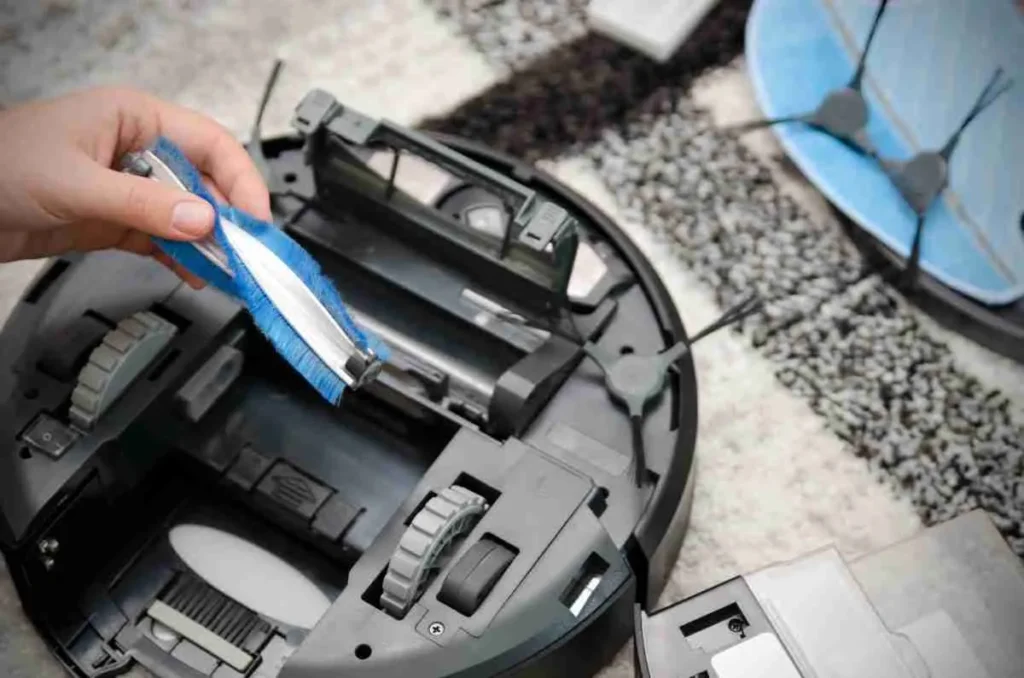
Turn the robot over on a soft surface. Release the brush guard and lift out the main brush, also called the roller brush or brush roll.
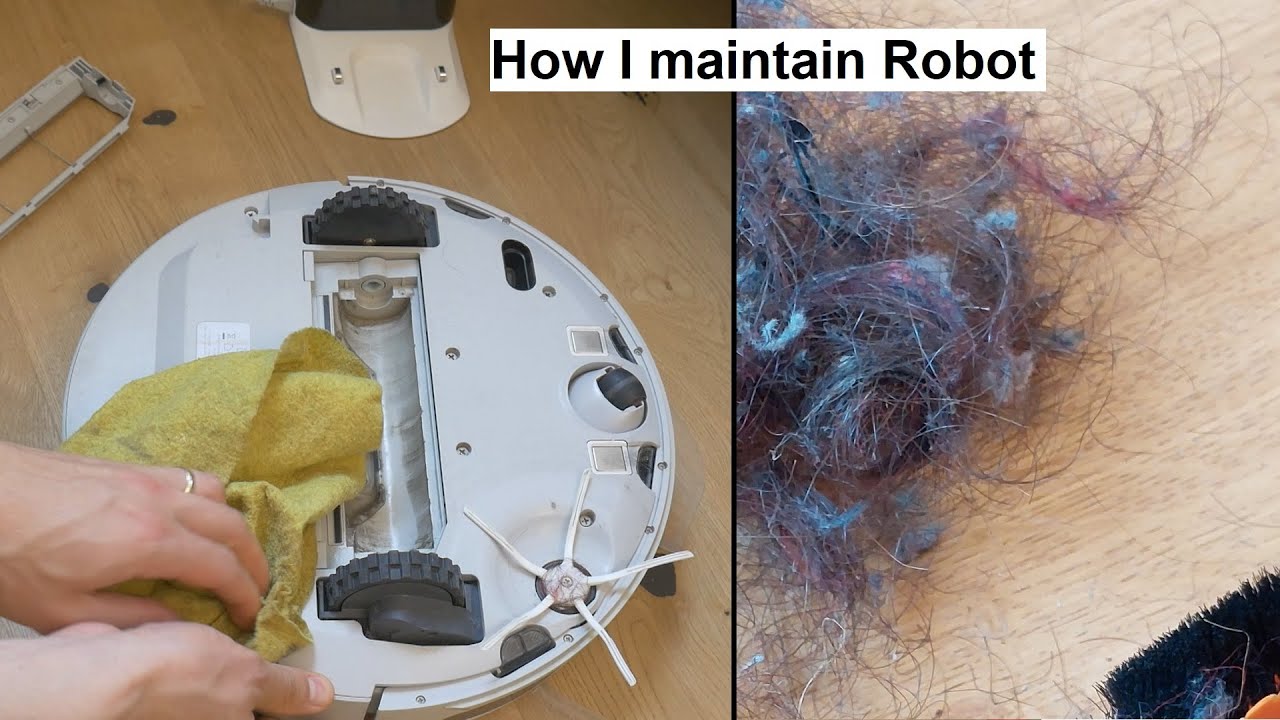
Pull away hair, thread, and carpet fibers. Use scissors to cut long strands along the brush’s cleaning groove. Keep the scissors pointed away from your hands and the brush bristles.
Clean the brush ends and the small bearings or caps. Hair often winds around these points and may not be visible at first. Turn each end by hand. It should move freely.
If the brush is cracked, badly worn, or missing bristles, replace it. A damaged brush can leave dirt behind and may make a rattling sound.
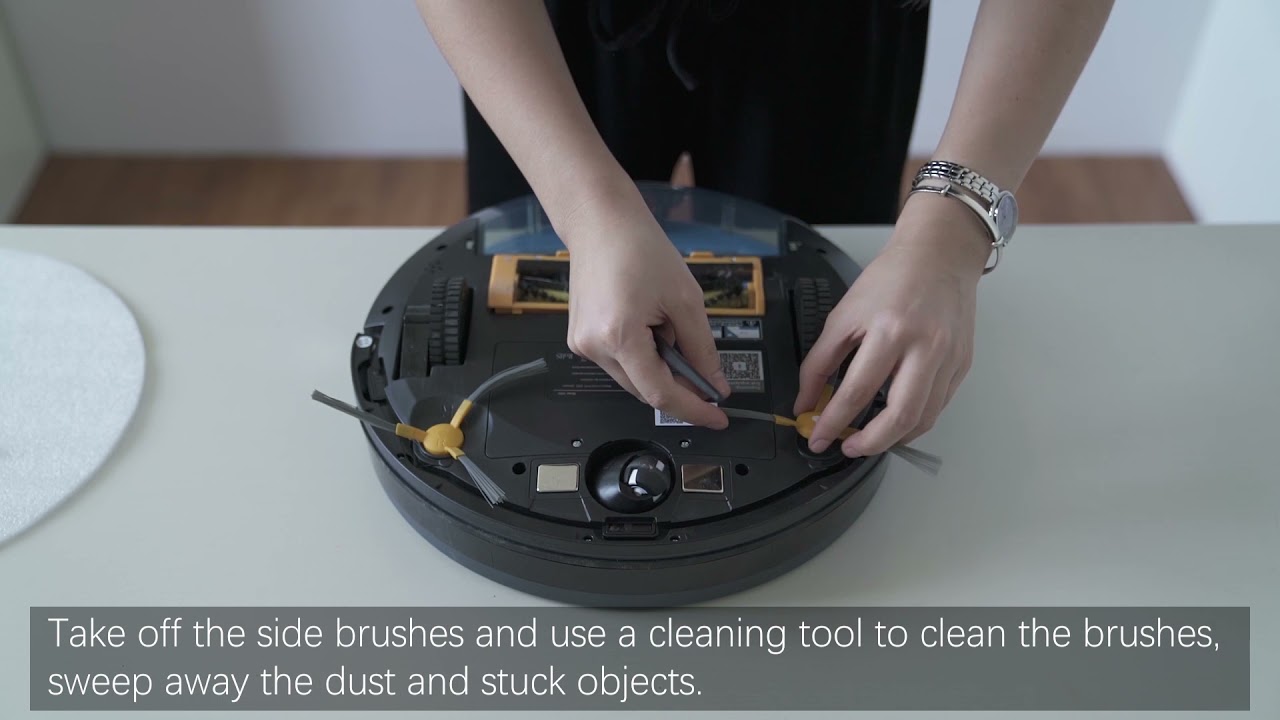
4. Clean the side brush
Remove the side brush if the design allows it. Pull away hair and thread from the base.
Wipe the bristles with a dry or slightly damp cloth. If the bristles bend, warm them gently with clean water only if the manual permits it. Let the brush dry before fitting it back.
Replace the side brush if it stays bent, stops turning, or has loose bristles. Bent bristles can reduce cleaning along walls and corners.
5. Check the wheels
Turn each wheel by hand. Remove hair, string, and grit from the wheel wells.
The small front caster wheel often collects pet hair and dust. If it can be removed, clean around its axle and reinstall it correctly. Do not force a wheel that does not come out easily.
The wheels should turn without grinding or sticking. If one wheel remains stiff after cleaning, the problem may be inside the wheel motor. Contact the manufacturer or a qualified repair service rather than spraying lubricant into the robot.
6. Wipe the sensors
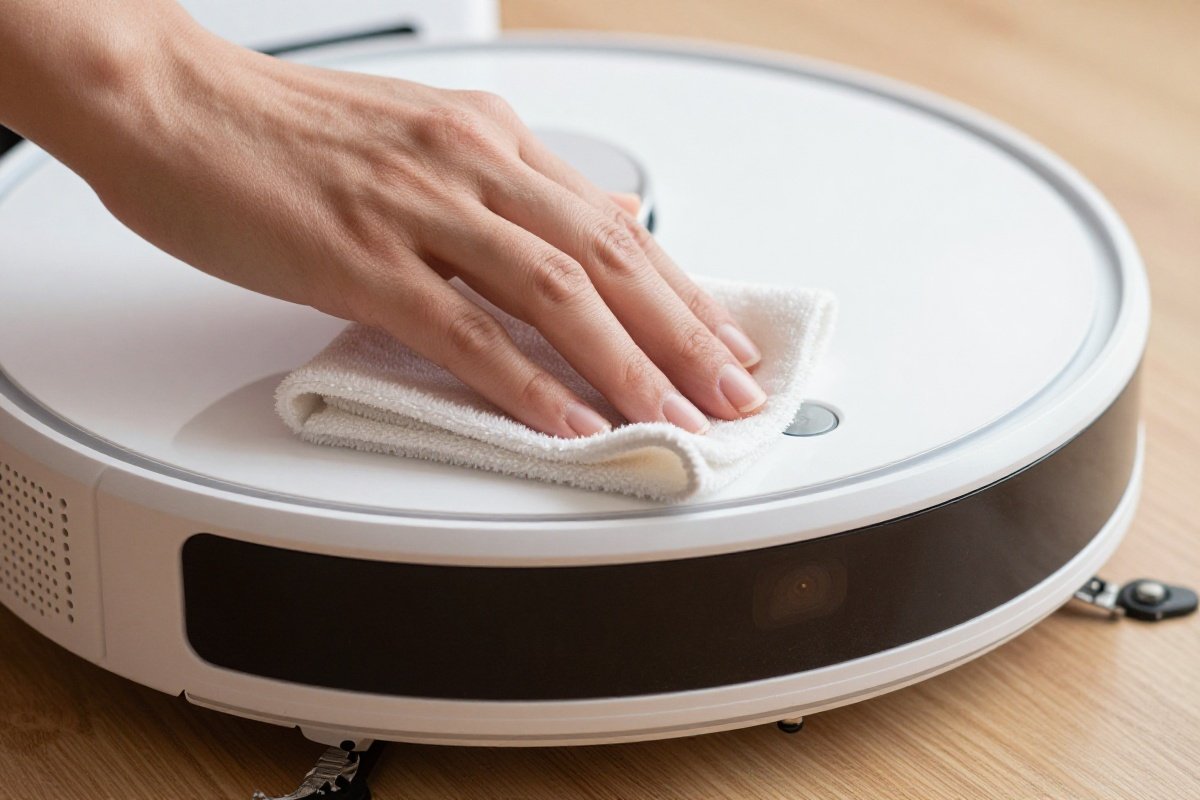
Use a clean, dry microfiber cloth to wipe the cliff sensors, navigation camera, wall sensor, and other visible sensors.
Do not spray cleaner onto the robot. Spray can enter openings and damage electronic parts. A dry cotton swab can help clean narrow edges.
Dirty sensors may cause the robot to stop, miss areas, bump into objects, or fail to return to the dock. Scratched or cloudy sensor covers may need professional service or a replacement part.
7. Clean the charging contacts
Wipe the metal charging contacts on the robot and dock with a dry cloth. Dust or oxidation on these points can prevent charging.
Make sure the dock sits on a level surface with clear space around it. Keep the dock away from wet areas, direct heat, and places where cords or toys can block the robot.
If the contacts look damaged or badly corroded, do not scrape them with a sharp tool. Contact the manufacturer for advice.
8. Reassemble and test the robot
Put each dry part back in its correct position. Confirm that the filter is seated, the brush guard is locked, and the dustbin clicks into place.
Run a short cleaning cycle in a clear area. Listen for grinding, repeated beeps, or a brush that does not spin. Check the floor after the run. It should have less loose dirt, not a trail of debris.

How Often Should You Clean a Robot Vacuum?
The right schedule depends on floor type, pet hair, dust, and how often the robot runs. A home with several pets may need care far more often than a small apartment with hard floors.
| Part | Typical check or cleaning interval | Clean sooner if |
|---|---|---|
| Dustbin | After each run or when full | The robot cleans pet hair or fine dust |
| Filter | Weekly | Suction drops or the filter looks gray |
| Main brush | Weekly | Hair wraps around the brush |
| Side brush | Weekly or every two weeks | Bristles bend or stop turning |
| Wheels | Monthly | The robot moves unevenly |
| Sensors | Monthly | The robot bumps, stops, or misses rooms |
| Charging contacts | Monthly | Charging starts and stops |
| Dock and self-empty station | Monthly | Debris builds near the inlet |
| Mop pad and water tank | After each mop run | The pad smells or stays damp |
| Filters and brushes | Replace as the manual states | Parts are torn, worn, or misshapen |
These are practical starting points, not universal rules. A manufacturer may give a different schedule for a specific model. Follow the shorter interval when your home has shedding pets, long hair, sand, fireplace ash, or construction dust.
Do not let the robot run over liquids unless it is a model designed for that task. Most robot vacuums are made for dry debris. A wet spill can damage the fan, filter, and motor.
How to Maintain a Robot Vacuum With a Mop
A robot vacuum with a mop needs extra care because moisture can create odors, stains, and mold if the pad or tank stays wet.
Remove the mop pad after each cleaning session. Wash it according to the care label, then allow it to dry fully. Do not leave a wet pad attached to the robot or stored in the dock unless the manufacturer specifically supports that feature.
Empty the water tank after use. Rinse it with clean water if the manual allows this, and leave the cap open so the inside can dry.
Use only the cleaning solution approved for your model. Some robot mops allow a specific solution, while others require water only. Unapproved cleaners can clog narrow tubes, damage seals, create too much foam, or void warranty coverage.
Clean the mop plate and water outlets with a soft cloth. If water flow becomes uneven, check for a blocked outlet. Do not push a sharp object deep into the water path.
A mop robot should not replace normal floor care for sticky spills, heavy grease, or standing water. Clean those areas by hand first.
How to Fix Common Robot Vacuum Problems
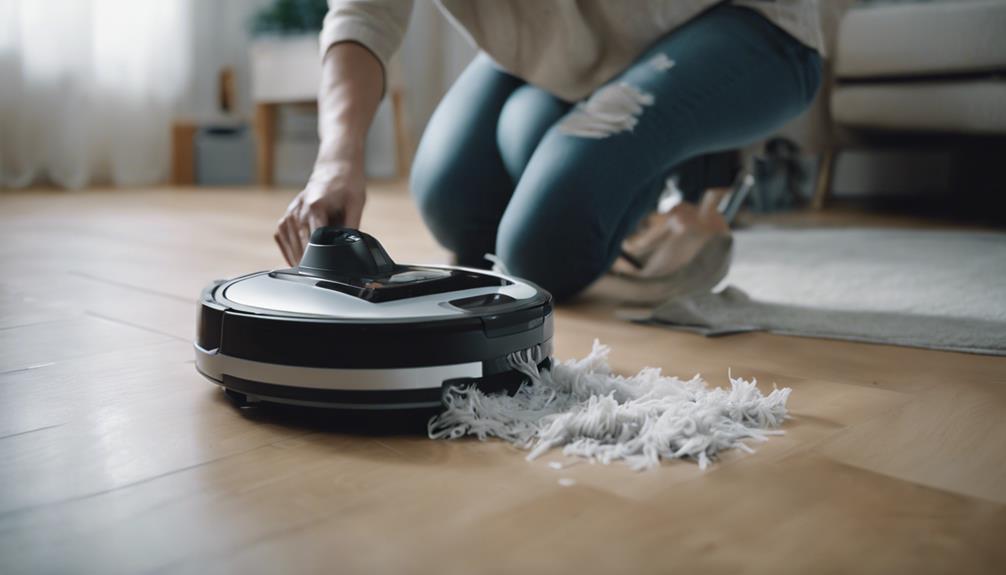
Most problems begin with a full bin, dirty filter, tangled brush, blocked sensor, or poor dock placement. Start with simple cleaning checks before resetting the robot or replacing expensive parts.
| Problem | Likely causes | What to check |
|---|---|---|
| Weak suction | Full bin, blocked filter, clogged air path | Empty the bin and clean or replace the filter |
| Loud noise | Hair in brush or wheel, cracked brush | Remove the brush and inspect both ends |
| Robot stops during cleaning | Low battery, tangled brush, blocked wheel | Check the app alert and clean moving parts |
| Robot will not charge | Dirty contacts, blocked dock, loose power cord | Wipe contacts and test the dock outlet |
| Robot misses rooms | Dirty sensor, closed door, map error | Clean sensors and check the map |
| Robot bumps into objects | Dirty camera or navigation sensor | Wipe sensors and remove floor clutter |
| Bad smell | Damp filter, wet mop pad, dirty bin | Dry parts fully and wash the mop pad |
| Water does not flow | Empty tank, blocked outlet, wrong setting | Check the tank and approved mop settings |
If the robot still fails, read the exact error code in the app or manual. A code can point to a wheel, brush, fan, battery, or sensor issue.
Resetting the robot may erase maps, schedules, or settings. Try cleaning and reseating parts first. Contact the manufacturer if the error returns after the basic checks.

What Not to Put in a Robot Vacuum
A robot vacuum should not be used to collect every type of household mess. Unless the manual clearly allows it, do not vacuum:
- Water or large wet spills
- Hot ashes
- Burning materials
- Sharp glass or metal
- Fine construction dust
- Wet paint or glue
- Large pieces of food
- Long cords or string
- Pet waste
Fine dust from drywall, cement, or remodeling work can pass through or clog a normal household robot vacuum. Hot ash can remain warm inside the bin and create a fire risk.
Pick up cords, socks, toys, coins, and pet bowls before a cleaning run. Small items can block the brush or become trapped in the fan path.
If the robot collects pet waste, stop it at once. Do not run the robot again until you have cleaned and disinfected the affected parts according to the manufacturer’s instructions. Some parts may need replacement.

When Should You Replace Robot Vacuum Parts?
Replace parts based on condition and the instructions for your model, not on a fixed date alone. Heavy use wears parts faster.
Replace a filter when it is damaged, permanently clogged, or still reduces airflow after cleaning. Replace brushes when bristles are worn, the roller is cracked, or the robot leaves visible debris.
Replace a mop pad when it stays dirty after washing, develops an odor, or no longer makes even contact with the floor. Replace a battery only with a compatible battery approved for the robot.
If the robot has a removable battery, follow the model’s instructions. Do not open a sealed battery pack or attempt a lithium-ion battery repair at home. Take a swollen, leaking, or very hot battery out of service and follow local household hazardous-waste guidance.
Official parts may cost more than generic parts, but fit and material quality can affect cleaning, noise, navigation, and warranty support. Check the model number before ordering.
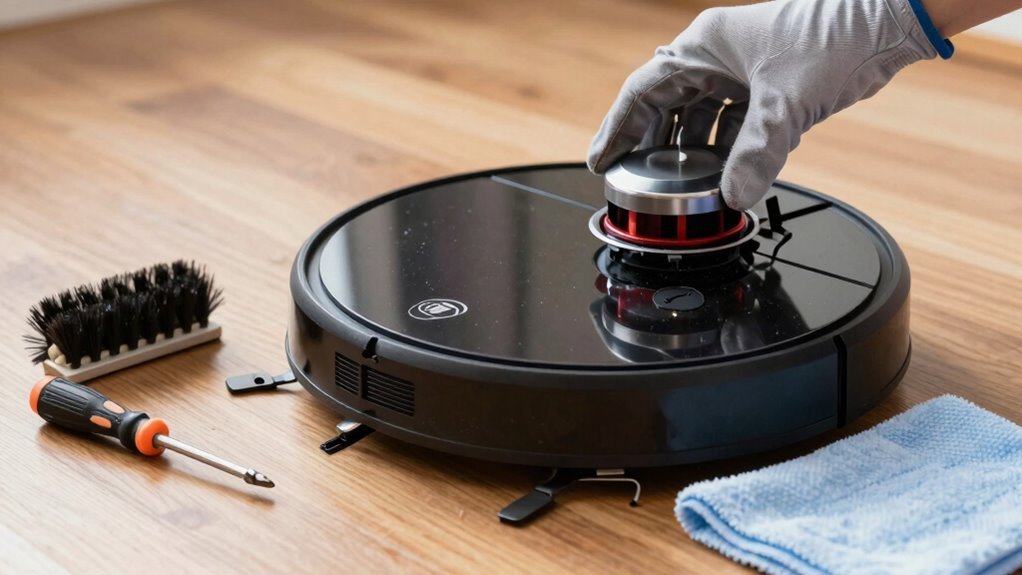
A Simple Robot Vacuum Maintenance Routine
Use this routine to keep care easy:
After each run
- Empty the dustbin if it is near full.
- Remove a wet mop pad.
- Check for large hair tangles.
- Look for wet debris or unusual sounds.
Once a week
- Clean the main brush and side brush.
- Tap out or wash the filter if approved.
- Check the wheels.
- Wipe visible sensors.
Once a month
- Clean the charging contacts.
- Clean the dock and self-emptying inlet.
- Inspect the brush guard, caster wheel, and seals.
- Review the app for error messages and firmware notices.
When performance changes
- Check the bin, filter, brush, wheels, and sensors in that order.
- Confirm that all parts are dry and seated correctly.
- Use the manual’s error-code instructions.
- Contact support if the problem continues.
This routine is simple by design. Regular small cleanups are easier than removing a thick layer of hair after weeks of use.
Key Takeaways
- Empty the dustbin often, especially in homes with pets.
- Clean the main brush, side brush, filter, and wheels on a regular schedule.
- Wipe sensors and charging contacts with a dry cloth.
- Wash only parts that the manual identifies as washable.
- Let every wet part dry fully before reassembly.
- Keep water, hot ash, sharp objects, and construction dust out of a standard robot vacuum.
- Replace damaged filters, worn brushes, and unsafe batteries.
- Start with basic cleaning checks before resetting the robot or seeking repair.
Frequently Asked Questions
Can I wash a robot vacuum filter?
Only if the manufacturer says the filter is washable. Rinseable filters must dry completely before use. A paper or non-washable filter can be damaged by water and may need replacement instead.
Can I use soap in a robot mop?
Use soap only when the model’s instructions approve it. Many robot mops require water or a specific cleaning solution. Regular floor cleaner can cause foam, clogs, residue, or damage.
Why does my robot vacuum smell bad?
Common causes include a damp filter, wet mop pad, dirty dustbin, trapped pet hair, or debris inside the brush housing. Clean the bin and brushes, replace a stale filter, and dry all washable parts before use.
How do I clean a robot vacuum after pet hair?
Empty the bin after each run, remove hair from the main brush and side brush, and check the wheel axles. In a home with heavy shedding, inspect the brush after every run instead of waiting for a weekly cleaning.
How long should a robot vacuum filter dry?
Allow a washed filter to air-dry completely. The time varies by filter, airflow, and room humidity, but waiting about 24 hours is a cautious general approach unless the manual gives another instruction.
Why is my robot vacuum not returning to its dock?
Check that the dock has power, the charging contacts are clean, and the path is clear. Dirty sensors, a moved dock, a blocked route, or a low battery can also cause the problem. Restore the dock to its mapped location if you recently moved it.
Conclusion
The best way to maintain a robot vacuum is to clean its high-use parts before problems grow. Empty the bin, protect the filter, remove hair from the brushes and wheels, wipe the sensors, and keep the dock dry and clear.
Your next step is to check the model manual, then give the robot a short inspection using the sequence in this guide. That small routine can improve cleaning results and help you spot wear before it becomes a costly repair.