Introduction
For households across the United States, a Dyson cordless vacuum can collect dust, pet hair, crumbs, and fine debris every day. Regular cleaning helps maintain suction, reduce odors, protect the motor, and prevent the brush bar from becoming tangled. The exact parts vary between Dyson models—including the V7, V8, V10, V11, V12, V15, Gen5detect, and Outsize—but the basic cleaning process is similar.
To clean a Dyson cordless vacuum, turn it off and disconnect it from the charger, empty the bin, remove hair from the brush bar, wash the removable filter with cold water, and allow every washable part to dry completely before reassembly. Never operate the vacuum with a wet filter, and do not immerse the motor, battery, charger, or main body in water.

What You Need Before Cleaning
Gather the following supplies before you begin:
- A dry microfiber cloth
- Cold tap water
- A small, soft cleaning brush
- Scissors or a seam ripper for cutting wrapped hair
- A clean, dry towel
- A trash can
- The owner’s manual for your exact Dyson model
Avoid using:
- Detergent, bleach, disinfectant, or other cleaning chemicals on the filter
- Hot water
- A dishwasher or washing machine
- Compressed air near the motor or cyclone assembly
- A wet cloth on electrical components
- Sharp tools that could damage seals, bristles, or the filter material
Check the Exact Dyson Model First
Dyson cordless vacuums do not all use the same filter arrangement or cleaning method. For example, some models have a single washable filter, while others have separate pre-motor and post-motor filters. Certain newer models also use a washable brush bar or display maintenance alerts.
Look for the model name on the vacuum, battery, wand, dust bin, charger, or original packaging. If the model is unclear, use the Dyson support website and enter the serial number. Follow the instructions for that specific model whenever they differ from this general guide.
How Often Should You Clean a Dyson Cordless Vacuum?
Clean the dust bin and brush bar whenever they become visibly dirty or performance declines. Wash the filter approximately once a month under normal household use, unless the Dyson manual for your model gives a different schedule.
You may need to clean the vacuum more often if you have:
- Multiple pets
- Long-haired household members
- Carpets that shed fibers
- Construction dust or fine powder in the home
- Allergies or sensitivity to dust
- Heavy daily use
- A small dust bin that fills quickly
A practical maintenance schedule looks like this:
| Part | Routine | Clean or inspect when |
|---|---|---|
| Dust bin | Empty after use or before it reaches the maximum line | Suction drops or debris compacts inside |
| Brush bar | Inspect regularly | Hair, thread, or carpet fibers wrap around it |
| Filter | Wash according to the manual, commonly about monthly | The vacuum pulses, overheats, or shows a filter warning |
| Wand and airway | Inspect monthly | Debris blocks the tube or airflow |
| Seals and cyclone openings | Inspect during bin cleaning | Dust buildup or leakage appears |
| Battery and charger | Inspect periodically | The battery will not charge, becomes unusually hot, or looks damaged |
Do not wait for a warning light or display message if the vacuum is visibly clogged. A full bin, tangled brush bar, or blocked airway can reduce performance before an electronic alert appears.
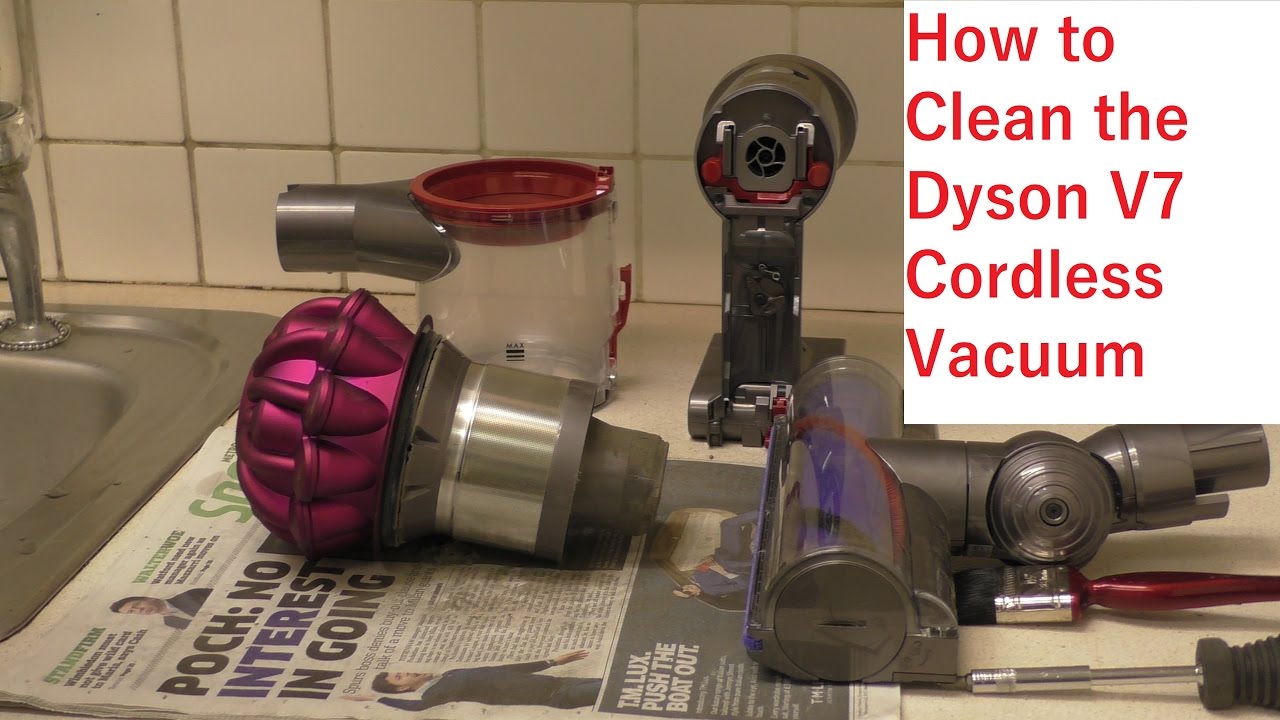
Step-by-Step: How to Clean a Dyson Cordless Vacuum
1. Turn Off and Disconnect the Vacuum
Release the power button or switch the vacuum off, then remove it from the charger. Do not clean the vacuum while it is running or connected to power.
If the battery is removable on your model, you can take it out for easier handling. Do not attempt to open, puncture, repair, or wash the battery. Stop using the vacuum if the battery is swollen, cracked, leaking, unusually hot, or physically damaged.
2. Empty the Dust Bin
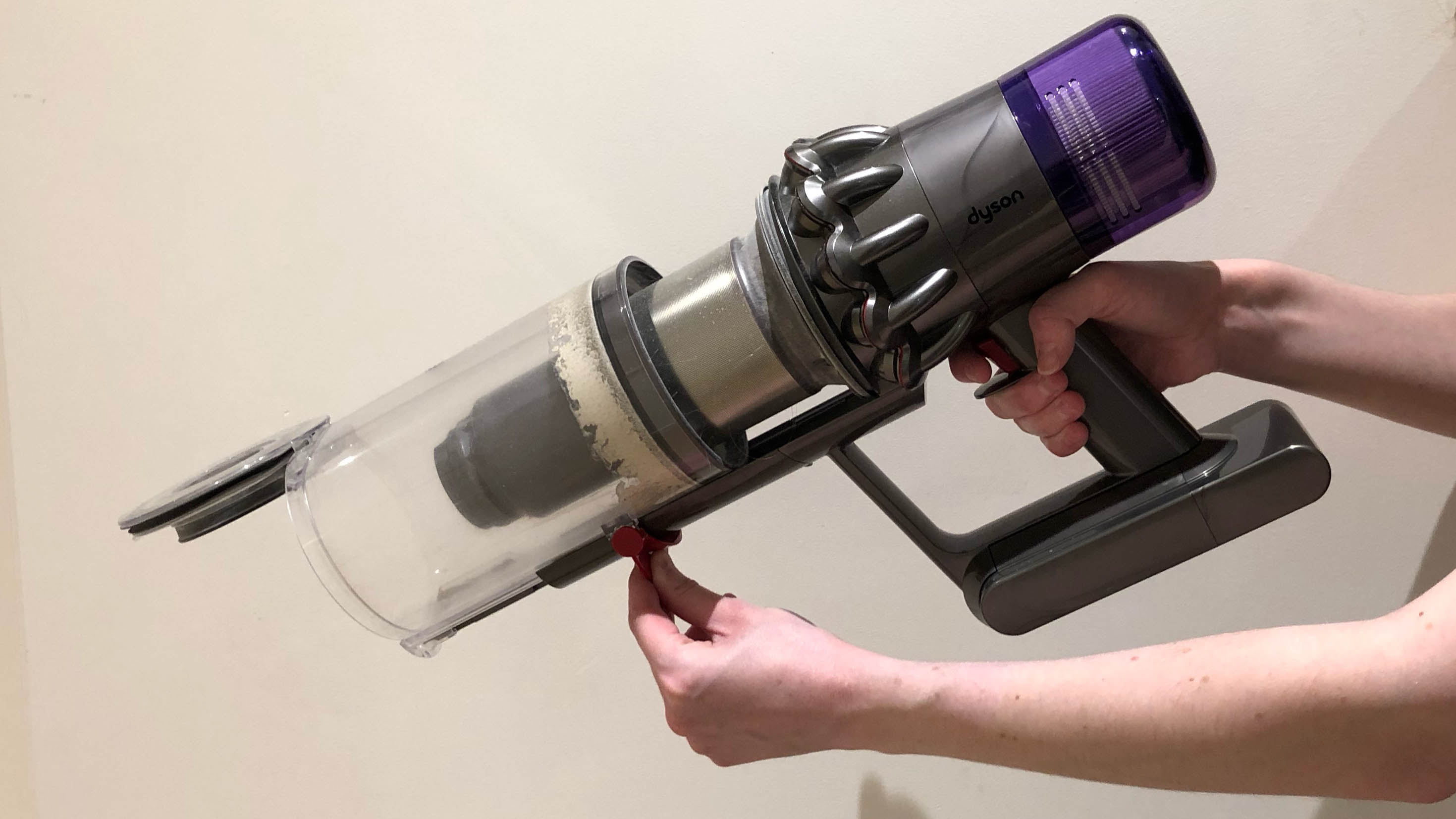
Hold the vacuum over a trash can. Use the bin-release mechanism specified for your model to open the dust bin and drop the debris into the container.
Avoid shaking the entire vacuum aggressively. Forceful shaking can send fine dust into the motor housing or back into the room.
If dust sticks to the inside of the bin:
- Keep the bin attached unless your model’s manual specifically permits removal.
- Use a dry microfiber cloth to wipe accessible surfaces.
- Use a soft, dry brush around corners and the bin inlet.
- Do not rinse the bin if it contains electrical contacts, sensors, or components that the manual does not identify as washable.
- Close the bin only after loose debris has been removed.
Some Dyson models allow the clear bin to be removed for more thorough cleaning. If yours does, remove it according to the manual and clean only the components identified as washable. Never immerse the main vacuum body.
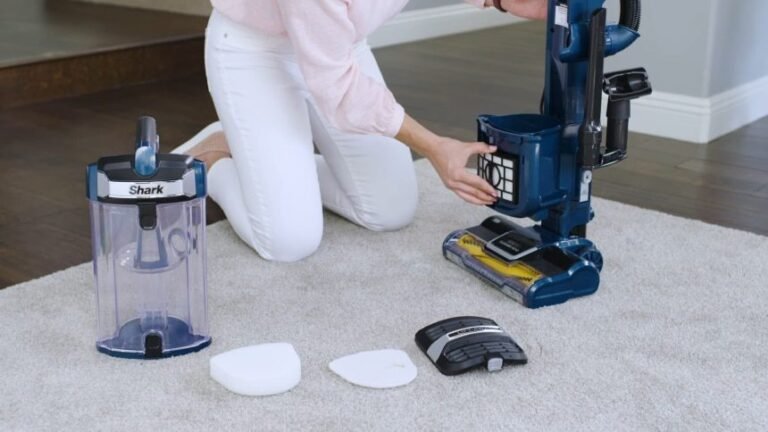
3. Clean the Filter or Filters
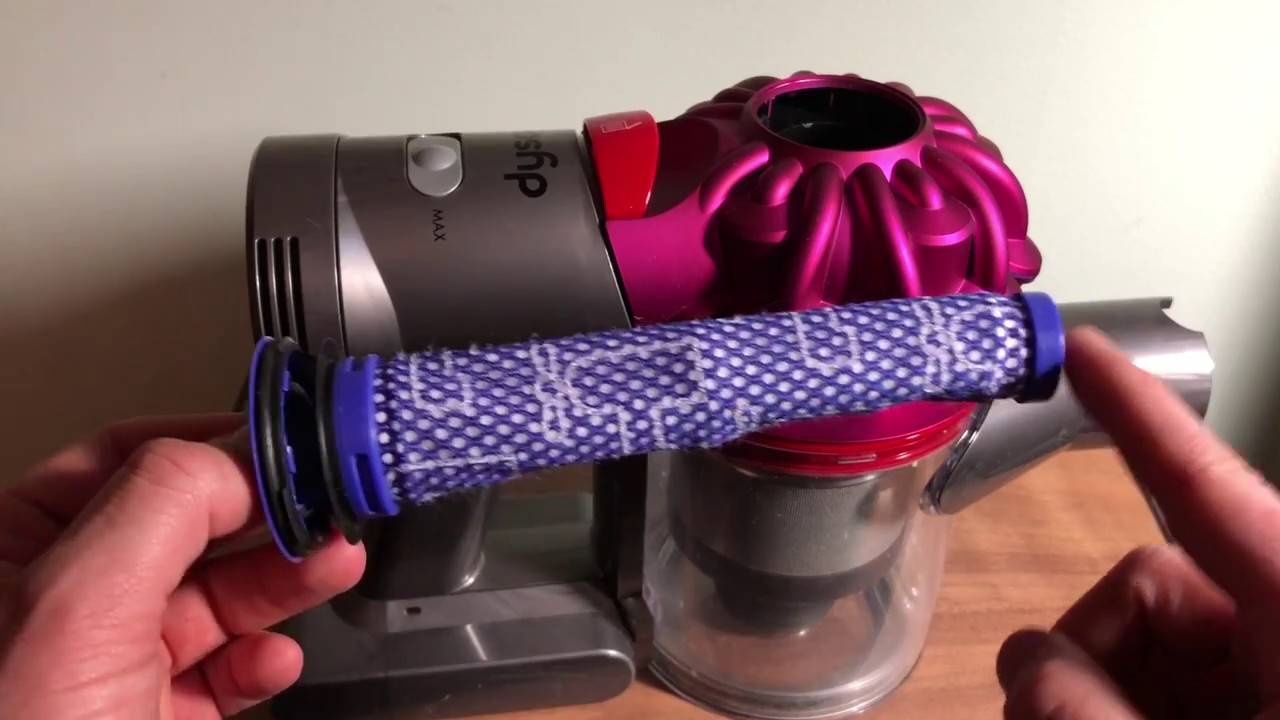
The filter is one of the most important parts to maintain because a clogged filter restricts airflow and can cause pulsing or overheating.
Remove the Filter
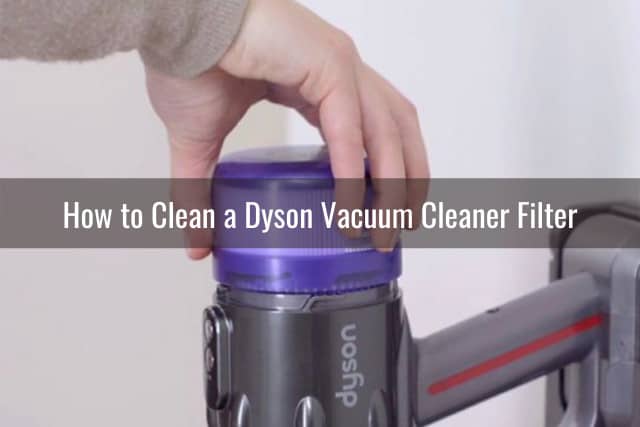
Locate the filter or filters on your model. Depending on the Dyson cordless vacuum, a filter may be positioned at the rear of the machine, near the top of the cyclone, or in another marked location.
Twist or pull the filter out as directed. Do not force it, and do not use tools that could damage the filter housing.
Wash the Filter With Cold Water
Rinse the washable filter under cold running water. Gently squeeze and rotate it until the water runs clear. Do not use detergent or scrub the filter aggressively.
For a filter with trapped fine dust, repeatedly fill it with cold water, gently agitate it, and empty it. Avoid wringing or twisting the filter in a way that could deform the material.
Dry the Filter Completely
Shake off excess water and place the filter in a warm, well-ventilated area. Allow it to dry for at least 24 hours, or for the longer period stated in your model’s instructions.
The filter must be completely dry inside and out before you reinstall it. A filter that feels dry on the surface may still retain moisture internally.
Never dry the filter with:
- A hair dryer
- A clothes dryer
- A heater
- A radiator
- Direct high heat
- An oven or microwave
Do not operate the vacuum without its filter installed. If the filter remains damp, postpone vacuuming until it is fully dry.
4. Remove Hair and Fibers From the Brush Bar
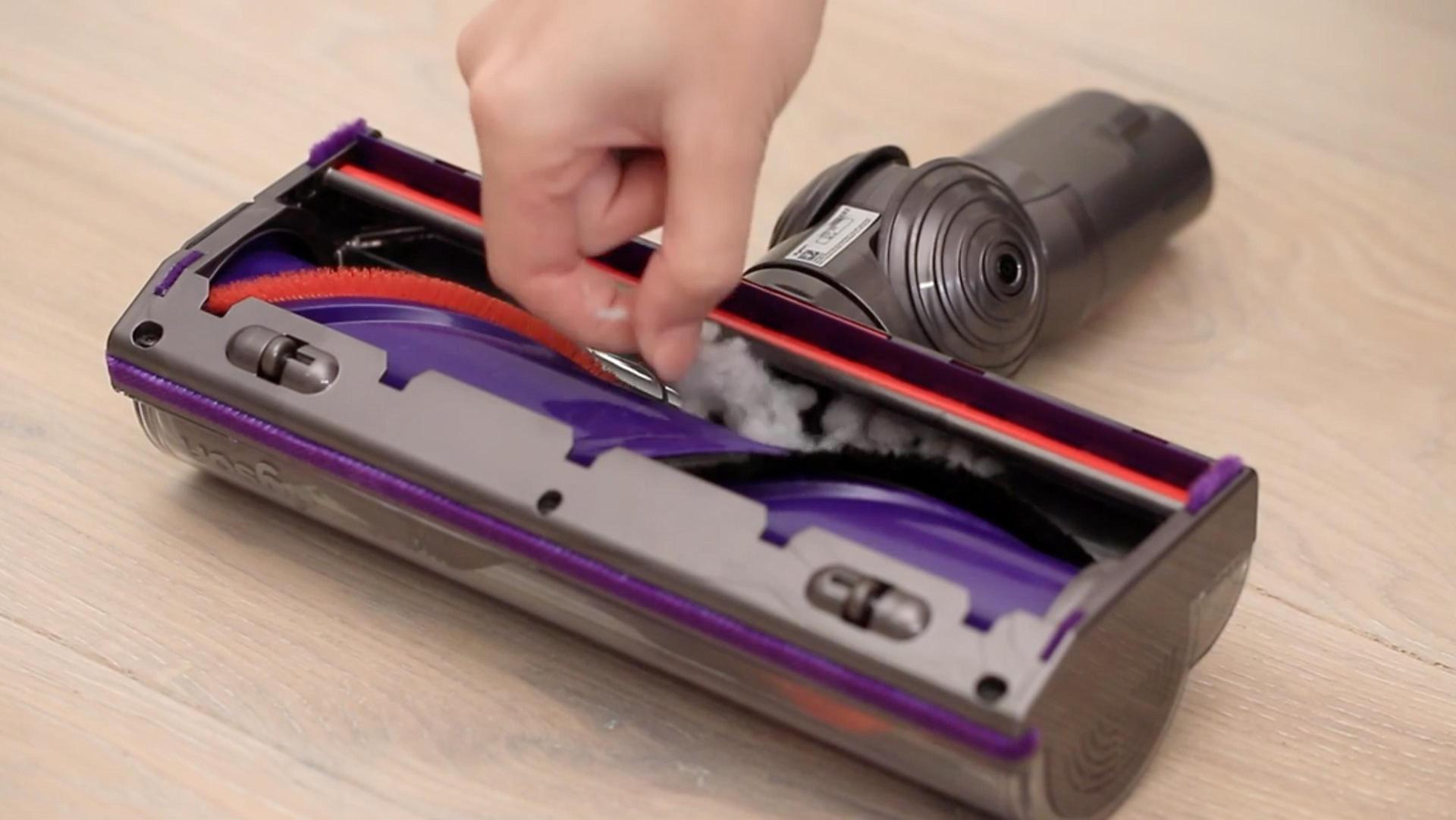
Turn the cleaner head over and inspect the brush bar. Look for hair, string, carpet fibers, thread, and pet fur wrapped around the roller or trapped near the ends.
If your cleaner head has a removable brush bar:
- Turn the locking mechanism with a coin or the tool recommended by Dyson.
- Remove the brush bar carefully.
- Cut tangled hair lengthwise with scissors.
- Pull the loosened material away by hand.
- Wipe the brush bar with a dry or slightly damp cloth if the manual permits.
- Let it dry completely before reinstalling.
- Check that the brush bar spins freely.
Keep scissors away from the bristles and electrical wiring. Do not cut rubber strips, seals, or belts.
If the brush bar is not designed to be removed, cut away visible hair without forcing the roller out. Do not rinse a powered cleaner head unless Dyson specifically identifies it as washable. Many cleaner heads contain electrical connections and should not be submerged.
5. Inspect the Wand and Airway
Detach the wand from the vacuum and cleaner head. Hold it up to a light to check for blockages.
To clear a blockage:
- Remove loose debris from both ends.
- Use a long, flexible, non-sharp object only if the manual allows it.
- Avoid pushing debris deeper into the tube.
- Do not pour water through the wand unless the instructions explicitly allow washing it.
- Wipe the outside with a dry or lightly damp cloth.
- Allow the wand to dry before reconnecting it if moisture was used.
Check the connection points for compacted dust, hair, or pet fur. A partial obstruction can cause weak suction even when the bin appears empty.
6. Wipe the Vacuum Body and Connections
Use a dry microfiber cloth to wipe the motor housing, handle, bin exterior, battery area, and charging contacts.
For stubborn marks, slightly dampen the cloth—but keep moisture away from:
- The motor
- The battery
- The charger
- Electrical contacts
- Buttons and display openings
- Air vents
- The cyclone assembly
Never spray cleaner directly onto the vacuum. A liquid can enter openings that are difficult to dry and may damage electrical components.
7. Check the Seals and Cyclone Area
Inspect the rubber seals around the dust bin and connection points. They should sit flat and remain free of large debris. Damaged or displaced seals can allow dust to escape and may reduce airflow.
Fine dust can collect around the cyclone shroud. Use a dry, soft brush to remove accessible dust. Do not disassemble the cyclone assembly unless Dyson specifically provides instructions for doing so. The cyclone is not automatically washable simply because it is located near the dust bin.
8. Reassemble and Test the Vacuum
Before reassembly, confirm that:
- The filter is completely dry
- The brush bar is free of tangled hair
- The wand is clear
- The dust bin is correctly closed
- All seals are seated
- The cleaner head is dry
- The charger and electrical contacts are clean and dry
Reattach the parts, charge the vacuum, and test it on a suitable surface. Listen for unusual noises and check whether the brush bar rotates normally.
A successful cleaning should result in normal airflow, no pulsing during operation, no visible dust leakage, and no warning message. A minor odor may take several uses to disappear, especially if the vacuum collected pet hair or damp debris.
How to Clean a Dyson Filter Without Damaging It
The safest filter-cleaning method is simple: use cold water, avoid chemicals, rinse thoroughly, and dry the filter completely.
Do not wash the filter with soap. Soap residue can remain inside the filter material, attract dust, or interfere with airflow. Hot water can also damage or deform some filter materials.
Replace a filter rather than washing it if it is:
- Torn
- Crushed
- Permanently deformed
- Coated with grease
- Producing a persistent odor after proper washing and drying
- Unable to fit securely in its housing
A washable filter is not necessarily designed to last forever. Replacement timing depends on the model, frequency of use, cleaning conditions, and the filter’s physical condition. Use a genuine or model-compatible replacement that matches the vacuum’s specifications.
How to Clean a Dyson Brush Bar and Cleaner Head
The brush bar should be cleaned whenever hair or fibers begin to wrap around it. Tangled material increases resistance and may prevent the roller from turning.
For pet hair and long human hair, cut the material in several small sections rather than pulling hard. Excessive pulling can damage bristles, end caps, or the brush-bar drive system.
Do not use the cleaner head on wet spills unless the model is specifically designed for wet cleaning. Most Dyson cordless dry vacuums are intended for dry household debris. Liquids can damage electrical parts and may create odors or microbial growth inside the machine.
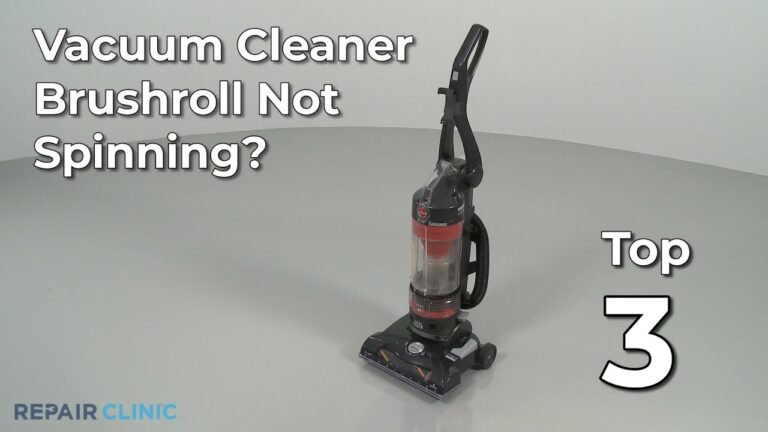
If the brush bar does not spin after cleaning:
- Check for hair around both ends
- Confirm that the cleaner head is fully attached
- Inspect the wand for a blockage
- Check the battery charge
- Look for a warning light or display message
- Test the vacuum on a different surface
- Consult the model-specific Dyson troubleshooting instructions
A brush bar that remains stalled after these checks may have a mechanical or electrical fault.
What to Do if Your Dyson Cordless Vacuum Still Has Weak Suction
Weak suction usually comes from a blockage, full bin, dirty filter, tangled brush bar, or an incorrectly assembled part. Check the simplest and safest causes first.
| Symptom | Likely cause | First action |
|---|---|---|
| Vacuum pulses on and off | Blocked airway or restricted filter | Empty the bin and inspect the filter and wand |
| Motor sounds normal but suction is weak | Full bin, clogged filter, or air leak | Clean the bin, filter, seals, and connections |
| Brush bar stops rotating | Hair blockage, low battery, or cleaner-head fault | Remove tangled material and recharge |
| Dust escapes from the vacuum | Bin or seal not seated correctly | Empty and reinstall the bin |
| Vacuum smells musty | Damp filter or trapped debris | Stop using it, dry the filter, and clean the brush bar |
| Vacuum shuts off quickly | Overheating, blockage, or battery issue | Turn it off and allow it to cool before inspecting |
| Filter warning remains | Filter may be blocked, damp, or incorrectly installed | Rewash, dry for at least 24 hours, and reinstall correctly |
A Safe Troubleshooting Sequence
- Turn the vacuum off and disconnect it from the charger.
- Empty the dust bin.
- Inspect the wand and cleaner head for blockages.
- Remove hair from the brush bar.
- Wash the filter if needed.
- Let the filter dry completely.
- Reassemble every part firmly.
- Test the vacuum again.
- Contact Dyson support if the problem continues.
Do not repeatedly run a vacuum that is pulsing, overheating, or making a grinding sound. Continued operation can place additional strain on the motor or brush-bar system.

Common Mistakes to Avoid
Washing the Main Vacuum Body
The motor and battery area are not washable. Use a dry cloth on the body and keep liquid away from openings and contacts.
Reinstalling a Damp Filter
This is one of the most damaging cleaning mistakes. Moisture can enter the motor or restrict airflow. Wait until the filter is fully dry, not merely surface-dry.
Cleaning Every Dyson Model the Same Way
V-series and newer models can differ in filter design, bin removal, brush-bar access, and washable components. The owner’s manual takes priority over a general cleaning guide.
Using Household Cleaners
Bleach, dish soap, disinfectant, and fragranced cleaners may damage filter materials, seals, or plastic surfaces. Cold water is generally sufficient for a washable filter.
Ignoring the Brush-Bar Ends
Hair often collects at the ends of the roller, where it can create resistance even when the center looks clean. Inspect both sides carefully.
Vacuuming Wet or Sticky Debris
Wet food, spilled drinks, oils, and damp soil can stick inside the airway and create odors or damage. Let debris dry only when appropriate, or remove it by another safe method instead of using the cordless vacuum.
Disassembling the Cyclone Without Instructions
Cyclone assemblies contain precisely fitted parts and seals. Unapproved disassembly can create leaks or make reassembly difficult.

When to Contact Dyson Support or Seek Repair
Contact Dyson support or an authorized repair provider if the vacuum:
- Has a burning or electrical smell
- Makes grinding, clicking, or rattling noises
- Becomes unusually hot
- Has a swollen, cracked, or leaking battery
- Will not charge after checking the charger and contacts
- Continues to pulse after cleaning the filter and clearing blockages
- Repeatedly stops even with a clean filter and clear airway
- Shows a persistent error message
- Has a damaged power cord or charger
- Leaks dust despite a correctly fitted bin and intact seals
Do not open the battery pack or motor housing yourself. Lithium-ion batteries can present fire and injury risks if punctured, shorted, or repaired incorrectly.
Key Takeaways
- Empty the dust bin regularly and before debris reaches the maximum-fill line.
- Remove hair and fibers from the brush bar before they become tightly wrapped.
- Wash only the filters and components that Dyson identifies as washable for your model.
- Use cold water and no detergent on washable filters.
- Dry filters for at least 24 hours, or longer if the manual requires it.
- Keep the motor, battery, charger, and electrical cleaner heads away from water.
- If suction remains weak, check the bin, filter, brush bar, wand, seals, and battery in that order.
- Stop using the vacuum if it overheats, smells electrical, or has a damaged battery.
Frequently Asked Questions
Can I wash the Dyson dust bin?
Some Dyson models have a removable, washable dust bin, while others should only be wiped. Check the instructions for your exact model before rinsing it. Keep the motor, battery, electrical contacts, and cyclone assembly away from water.
How long should a Dyson filter dry?
Allow a washed filter to dry for at least 24 hours in a warm, well-ventilated place. If the filter is still cool, damp, or has a musty smell, continue drying it. Never reinstall a partially wet filter.
Why does my Dyson smell after cleaning?
A smell may come from trapped pet hair, debris in the cleaner head, a dirty bin, or a filter that is damp or overdue for replacement. Clean the brush bar, bin, airway, and filter. If the odor resembles burning plastic or electronics, stop using the vacuum and seek support.
Can I use compressed air to clean a Dyson cordless vacuum?
Compressed air is not recommended for routine cleaning because it can force dust deeper into the motor, cyclone, seals, or electronics. Use a dry microfiber cloth and a soft brush instead.
How often should I replace a Dyson filter?
Replacement timing varies by model and use. Wash the filter according to the manufacturer’s instructions and replace it when it is damaged, permanently clogged, deformed, or still causes restricted airflow or odor after proper cleaning.
Why is my Dyson still pulsing after I cleaned it?
Pulsing can continue if a blockage remains in the wand, cleaner head, bin inlet, or cyclone area. Confirm that the filter is fully dry and correctly installed, then inspect every airway. If the vacuum still pulses with a clear airway and clean filter, contact Dyson support.
Conclusion
Cleaning a Dyson cordless vacuum is mainly a matter of maintaining airflow and keeping hair, dust, and moisture away from electrical components. Empty the bin, clear the brush bar and wand, wash the correct filter with cold water, and let washable parts dry fully before reassembly. When the vacuum continues to lose suction, overheat, pulse, or produce an electrical odor after these steps, stop using it and obtain model-specific support.