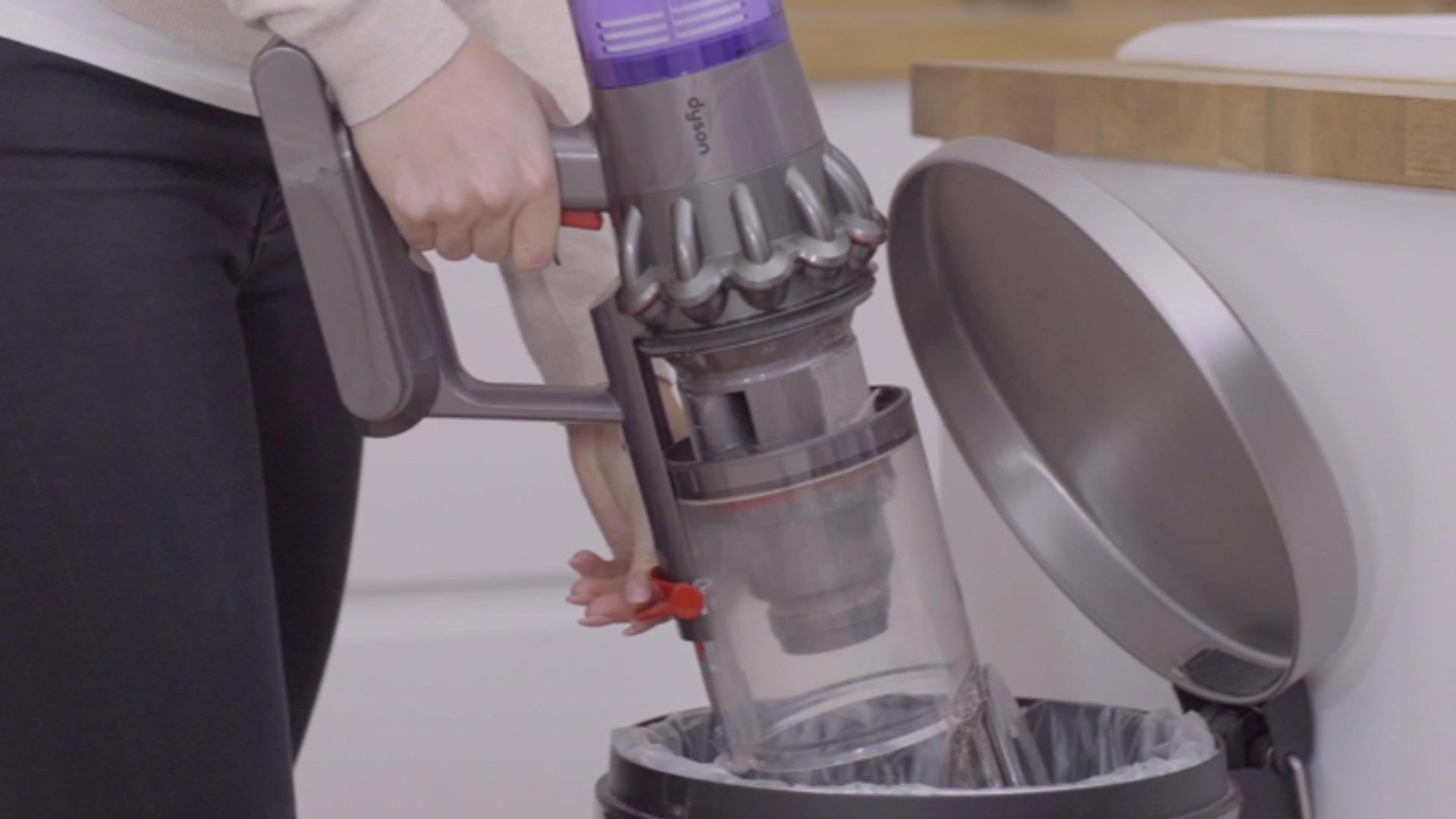
Emptying a Dyson cordless vacuum is simple: turn it off, hold the dust bin over a trash can, and slide or press the bin release until the debris drops out. Keep your fingers away from the bin opening, then close the bin until it clicks.
Dyson uses several bin designs in the United States. The release may be a red lever, a red button, or a sliding mechanism, depending on the model. The exact steps below cover common Dyson cordless vacuums, including the V7, V8, V10, V11, V12, V15, Gen5, and Outsize series.
Before You Empty the Dust Bin
Before emptying a Dyson cordless vacuum, switch it off and remove it from the charger. Do not press the power trigger while your hand is near the dust bin or brush bar.
You will need:
- A trash can with enough room for the bin to fit over the opening
- A dry cloth, if dust remains around the bin
- A face mask, if you are sensitive to dust or pet dander
- The vacuum’s model name, if you need to check its manual
For less mess, empty the vacuum outdoors or over a large trash bag. This helps keep fine dust from floating through the room.
The dust bin is also called the clear bin, collection bin, or dust cup. It stores dirt until you release it. The filter is a separate part and should not be removed each time you empty the bin.

How to Empty a Dyson Cordless Vacuum
Follow these steps for most Dyson cordless stick vacuums.
1. Turn off the vacuum
Release the power button or trigger. If the vacuum is charging, unplug it from the charger.
Keep the motor off while you empty the bin. This prevents dust from being pulled back into the airflow.
2. Hold the vacuum over the trash
Place the lower end of the clear bin inside or just above the trash can. Point the bin opening downward.
Keep the main body of the vacuum away from the trash. This gives the dirt room to fall out without hitting the motor or filter area.
3. Find the bin release
Look for the red release control near the clear bin. Its position changes by model:
- Dyson V7 and V8: A red lever is usually located near the top of the bin.
- Dyson V10 and V11: A red bin release is commonly found near the bottom or side of the bin.
- Dyson V12, V15, Gen5, and Outsize: These models use a release or sliding control that moves the bin or opens the base.
If you cannot find the release, check the model number printed on the vacuum or battery. Then use the correct Dyson support guide.
4. Release the dirt
Press, pull, or slide the release control as shown for your model. The bin base should open, or the bin should move down so a wiper pushes dirt out.
Do not force the control. If it does not move, check that the bin is fully in its normal position and that no large object is blocking the mechanism.
5. Check the bin
look inside the clear bin. Remove hair or packed debris only after the vacuum is off.
Use a dry cloth to wipe dust from the outside of the bin. Avoid putting the motor housing, battery, or electronic parts under water.
6. Close the bin
Push the bin base or sliding bin back into place until it clicks. Check the seal around the opening.
A closed bin should not hang loose or open when you gently handle the vacuum. If the base will not close, a piece of dirt may be caught in the seal.

How to Empty Different Dyson Cordless Models
The basic method is the same, but the release action differs across Dyson product families. Use this table as a quick guide, then confirm the steps in the manual for your exact model.
| Dyson series | Common emptying action | Helpful check |
|---|---|---|
| V6 | Pull the bin release to open the base | Keep the bin over the trash before releasing it |
| V7 and V8 | Pull the red lever upward | The bin base opens and pushes dirt down |
| V10 | Pull the red release near the base | The bin may slide along the main body |
| V11 | Use the red bin release near the lower bin | Make sure the bin is fully closed after emptying |
| V12 Detect Slim | Use the sliding bin release | The bin may need to move forward to clear the opening |
| V15 Detect | Slide the release to open the base | Empty before dirt reaches the maximum fill line |
| Gen5detect | Use the bin slider or release control | Check that the bin returns to its locked position |
| Outsize models | Use the larger bin release | Large debris may need a second release or gentle removal |
This table is a general guide, not a replacement for the product manual. Dyson can change the bin design within a product family, and regional versions may differ.
When Should You Empty a Dyson Cordless Vacuum?
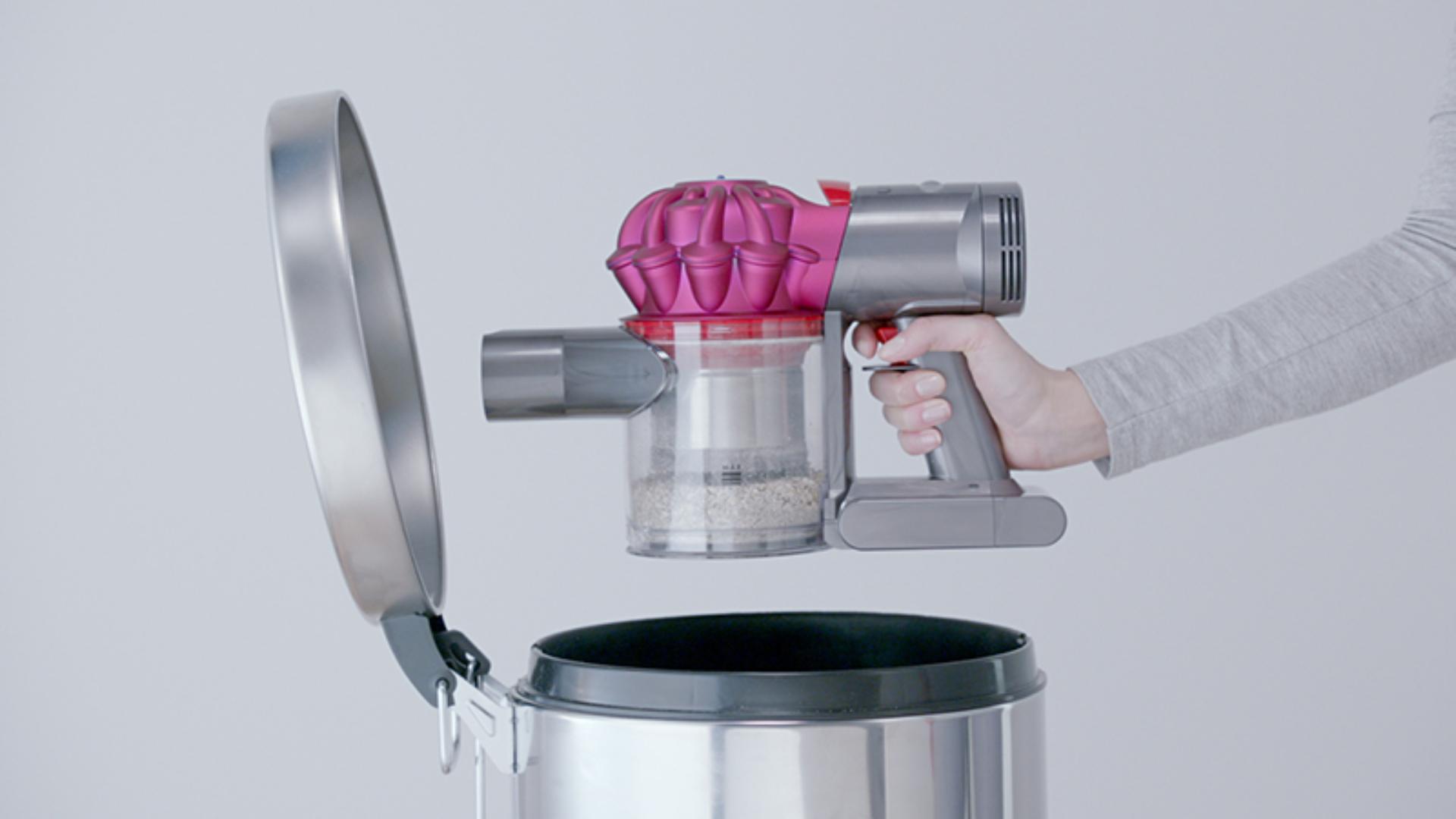
Empty the Dyson dust bin when debris reaches the MAX line or when suction drops. You should also empty it after cleaning very dusty areas, such as a garage, workshop, fireplace area, or renovation site.
A full bin can reduce the space available for new dirt. It can also make hair and dust collect near the inlet, which may affect airflow.
For homes with pets, children, or allergy concerns, empty the bin after each major cleaning session. This keeps old dirt from sitting in the vacuum between uses.
Do not wait for the vacuum to stop working. The MAX line is a useful limit because it leaves room for airflow and helps prevent dirt from reaching parts of the cyclone assembly.

How to Clean the Dust Bin
Most Dyson cordless dust bins can be wiped with a dry or slightly damp cloth after emptying. Remove the bin from the vacuum only if your model’s instructions allow it.
Follow these rules:
- Turn off and unplug the vacuum.
- Empty all loose debris.
- Wipe the inside with a dry cloth.
- Clean the bin seals and opening.
- Let any damp part dry fully before reassembly.
- Refit the bin until it clicks.
Do not wash the bin in a dishwasher. Do not soak the bin unless Dyson specifically says that your model allows it. Water can reach the motor, seals, or electronic parts.
Never operate the vacuum with a wet bin. Moisture may damage the machine and can cause dirt to stick inside the airflow path.

How to Clean the Dyson Filters After Emptying
Emptying the bin does not clean the filters. If the vacuum has weak suction, a pulsing motor, or a filter warning, clean the filters according to the model instructions.
For many Dyson cordless models, the usual filter process is:
- Remove the filter or filters.
- Tap off loose dust over a trash can.
- Rinse the filter with cold water.
- Gently squeeze out excess water.
- Leave it to dry for at least 24 hours.
- Reinstall it only when it is completely dry.
Do not use soap, detergent, a dishwasher, or a clothes dryer unless the official instructions for your model say otherwise. Do not dry the filter with a heater or hair dryer.
Some Dyson cordless vacuums have more than one washable filter. A V11, V15, or Gen5 model may have a filter at the rear and another filter near the cyclone area. Check the filter labels and the Dyson guide for the exact model.
A wet filter can cause poor airflow, a pulsing motor, or damage. If the vacuum still pulses after the filter is dry and the bin is empty, inspect the wand, floor head, and air paths for a blockage.

What to Do If the Dyson Bin Will Not Open
If the dust bin will not open, do not pull hard on the clear plastic. Try these checks in order:
- Turn the vacuum off and remove it from the charger.
- Hold the vacuum over a trash can.
- Move the release through its full range.
- Check for hair, string, or packed dust near the bin base.
- Wipe the release area with a dry cloth.
- Close and reopen the bin gently.
- Check the manual for your exact model.
A large object can block the bin door. Remove it only when the vacuum is off. Use a blunt tool, such as the handle of a small brush, if the manual permits it. Do not use a knife or sharp metal tool near the bin seal.
If the release still will not move, the latch may be damaged. Contact Dyson support or an authorized repair service instead of forcing it.

What to Do If the Bin Will Not Close
A Dyson bin may fail to close when dirt is trapped in the seal, hinge, or sliding track.
Empty the bin again and inspect the opening. Look for:
- Pet hair wrapped around the bin door
- Fine dust packed along the rubber seal
- A pebble or hard object in the hinge
- A bin that is not aligned with its track
- A damaged latch or cracked plastic
Clean loose debris with a dry cloth. Align the bin with the vacuum body and push it into place until it clicks.
Do not use the vacuum if the bin is loose, cracked, or partly open. Dirt may leak into the motor path, and the machine may lose suction.

Common Mistakes to Avoid
Avoid these mistakes when emptying a Dyson cordless vacuum:
Pressing the trigger while emptying
The motor can stir up dust and pull loose debris into the airflow. Always release the trigger first.
Emptying above a small trash can
A small opening makes dust bounce back onto the floor. Use a wide bin or a large trash bag.
Hitting the bin against the trash can
Tapping the plastic bin may damage it over time. Let the release mechanism push the dirt out.
Washing the complete vacuum
The battery, motor, and electrical contacts must stay dry. Clean only the parts that the manual identifies as washable.
Reinstalling a wet filter
A filter can feel dry on the outside while holding water inside. Give it at least 24 hours in a warm, dry place, or follow the longer drying time in the manual.
Ignoring the MAX line
A bin that is too full can restrict airflow and make emptying harder. Empty it before dirt reaches the line.
Using compressed air
Compressed air can drive dust deeper into seals, sensors, and the motor area. A dry cloth and the approved cleaning steps are safer.

Safety Tips for Dust, Pet Hair, and Fine Debris
Empty the vacuum outdoors if you are sensitive to dust, mold, or pet dander. You can also wear a well-fitting mask and wash your hands after handling the bin.
Use extra care with:
- Fireplace ash
- Drywall dust
- Cement dust
- Fine sawdust
- Glass fragments
- Wet dirt
- Chemical powders
A household cordless vacuum may not be designed for every type of debris. Fine construction dust can pass through or clog parts quickly. Wet material can damage the machine and create a hygiene risk.
Follow the Dyson manual and the instructions for the material you are cleaning. Do not vacuum hazardous powders or liquids unless the product is specifically rated for them.

Quick Troubleshooting Guide
| Problem | Likely cause | First action |
|---|---|---|
| The bin does not open | Dirt is blocking the latch or track | Turn off the vacuum and clear loose debris |
| The bin does not close | Hair or dust is trapped in the seal | Wipe the seal and realign the bin |
| Dust leaks from the bin | The base is not locked or the seal is dirty | Empty, clean, and close it until it clicks |
| The vacuum pulses | Blocked airflow or damp filter | Check the filter, wand, and floor head |
| Suction is weak | Full bin, dirty filter, or blockage | Empty the bin and inspect the air path |
| The motor will not start | Low charge, blockage, or fault | Charge it, check for a blockage, and contact Dyson if needed |
| A warning appears | The model has detected a maintenance issue | Follow the on-screen or manual instructions |
Emptying the bin solves only problems caused by a full collection chamber. It will not fix a blocked wand, dirty brush bar, damaged seal, worn battery, or faulty motor.

How to Keep a Dyson Cordless Vacuum Working Well
Empty the bin after each large cleaning session. Check the filter on the schedule listed in your manual, since cleaning intervals can vary by model and use.
Inspect the brush bar when you notice hair buildup. Remove tangled hair only when the vacuum is off and the cleaner head is disconnected or safely positioned.
Keep the charging area dry. Store the vacuum where the bin will not be hit or crushed. If the vacuum loses power quickly, smells hot, makes an unusual noise, or shows a persistent fault, stop using it and contact Dyson support.
The Dyson support site provides model-specific manuals, filter instructions, fault help, and replacement-part information for US customers: Dyson Support.

Frequently Asked Questions
Can I rinse the Dyson cordless vacuum bin?
Usually, you can wipe the bin with a dry or slightly damp cloth, but you should not rinse the complete vacuum. Check the manual before removing or washing the bin. Keep the motor, battery, contacts, and electronic parts dry.
How often should I empty my Dyson cordless vacuum?
Empty it when dirt reaches the MAX line, when suction falls, or after a dusty cleaning job. Homes with pets may need to empty the bin after each use.
Why does my Dyson keep pulsing after I empty it?
Pulsing often points to a blocked airflow path or a dirty or damp filter. Check the bin, wand, cleaner head, cyclone openings, and filters. Let washed filters dry fully before reinstalling them.
Can I empty a Dyson vacuum while it is charging?
No. Remove it from the charger and turn it off first. This makes the process safer and prevents accidental activation.
What if dust remains stuck inside the Dyson bin?
Turn off the vacuum and check for compacted hair or fine dust near the bin door and seals. Remove loose debris by hand or with a dry cloth. Do not use sharp tools that could damage the plastic or seal.
Conclusion
To empty a Dyson cordless vacuum, turn it off, hold the clear bin over a trash can, use the correct release, and close the bin until it clicks. Empty the bin before it reaches the MAX line, and keep water away from the motor and battery.
If the bin will not open, close, or seal, stop forcing it. Check for trapped debris and consult the manual for your exact Dyson model. When the problem continues, use Dyson support or an authorized repair service.
One Comment