A robot mop is an autonomous floor-cleaning appliance that uses sensors, software, wheels, and a water-delivery system to clean hard floors with a reusable or disposable pad. In homes across the United States, many models also vacuum dust and debris before, during, or after mopping.
Most robot mops follow a programmed route, dispense a controlled amount of water or cleaning solution, move a pad across the floor, and return to a charging dock when the cleaning cycle ends or the battery runs low. More advanced models can map rooms, avoid rugs, lift the mop pad, wash and dry the pad, and empty their own dustbins.
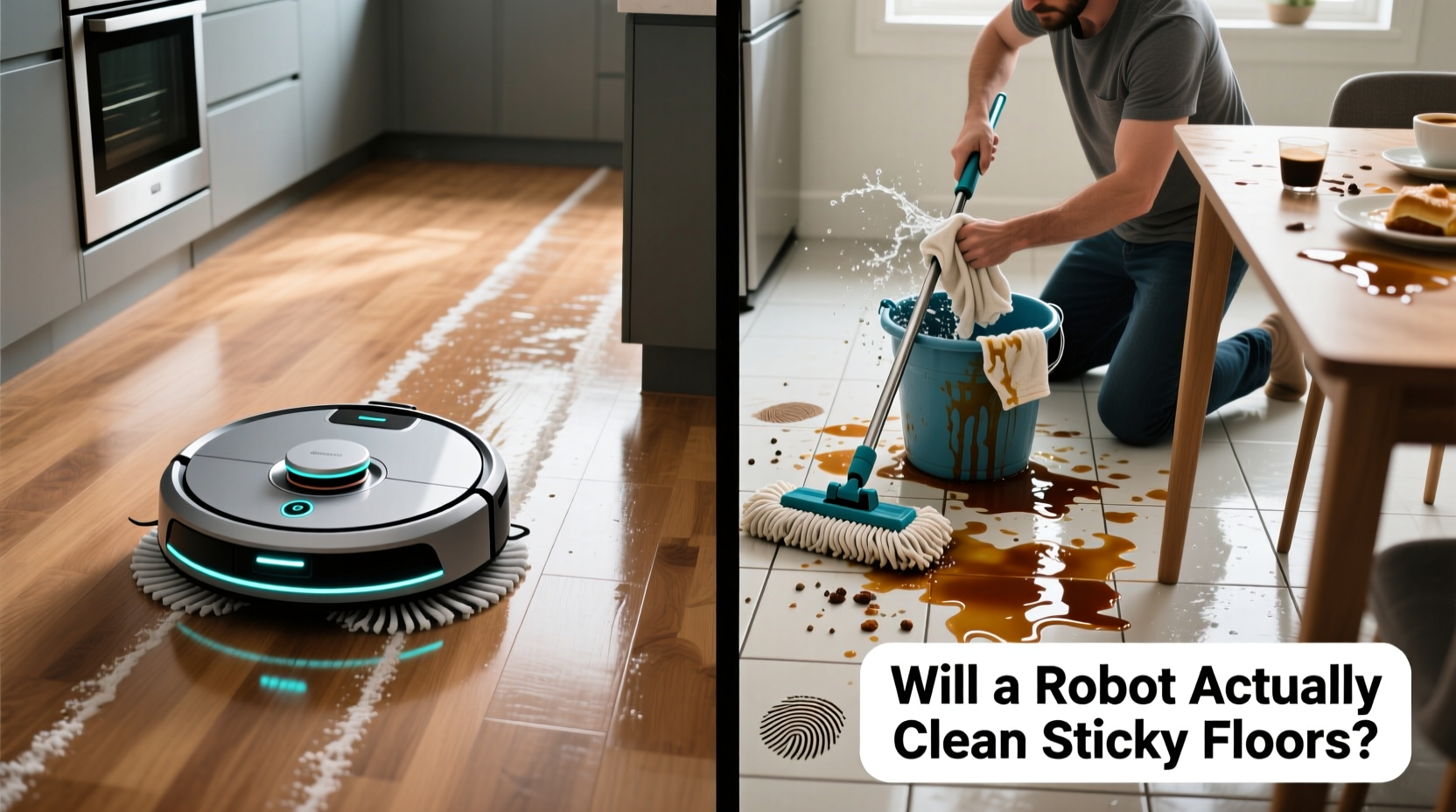
What Is a Robot Mop?
A robot mop is a small battery-powered machine designed to clean floors with limited human supervision. It typically includes:
- A water tank or water reservoir
- A microfiber or disposable mopping pad
- Motorized wheels
- Sensors for navigation and obstacle detection
- A rechargeable battery
- A computer processor and mobile app
- A docking station on many models
- A vacuum system on combination robot vacuum-and-mop models
The term “robot mop” covers several different designs. Some machines only wipe floors with a damp pad. Others combine vacuuming, mopping, automatic water dispensing, room mapping, and dock-based maintenance.
Robot mop versus robot vacuum-and-mop
A dedicated robot mop focuses on wiping hard floors. A combination robot vacuum-and-mop uses a brush, suction motor, dustbin, water tank, and mopping pad in one device.
| Type | Main function | Best suited for | Common limitation |
|---|---|---|---|
| Dedicated robot mop | Wipes floors with water and a pad | Homes with mostly hard flooring | Usually does not collect dry debris effectively |
| Robot vacuum-and-mop | Vacuums and mops | Mixed hard floors and low-pile carpet | May provide lighter mopping than a dedicated floor cleaner |
| Self-cleaning robot mop | Mops and returns to a dock for pad washing | Larger homes and frequent cleaning | Higher cost, more maintenance, and greater dock size |
A robot mop does not scrub exactly like a person using a brush or traditional mop. It usually relies on pad pressure, repeated passes, vibration, or rotating mop pads to loosen surface dirt.
How Do Robot Mops Clean Floors?
Robot mops clean by combining controlled moisture, pad contact, movement, and navigation software. The machine applies water or approved cleaning fluid to a pad, moves across the floor, and collects some loosened dirt on the pad.
The basic cleaning process usually works as follows:
- The robot maps or identifies the cleaning area.
- A pump, valve, or gravity-fed system wets the pad.
- The wheels move the robot across the floor.
- The pad wipes the surface and picks up loose grime.
- The robot follows a route and may make additional passes.
- The robot returns to its dock or stops when the cycle is complete.
Water delivery
Robot mops use one of three common water-delivery approaches:
- Gravity-fed systems: Water slowly flows from the tank to the pad.
- Electronic pumps: A pump meters water more precisely.
- Spray or jet systems: Some designs apply water directly to the floor or mop assembly.
A water setting in the app generally controls how much moisture reaches the pad. Lower settings may be appropriate for sealed wood or floors that should not become wet. Higher settings can help with tile or other water-tolerant surfaces, but excessive moisture can leave streaks or damage vulnerable flooring.
Water control is not the same as stain-removal power. A robot may use more water without applying enough pressure or agitation to remove dried spills.
Mopping pads and agitation
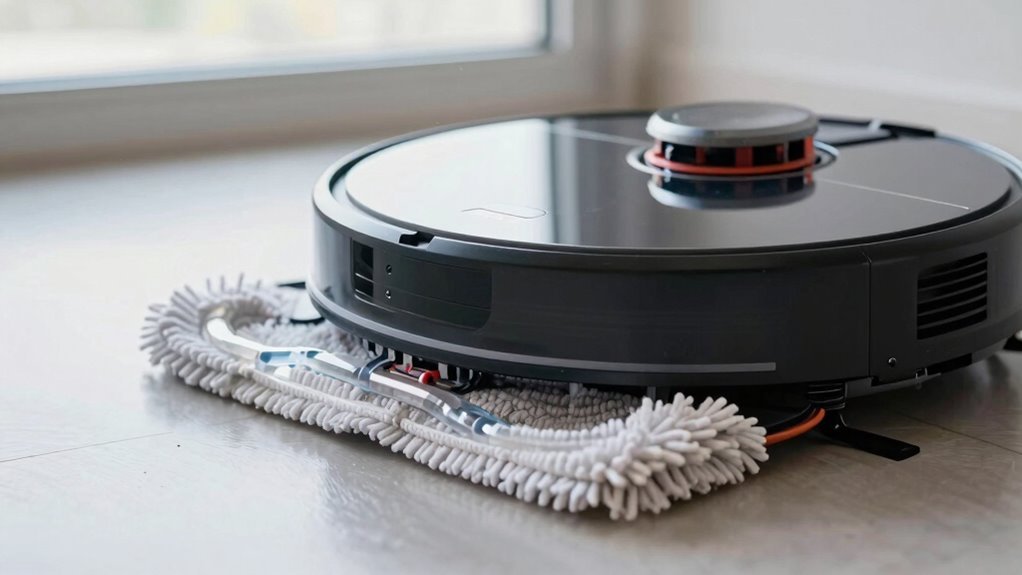
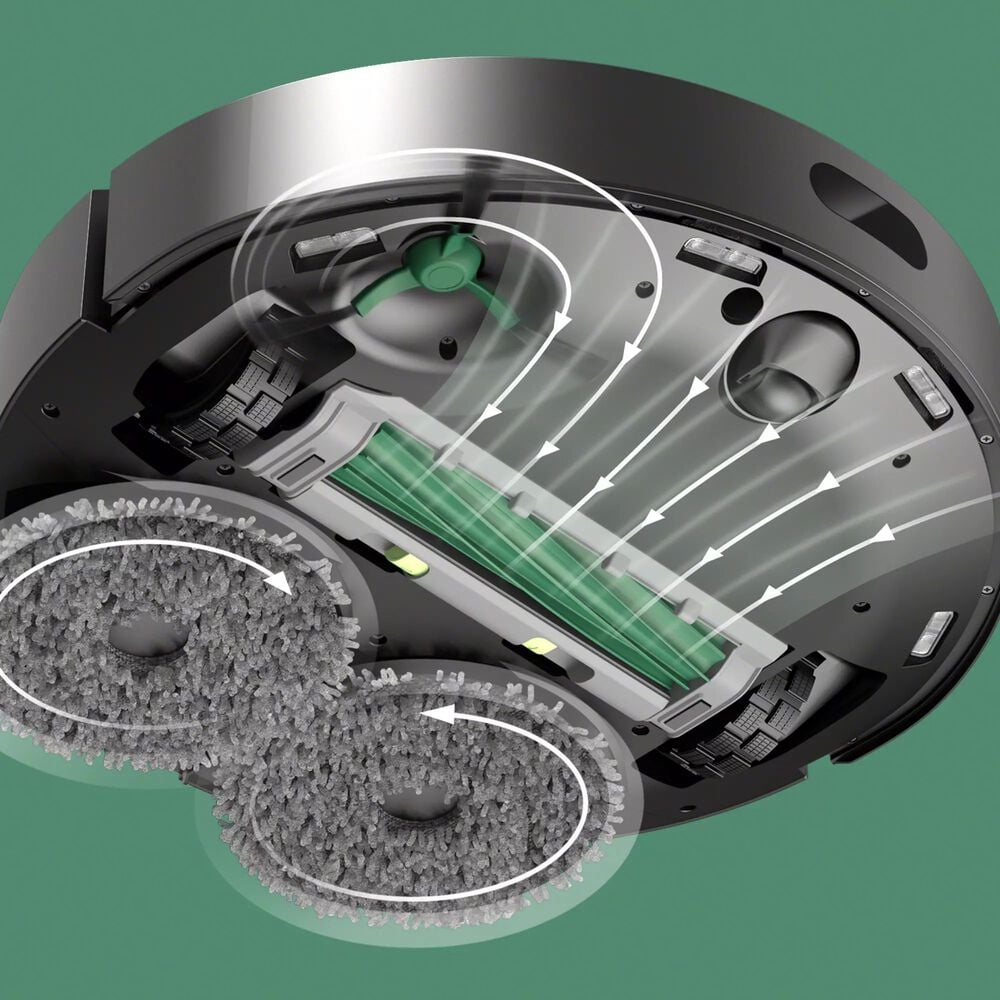
Most robot mops use microfiber pads because microfiber contains fine fibers that can collect dust and spread moisture. Some models add mechanical movement, including:
- Vibrating mop plates
- Counter-rotating mop pads
- Oscillating cleaning heads
- Downward pad pressure
- Repeated cleaning passes
These features can improve contact with the floor, but they do not eliminate the need to pretreat sticky or dried messes. Robot mops are generally better at routine maintenance than at removing heavy grease, thick food residue, or hardened stains.
How combination models vacuum and mop
A combination robot usually vacuums loose debris with a side brush, roller, and suction motor. Depending on the model and its software, it may:
- Vacuum first and mop second
- Vacuum and mop during the same pass
- Vacuum hard floors while avoiding carpet with the mop attached
- Lift the mop pad when it detects carpet
- Require separate cleaning modes for carpet and hard floors
Vacuuming first is often helpful because dry crumbs, pet hair, and grit can interfere with mopping. Some models may drag wet debris if the floor is not vacuumed before the mop pass.
How Do Robot Mops Navigate a House?
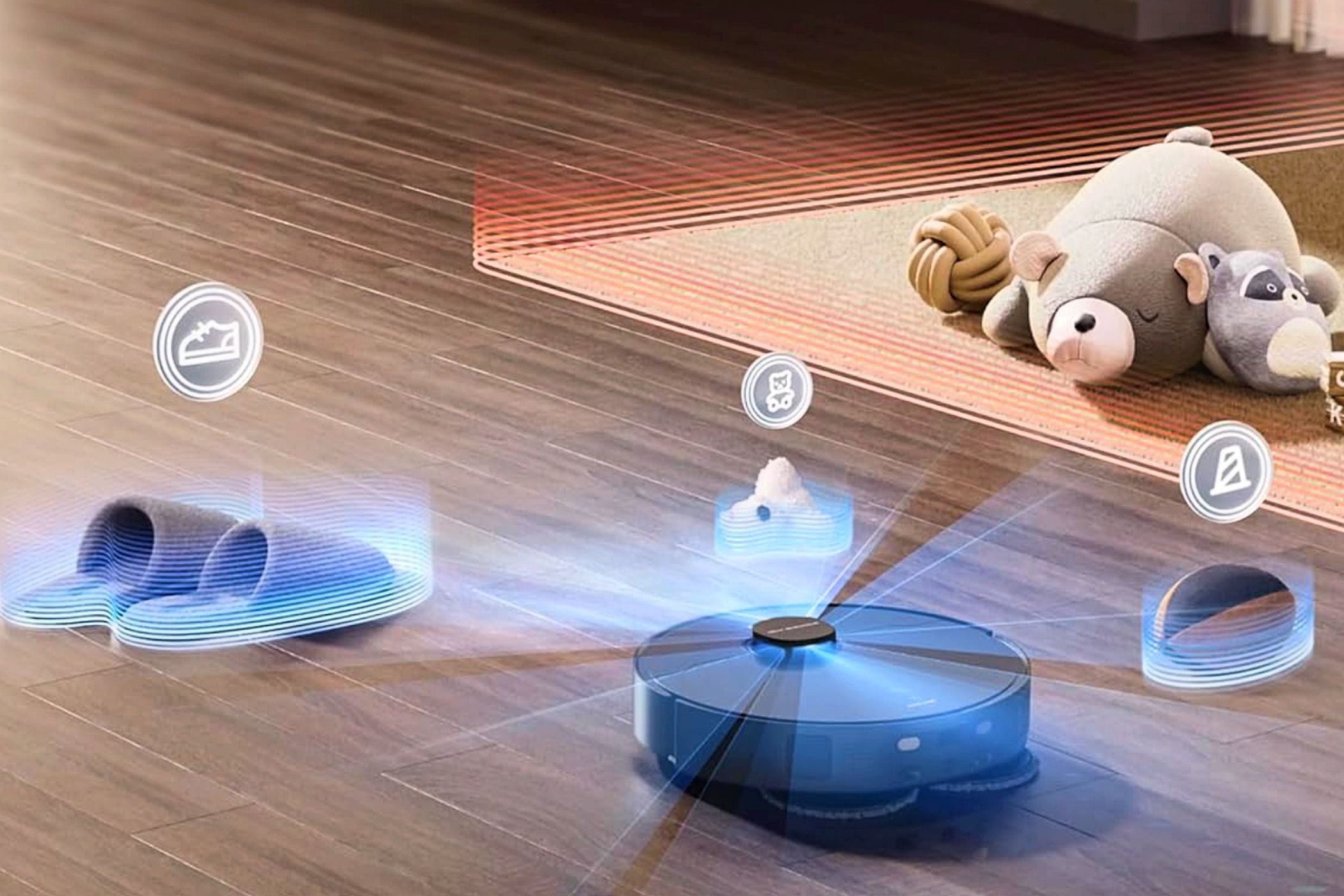
Robot mops navigate with a combination of sensors, wheel movement, mapping software, and obstacle-detection systems. The exact behavior depends on the model.
Common navigation technologies
Inertial and wheel sensors
Wheel encoders track how far the robot has traveled. An internal motion sensor can estimate changes in direction and position. These systems help the robot follow straight lines, but wheel sensors alone can become less accurate if the robot slips or encounters uneven flooring.
Infrared sensors
Infrared sensors can help the robot detect nearby objects, walls, charging docks, and drop-offs. Many models use downward-facing sensors to reduce the chance of falling down stairs.
Camera-based navigation
Camera-equipped robots use visual information to recognize room features, obstacles, or landmarks. Lighting can affect camera-based systems, and the privacy implications depend on how the manufacturer processes and stores images.
LiDAR
LiDAR uses laser measurements to estimate distances and build a map. It can help a robot identify walls and room boundaries, including in low-light conditions. A LiDAR turret may make the robot taller, which can prevent it from fitting under some furniture.
Structured-light or 3D sensors
Some models project infrared patterns or use depth sensors to estimate the size and position of obstacles. These systems may help identify cords, shoes, pet bowls, and other objects, although no obstacle-avoidance system detects everything reliably.
Mapping and room recognition
A robot may create a map during its first few cleaning runs. The app can then allow you to:
- Name rooms
- Select specific rooms
- Draw no-go zones
- Set virtual walls
- Schedule cleaning
- Choose different water levels
- Create separate routines for different floors
Mapping does not always mean the robot understands every object in a home. A map can show walls and rooms while the robot still becomes tangled in cables or bumps into items left on the floor.
How robots avoid carpets
Robot mops may use one or more of these methods to protect carpet:
- Avoiding carpet zones defined in the app
- Detecting carpet through sensors
- Raising the mop pad
- Returning to the dock to detach the mop assembly
- Allowing the user to set no-mop zones manually
Carpet avoidance varies considerably. If a model cannot reliably lift or remove its wet pad, you may need to keep carpeted areas out of the cleaning map or use a vacuum-only mode.
What happens when the battery is low?
Many robot mops return to the dock automatically when the battery reaches a specified level. Some resume cleaning after recharging. This feature is usually called “recharge and resume.”
A robot may fail to return successfully if the dock is blocked, the map is inaccurate, the wheels lose traction, or the robot starts too far from the dock. Place the dock on a level surface with the clearance recommended in the product manual.
:max_bytes(150000):strip_icc()/rsp-robot-vacuums-test-june-23-yeedi-mop-station-pro-dburreson-0086-9d05850f53e34b0c8802d0140211d048.jpeg "How Do Robot Mops Navigate a House?")
What Happens Inside a Robot Mop Dock?
A basic charging dock supplies electricity. An advanced dock may perform several additional tasks:
- Recharge the robot
- Refill its water tank
- Empty the dustbin
- Wash the mop pads
- Dry the pads with heated or room-temperature air
- Store dirty water in a separate tank
Self-cleaning docks reduce manual pad washing, but they do not eliminate maintenance. The dock’s dirty-water tank, clean-water tank, wash tray, filters, and air channels still need regular cleaning.
Pad washing
During a pad-washing cycle, the robot docks and the station applies clean water to the pads. Rotating pads or mechanical movement can help release dirt into the dock’s wash basin. The dirty water is then pumped into a waste tank.
A pad-washing dock is useful for larger floor areas because the robot can clean multiple rooms without carrying a heavily soiled pad across the floor. However, the process uses additional water and creates more components that can develop odors if neglected.
Pad drying
Some docks circulate air over the washed pads. Drying helps reduce the time that pads remain damp, which can help limit odor and microbial growth. Drying is not sterilization, and a dirty wash tray or contaminated tank can still produce unpleasant smells.
Automatic dust emptying
On combination models, the dock may transfer debris from the robot’s dustbin into a larger disposable or reusable bag. This reduces how often the small dustbin needs to be emptied, but the dock’s bag, filter, and intake still require inspection.
Cleaning solution use
Only use cleaning solutions that the manufacturer specifically approves for that model. A household floor cleaner may produce excessive foam, leave residue, damage seals, affect sensors, or void warranty coverage. Never assume that a solution is safe simply because it is labeled for hard floors.
Which Floors Can a Robot Mop Clean?
Robot mops are generally designed for sealed hard floors, but compatibility depends on the floor material, finish, water tolerance, and manufacturer instructions.
| Floor type | General suitability | Main caution |
|---|---|---|
| Ceramic or porcelain tile | Usually suitable | Grout lines may retain dirt and moisture |
| Sealed vinyl | Often suitable | Avoid excessive water and abrasive debris |
| Sealed laminate | Model- and finish-dependent | Standing water can damage edges and seams |
| Sealed hardwood | Model- and finish-dependent | Use low moisture and avoid puddling |
| Natural stone | Depends on sealant and cleaner | Some cleaners can damage stone finishes |
| Unsealed wood or stone | Usually unsuitable | Water can absorb into the material |
| Carpet | Usually vacuum-only | Wet pads may stain, soak, or damage carpet |
Before using a robot mop on wood, laminate, or natural stone, check both the flooring manufacturer’s care instructions and the robot’s manual. The robot manufacturer cannot determine whether a specific floor finish in your home is adequately sealed.
Why streaks and puddles happen
Streaks may result from:
- A dirty or overloaded pad
- Too much water
- Residue from an unsuitable cleaning product
- Uneven flooring
- A clogged water outlet
- A dirty wheel or mop plate
- Repeatedly spreading the same dirty water
Puddles are more serious than streaks. Stop the robot if it leaves standing water, then inspect the tank, valve, pad attachment, and dock. Do not allow a robot to continue operating if water is reaching electrical components.
How to Set Up and Use a Robot Mop Correctly
A successful cleaning cycle starts with floor preparation and correct configuration.
Before the first cleaning run
- Read the model-specific manual. Check approved floors, cleaning solutions, water-tank instructions, and carpet restrictions.
- Charge the robot fully.
- Install the app if required. Review permissions and account settings before connecting the device.
- Place the dock on a stable, level surface.
- Remove cords, socks, toys, and small objects.
- Secure loose rugs or block areas the robot should not mop.
- Fill the water tank only to its marked limit.
- Attach a clean, compatible pad.
- Run a supervised test on a small area.
During routine use
For most homes, a practical routine is:
- Vacuum loose debris before mopping, unless the robot is designed to combine both tasks.
- Use the lowest water setting that cleans adequately.
- Keep the pad flat and attached securely.
- Select room-specific no-mop zones where needed.
- Check the floor during the first few runs for excess moisture.
- Empty or rinse the dirty-water tank promptly after use.
- Do not leave a wet pad attached for an extended period.
Signs that the robot is working properly
A normal cleaning cycle usually produces:
- Evenly damp, not saturated, flooring
- Predictable coverage of mapped areas
- No unexplained puddles
- A pad that collects visible soil
- Correct return-to-dock behavior
- No unusual grinding, leaking, or burning odor
A clean-looking pad does not always prove that the floor is clean, but a pad that remains completely dry may indicate a water-delivery problem.
If the robot misses areas
Check these items in order:
- Confirm that the area is included in the map.
- Check whether a no-go or no-mop zone overlaps the missed area.
- Remove objects blocking the entrance.
- Clean the navigation sensors and charging contacts with a dry, soft cloth.
- Recheck the water tank and pad installation.
- Rebuild the map only if simpler corrections do not work.
Avoid repeatedly deleting maps without checking the cause. Repeated remapping can make it harder to identify whether the problem is software, furniture placement, or a blocked sensor.

How Much Maintenance Does a Robot Mop Need?
Robot mops need regular maintenance because they collect moisture, dirt, hair, and residue in a compact system.
After each cleaning cycle
Depending on the model:
- Remove and rinse the mop pad.
- Empty the dirty-water tank.
- Empty the dustbin if it is not self-emptying.
- Check the brush for hair and thread.
- Inspect the wash tray for debris.
- Leave washable parts to dry as directed.
Weekly or periodic maintenance
Inspect and clean:
- Main roller and side brush
- Water outlets
- Mop plate
- Wheels
- Cliff and navigation sensors
- Docking contacts
- Dustbin filter
- Dock wash basin
- Dirty-water tank seals
Follow the manufacturer’s replacement schedule for filters, brushes, pads, and disposable bags. A worn pad may spread dirt rather than collect it.
Common odors
Odors usually come from trapped moisture and organic residue. Helpful steps include:
- Washing pads promptly
- Drying pads fully
- Emptying dirty water after use
- Cleaning the dock’s wash tray
- Cleaning tank seals and filters
- Avoiding unapproved detergents
- Replacing pads that remain smelly after washing
Do not mix cleaning chemicals in the water tank or dock. Mixing products can create irritating vapors or damage the machine.
Common Problems and What They Usually Mean
| Symptom | Possible cause | First checks |
|---|---|---|
| Robot leaves dry streaks | Clogged outlet, empty tank, loose pad | Check water level, pad, and outlet |
| Floor is too wet | High water setting, leaking valve, saturated pad | Stop the robot and inspect for leakage |
| Robot avoids a room | Map error, closed door, no-go zone | Check the map and physical access |
| Robot gets stuck | Cords, rug fringe, narrow clearance | Clear objects and adjust zones |
| Robot misses the dock | Blocked dock or poor map | Clear dock area and clean contacts |
| Pads smell bad | Damp storage or dirty dock | Wash, dry, and clean the dock |
| Robot makes a grinding sound | Hair, debris, or damaged part | Power down and inspect the brush and wheels |
| App loses connection | Wi-Fi, account, or firmware issue | Follow the manufacturer’s connection steps |
Stop using the robot if you see damaged wiring, repeated water leakage, smoke, a burning smell, or unusual heat. Disconnect it from power when the manual permits and contact the manufacturer or a qualified service provider.
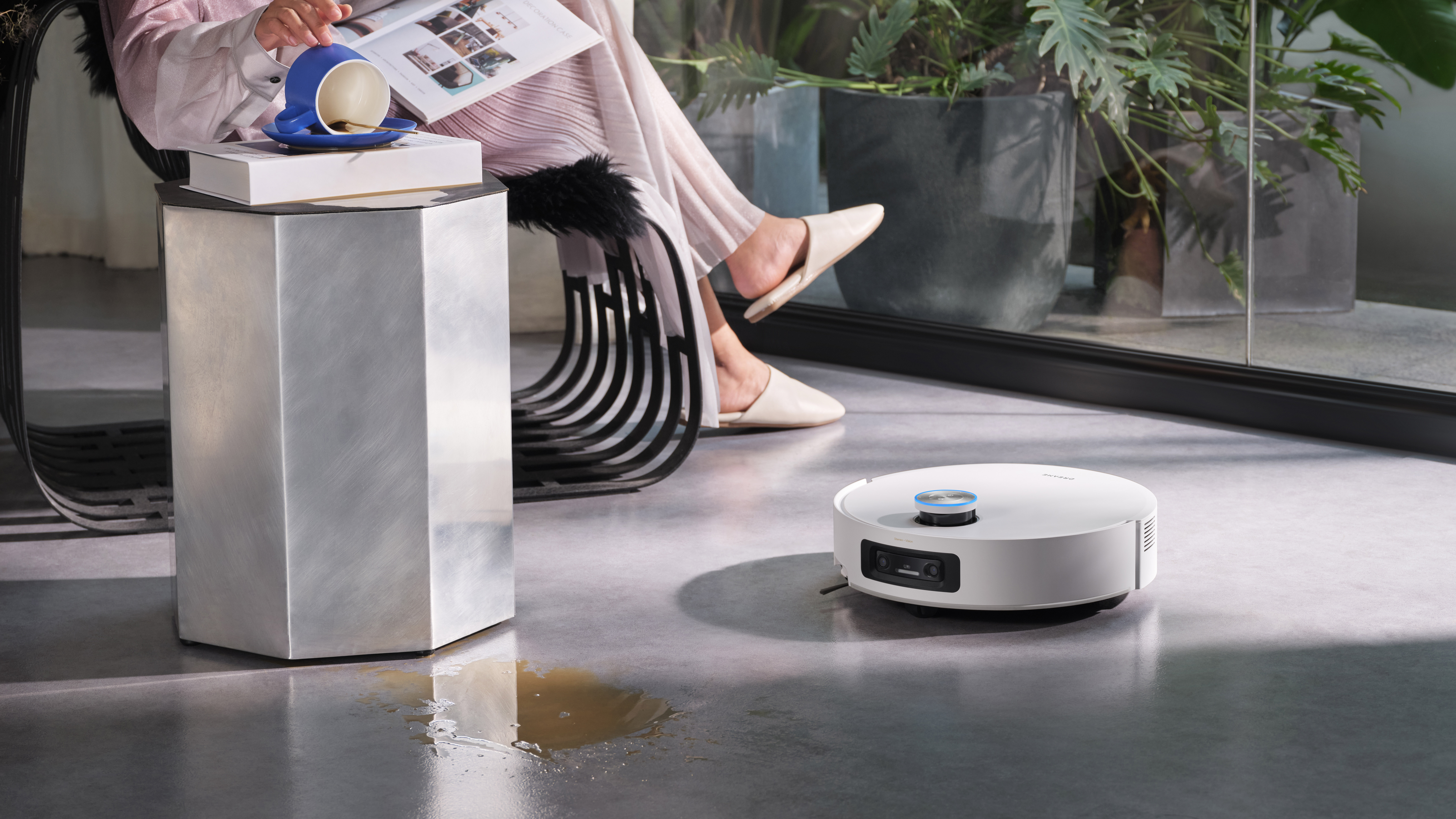
Can a robot mop pick up spills?
Most robot mops should not be treated as wet/dry shop vacuums. A small amount of liquid on a compatible hard floor may be within the device’s design, but a large spill can overwhelm the pad, suction path, electronics, or floor-sealing system.
For substantial spills, remove the liquid manually first. Do not send the robot over vomit, pet waste, broken glass, sharp fragments, or thick sticky substances.
:max_bytes(150000):strip_icc()/rsp-vacuums-test-shark-2-1-mop-robot-matrix-clean-navigation-dburreson-0176-54ebdb409de9445fb829962f56947c22.jpg "Common Problems and What They Usually Mean")
Advantages and Limitations of Robot Mops
Robot mops are most useful for maintaining floors between deeper manual cleanings. Their main advantages include:
- Automated routine cleaning
- Consistent coverage on mapped floors
- Less daily manual labor
- Scheduled cleaning
- Room-specific controls
- Combination vacuuming and mopping
- Automatic pad washing on some models
Their limitations include:
- Limited ability to remove dried stains
- Difficulty with cords, clutter, and irregular furniture
- Possible carpet-avoidance failures
- Ongoing pad, filter, and dock maintenance
- Dependence on battery life and software
- Potential for excess moisture
- Inability to clean stairs
- Need for manual edge, corner, and spot cleaning
A robot mop can reduce routine work, but it does not replace all floor care. Users should still clean spills promptly, inspect flooring for moisture damage, and perform occasional manual cleaning.
Robot Mop Buying Factors That Actually Matter
When comparing models, focus on features that affect your floors and routine rather than the number of advertised functions.
Choose based on your floor plan
A model with strong mapping and room controls may be useful for a multi-room home. A simpler robot may be sufficient for a small, open hard-floor area.
Consider carpet and floor transitions
If your home has area rugs, thresholds, or mixed flooring, check:
- Whether the mop pad lifts
- How high the pad lifts
- Whether the robot recognizes carpet
- Whether you can create no-mop zones
- Whether the robot can cross your floor transitions
Evaluate maintenance realistically
A self-cleaning dock can reduce pad washing, but it adds tanks, filters, trays, and moving parts. If you do not want to clean a dock, a simpler robot may be easier to maintain.
Check cleaning-solution restrictions
Review whether the model accepts:
- Water only
- A manufacturer-branded solution
- A specific dilution
- A dedicated cartridge
Do not base a purchase decision solely on claimed suction power or navigation technology. The practical result also depends on pad design, water control, route planning, floor type, and how often the robot is maintained.
Key Takeaways
- Robot mops use water, a cleaning pad, motorized movement, and software to wipe hard floors.
- Combination models can vacuum debris as well as mop.
- Sensors and mapping help the robot navigate, but they do not guarantee perfect obstacle avoidance.
- Self-cleaning docks wash, dry, refill, or empty the robot, depending on the model.
- Use the lowest effective water setting and follow flooring and manufacturer instructions.
- Robot mops are best for routine maintenance, not heavy stain removal or large spills.
- Regular pad, tank, brush, filter, and dock cleaning is essential.
- Block cords, pet waste, sharp debris, and unsafe floor areas before starting a cleaning cycle.
Frequently Asked Questions
Do robot mops use plain water?
Some models are designed for water only, while others permit a specific manufacturer-approved cleaning solution. Check the manual before adding any product. Unapproved solutions can cause foaming, residue, clogs, seal damage, or warranty problems.
Do robot mops really clean?
They can effectively remove light dust, everyday soil, and surface grime from compatible hard floors when the pad is clean and the robot applies sufficient moisture. They are less effective against dried spills, grease, heavy buildup, and deep grout stains.
Can a robot mop run every day?
Many are designed for frequent scheduled cleaning, but daily use still requires pad, tank, and dock maintenance. Frequent mopping may be unsuitable for floors that cannot tolerate repeated moisture.
Are robot mops safe for hardwood floors?
Only if the wood floor is properly sealed and the robot’s instructions permit its use. Use a low-moisture setting, prevent puddles, and stop the robot if it leaves excess water. For uncertain flooring, consult the flooring manufacturer.
Why does my robot mop smell?
The usual causes are damp pads, dirty-water tanks, residue in the dock, or filters that need cleaning or replacement. Wash and dry the pad, empty dirty water promptly, clean the dock, and avoid leaving wet parts enclosed.
Can robot mops clean corners?
Most round robot mops cannot reach every corner completely. Side brushes and edge-cleaning modes may reduce the missed area, but occasional manual cleaning is usually necessary.
Do robot mops need Wi-Fi?
Some models can perform basic cleaning without Wi-Fi, while app-based mapping, scheduling, remote control, and software updates may require a connection. Review the model’s offline capabilities before purchase.
Conclusion
Robot mops work by coordinating a damp cleaning pad, controlled water delivery, motorized movement, and navigation software. Advanced models add mapping, carpet detection, pad lifting, automatic pad washing, drying, and dust emptying.
The best results come from matching the machine to your flooring, removing clutter before cleaning, using only approved liquids, and maintaining the pad and dock regularly. Before starting a cycle, verify that the floor is water-safe, the mop pad is clean, and the robot will not encounter cords, rugs, spills, or hazardous debris.
2 Comments