Introduction
The Eureka PowerSpeed upright vacuum cleaner is a budget-friendly, bagless vacuum line sold in the United States for routine cleaning of carpets, rugs, and hard floors. It is best suited to households that want a traditional upright design with a wide floor head, washable filters, a removable dust cup, and basic above-floor tools without paying for premium smart features.
Because Eureka sells several PowerSpeed versions—including models such as the NEU182A, NEU181, NEU180, and related retailer-specific variants—features can differ by model and production date. Before buying replacement parts or following a maintenance procedure, check the model number on the vacuum’s rating label or owner’s manual.
The PowerSpeed can be a practical choice for everyday debris, pet hair, and general carpet cleaning, but it is not automatically the right fit for every home. Noise, cord management, manual height adjustment, and the lack of advanced sealed-filtration features may matter if you have allergies, large floor areas, delicate flooring, or heavy-duty cleaning needs.
What Is the Eureka PowerSpeed Upright Vacuum Cleaner?
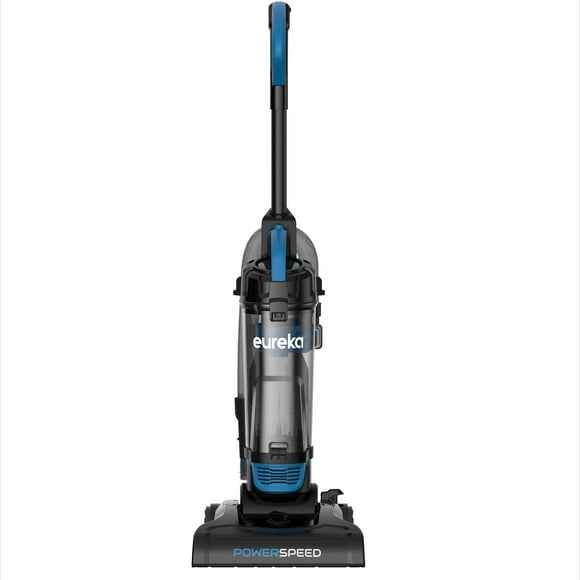
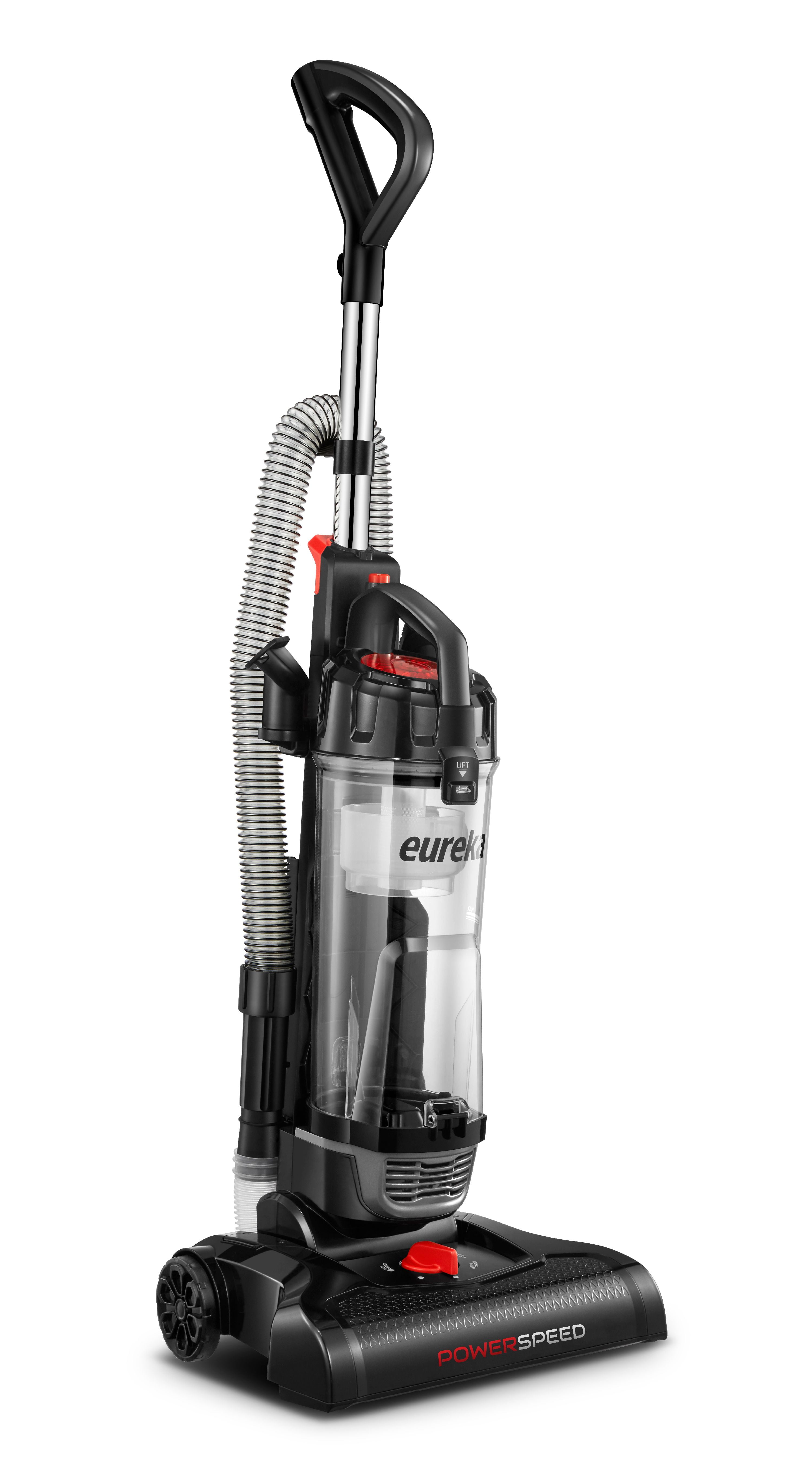
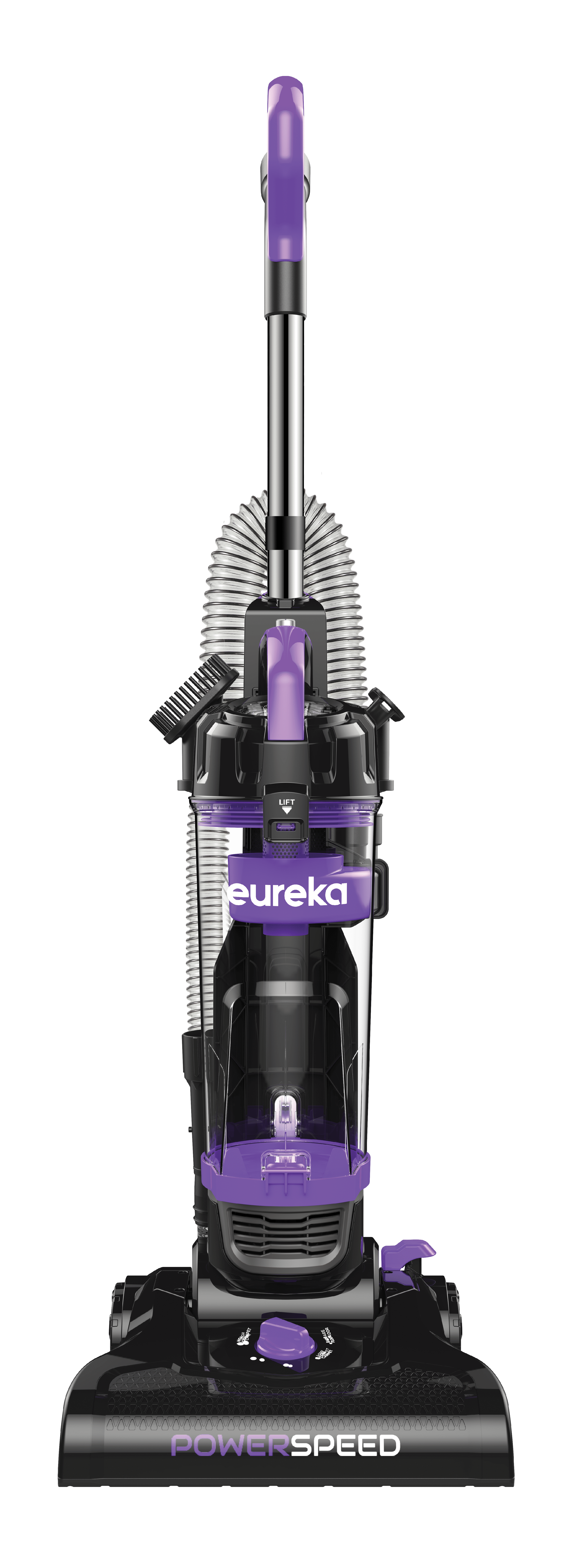
The Eureka PowerSpeed is a corded, bagless upright vacuum cleaner designed for whole-home surface cleaning. Typical PowerSpeed models use a rotating brush roll, a removable dust cup, washable filters, and a set of onboard or included attachments.
Common features found across the PowerSpeed family include:
- Upright floor-cleaning design
- Corded electrical power
- Bagless dust collection
- Rotating brush roll for carpet cleaning
- Multiple manual floor-height settings on many versions
- Removable dust cup
- Washable or reusable filters, depending on the part
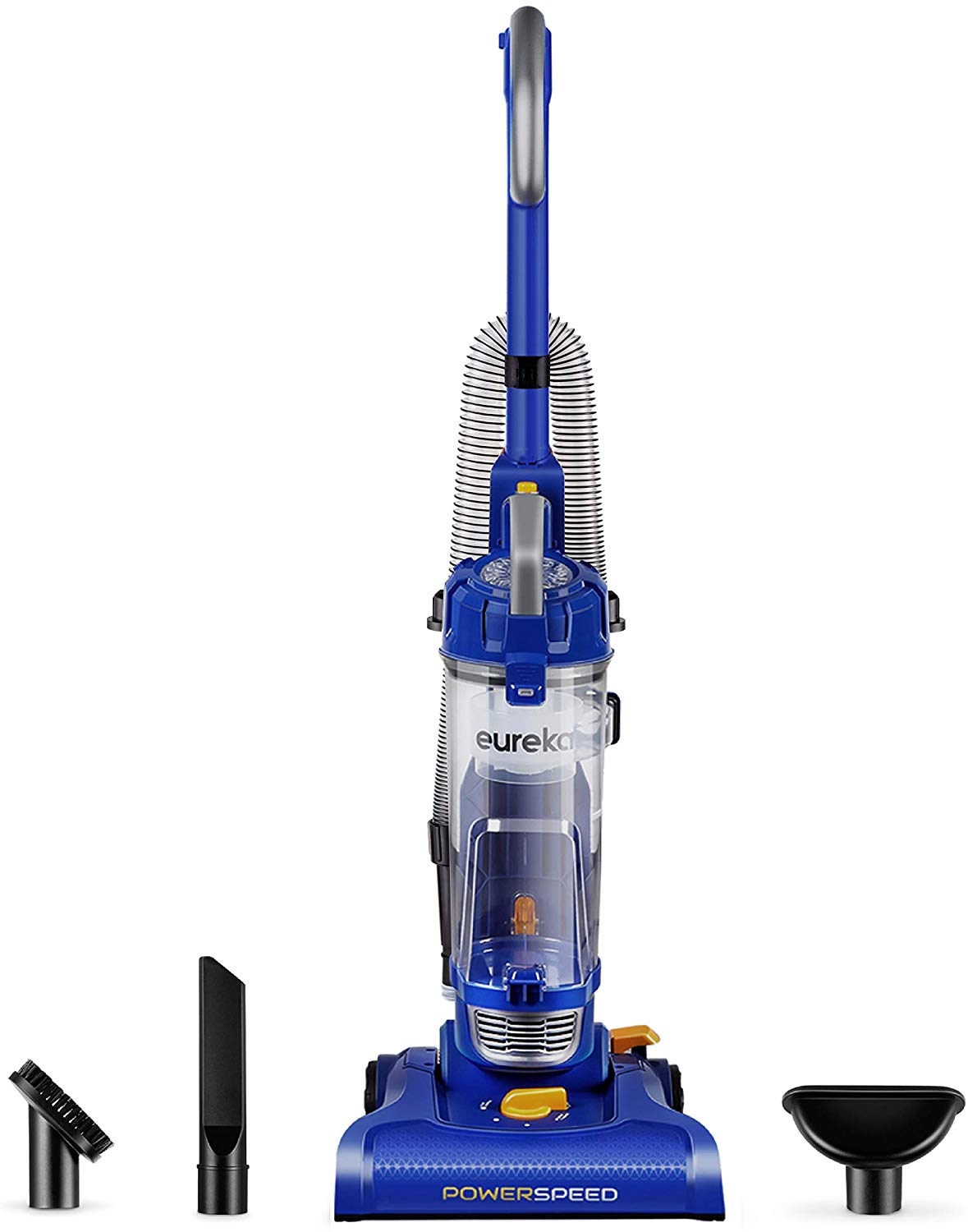
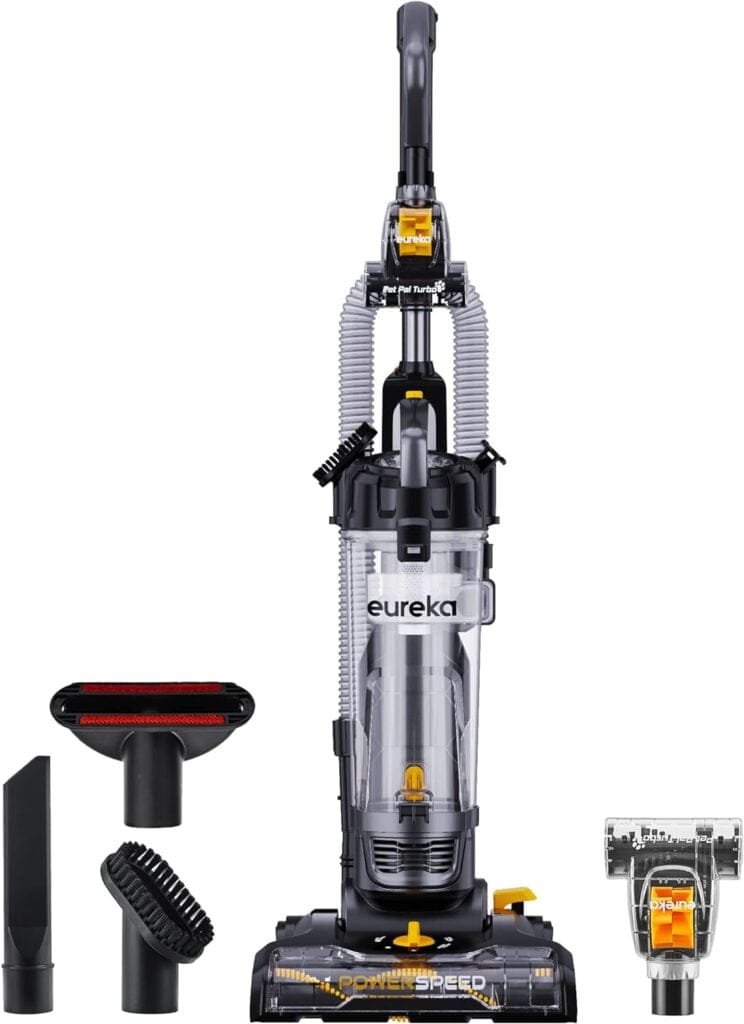
- Above-floor tools such as a crevice tool, dusting brush, or upholstery tool
- A hose and wand for cleaning furniture, stairs, edges, and other surfaces
These features describe the product family rather than one guaranteed configuration. The exact PowerSpeed model number controls the included tools, dust-cup size, filtration arrangement, cleaning width, and replacement-part compatibility.
PowerSpeed model identification
Look for a white or silver rating label on the vacuum body. The model number may appear:
- Near the rear wheels
- Underneath the vacuum
- Behind or beside the dust cup
- On the original product box
- On the receipt or retailer listing
Do not assume that a filter, belt, hose, or brush roll listed for one PowerSpeed model will fit every other PowerSpeed model. Eureka’s official parts and support information should be used to confirm compatibility.
Eureka PowerSpeed Features and Specifications
The most useful way to evaluate a PowerSpeed is to separate documented design features from performance claims that require controlled testing. A manufacturer’s specification can confirm what a vacuum includes, but it does not by itself prove that the vacuum cleans better than every competitor.
| Feature | What it means in everyday use | What to verify |
|---|---|---|
| Bagless design | You empty the dust cup instead of replacing disposable bags | Dust-cup release method and capacity |
| Corded power | No battery charging or runtime limit | Cord length and outlet access |
| Rotating brush roll | Helps agitate carpet fibers and lift embedded debris | Whether the brush roll can be switched off |
| Manual height adjustment | Lets the floor head sit higher or lower | Number of settings and recommended position |
| Washable filters | Can reduce recurring filter costs when cleaned correctly | Which filters are washable and replacement intervals |
| Hose and tools | Extends cleaning to furniture, stairs, corners, and baseboards | Included tools for the exact model |
| Upright format | Provides a wide cleaning head and large push handle | Weight, steering, and storage space |
Carpet and hard-floor use
The rotating brush roll is useful on many carpets because agitation helps loosen dust and debris. However, a powered brush can be unsuitable for some delicate surfaces, including certain looped rugs, antique rugs, or flooring that the manufacturer does not approve for brush agitation.
On hard floors, use the appropriate height setting and follow the instructions for the specific model. If the brush roll cannot be turned off, take extra care on delicate surfaces. A vacuum may pick up debris effectively while still causing surface wear if the brush or wheels are used incorrectly.
Filtration
PowerSpeed models generally use a combination of a dust cup, pre-motor filtration, and an exhaust filter. Washable filters can lower ongoing replacement costs, but they still require regular cleaning and complete drying.
A washable filter is not the same thing as a certified high-efficiency sealed filtration system. If someone in your household has significant allergies or respiratory sensitivity, review the exact filtration claims and consider whether a sealed system with independently documented filtration performance would be more appropriate.
Cleaning path and maneuverability
Many PowerSpeed versions are marketed with a broad floor-cleaning path, but the exact width varies by model. A wider head can reduce the number of passes across an open room. It may also be less convenient around narrow furniture, small closets, and tight stair landings.
Upright vacuums are usually efficient on open carpet but less flexible than canister or stick vacuums in cramped spaces. The PowerSpeed’s hose and wand help, although a short hose or rigid wand can make high or distant surfaces harder to reach.
How to Use the Eureka PowerSpeed Correctly
Correct setup has a direct effect on cleaning performance. A full dust cup, clogged filter, blocked hose, or incorrect height setting can make a functioning vacuum appear defective.
Before the first use
- Confirm the model number. Keep the owner’s manual available for model-specific instructions.
- Check the assembly. Make sure the handle, hose, wand, dust cup, and attachments are fully seated.
- Inspect the cord. Do not use the vacuum if the cord or plug has exposed conductors, cuts, burns, or loose connections.
- Clear the cleaning area. Pick up coins, screws, glass, strings, and other objects that could damage the brush roll or become projectiles.
- Set the floor height. Start with the manufacturer’s recommended setting for your floor type.
- Plug directly into a suitable US household outlet. Avoid using a damaged extension cord or an outlet that becomes hot during operation.
Basic vacuuming steps
- Release the handle according to the model’s instructions.
- Select the correct floor-height setting.
- Turn on the vacuum while keeping the floor head clear of loose cords and small objects.
- Move slowly enough for the brush roll and airflow to collect debris.
- Use overlapping passes on heavily soiled carpet.
- Avoid pulling the vacuum by its power cord.
- Turn the vacuum off and unplug it before removing blockages, cleaning the brush roll, or servicing filters.
A vacuum’s cleaning ability depends on more than motor power. Airflow, brush-roll contact, floor-head design, filter condition, and the operator’s movement speed all affect the result.
Signs of correct operation
A properly operating PowerSpeed should generally:
- Start without repeated tripping or unusual electrical odor
- Maintain steady suction during normal use
- Rotate the brush roll when the model is designed to do so
- Move without excessive resistance at a suitable height setting
- Collect debris without immediately ejecting it back onto the floor
- Run without a persistent burning smell or rapidly increasing noise
Stop using the vacuum if you notice smoke, sparking, a hot plug, a melting odor, or repeated circuit-breaker trips.
Eureka PowerSpeed Maintenance Schedule
Regular maintenance is one of the most important factors in keeping an upright vacuum effective. The following schedule is a practical starting point; the owner’s manual takes priority if it specifies different intervals.
| Task | Suggested timing | Why it matters |
|---|---|---|
| Empty the dust cup | When it reaches the marked fill line or after heavy cleaning | Prevents restricted airflow |
| Check the brush roll | Every few uses, especially with pets or long hair | Reduces tangles and belt stress |
| Inspect the hose and air path | When suction drops or noise changes | Finds clogs and obstructions |
| Clean washable filters | According to the manual and when visibly dirty | Helps maintain airflow |
| Replace damaged or worn parts | As soon as a defect is found | Prevents further damage |
| Check the belt, where applicable | During brush-roll service or if the roll stops turning | A worn belt can reduce agitation |
Emptying the dust cup
Turn the vacuum off and unplug it before removing the dust cup unless the manual specifically states otherwise.
- Remove the dust cup using its release mechanism.
- Hold it over a trash container.
- Open the bottom or top release, depending on the model.
- Tap out remaining debris carefully.
- Check the screen and cyclone area for compacted dust or hair.
- Reinstall the cup until it locks securely.
Do not continue running the vacuum with the dust cup packed above its fill line. Restricted airflow can reduce pickup and increase heat buildup.
Cleaning filters
Filter procedures vary. Some filters can be rinsed with cool water; others may need dry cleaning or replacement. Follow the exact instructions for your model.
For a washable filter:
- Turn off and unplug the vacuum.
- Remove the filter carefully.
- Shake or brush off loose debris outdoors if practical.
- Rinse only if the manual identifies the filter as washable.
- Do not use detergent unless Eureka specifically permits it.
- Squeeze or shake out excess water without twisting the filter aggressively.
- Allow the filter to dry completely—often at least 24 hours—before reinstalling it.
- Never operate the vacuum with a wet filter.
Installing a damp filter can damage the motor and promote odor or microbial growth.
Cleaning the brush roll
Hair, thread, carpet fibers, and pet fur can wrap around the brush roll. With the vacuum unplugged, remove the obstruction using scissors or a suitable tool. Keep fingers away from sharp cutting edges and do not cut the belt.
If the brush roll has damaged bristles, excessive wobble, melted sections, or a persistent scraping sound, replacement may be safer than continued use.

Eureka PowerSpeed Troubleshooting
Troubleshoot the vacuum in an order that begins with simple, low-risk checks. Always unplug the unit before reaching into the brush area, hose, or air path.
The vacuum has weak suction
Possible causes include:
- A full dust cup
- A clogged filter
- A blocked hose or floor head
- Hair wrapped around the brush roll
- An incorrectly installed dust cup or filter
- A damaged seal
- A failing motor or internal component
Try these steps:
- Turn off and unplug the vacuum.
- Empty the dust cup.
- Inspect and clean the filters according to the manual.
- Check the hose, wand, and floor-head opening for blockages.
- Remove hair from the brush roll.
- Reassemble each part firmly.
- Test the vacuum again on the correct height setting.
If suction remains weak after the air path is clear and filters are fully dry, internal service may be needed.
The brush roll is not spinning
Check the following:
- The vacuum is actually switched to the cleaning mode that activates the brush roll.
- Hair or thread is not preventing rotation.
- The belt is present and not stretched, broken, or displaced.
- The floor height is not set so low that the head is pressed tightly against the floor.
- The brush roll ends are not blocked by packed debris.
Do not operate the vacuum on carpet for extended periods if the brush roll is designed to spin but remains stationary. The motor may continue running while cleaning performance falls.
The vacuum shuts off during use
A shutdown can result from overheating, an obstruction, an electrical problem, or a protective thermal device.
- Turn the vacuum off and unplug it.
- Empty the dust cup.
- Check the filters and air path.
- Inspect the brush roll for tangles.
- Let the vacuum cool fully.
- Restart it only after the cause has been addressed.
If it repeatedly shuts off, emits a burning odor, or trips the circuit breaker, stop using it and contact Eureka support or a qualified appliance technician. Do not bypass a thermal protector or attempt unauthorized electrical repairs.
The vacuum has a burning smell
A burning odor may indicate a jammed brush roll, slipping belt, overheated motor, or electrical fault. Turn the vacuum off immediately and unplug it. Inspect only the accessible brush roll, belt area, dust cup, and filters. If the smell continues after basic maintenance, discontinue use.
The vacuum is difficult to push
The floor-height setting may be too low, the brush roll may be jammed, or the floor head may be sealed too tightly against a dense carpet. Raise the height one setting and test again. If the vacuum still resists movement or makes a grinding sound, inspect the brush roll and wheels.

Is the Eureka PowerSpeed Good for Pet Hair?
The Eureka PowerSpeed can handle everyday pet hair on many carpets and upholstery surfaces when the brush roll, filters, and air path are clean. Its suitability depends on the amount and type of pet hair rather than the product name alone.
It may work well for:
- Short- and medium-pile carpet
- Loose fur on rugs
- Surface debris on upholstery when using the appropriate tool
- Routine household cleaning
It may be less suitable when:
- Long hair rapidly wraps around the brush roll
- The home has thick, high-pile carpet
- Large amounts of fur are shed daily
- You need a tangle-resistant brush roll
- You require a sealed allergy-focused filtration system
- You want cordless cleaning or automatic adjustment
For homes with pets, inspect the brush roll more frequently and empty the dust cup before it becomes densely packed. Pet hair can combine with lint to form a blockage faster than ordinary household dust.

Is the Eureka PowerSpeed Safe for Hardwood Floors?
The PowerSpeed may be usable on some hard floors, but the correct setting and brush-roll behavior depend on the exact model. Before cleaning hardwood, confirm that the manual permits that surface.
Use caution because:
- A rotating brush can scatter debris or mark delicate finishes.
- Gravel, sand, and hard particles can scratch floors if dragged under the head.
- A low height setting can make the vacuum difficult to move.
- Wheels and the floor head should be free of grit.
- The brush roll should be switched off when the model provides that control and the floor manufacturer recommends doing so.
For high-value, antique, softwood, or specially finished floors, follow the flooring manufacturer’s care instructions rather than relying only on a general vacuum description.

Eureka PowerSpeed Compared With Other Vacuum Types
The PowerSpeed’s strongest advantage is its familiar upright format and lack of battery-runtime limits. Its main trade-offs are cord management, a larger body, and fewer convenience features than many modern premium vacuums.
| Vacuum type | Where it tends to work well | Main trade-off compared with PowerSpeed |
|---|---|---|
| Corded upright | Open carpet and routine whole-room cleaning | Less convenient on stairs and tight spaces |
| Cordless stick | Quick cleanups and portability | Battery runtime and dust capacity may be limited |
| Canister vacuum | Stairs, hard floors, furniture, and flexible reach | More parts to pull and store |
| Robot vacuum | Scheduled maintenance cleaning | Usually needs a second vacuum for stairs and detailed cleaning |
| Handheld vacuum | Small spills, vehicles, and furniture | Not a replacement for full-floor cleaning |
Choose the PowerSpeed when you prefer a conventional upright, have access to electrical outlets, and want to avoid battery replacement or charging. Consider another format if you prioritize quiet operation, compact storage, stair cleaning, automatic scheduling, or advanced filtration.

What to Check Before Buying a Eureka PowerSpeed
Before purchasing, compare the exact model rather than relying on the PowerSpeed name alone.
Confirm these specifications
- Exact model number
- Included attachments
- Cleaning-path width
- Floor-height adjustment
- Brush-roll control
- Dust-cup capacity
- Filter type and availability
- Cord length
- Product weight
- Warranty terms
- Replacement belt, filter, hose, and brush-roll availability
- Retailer return policy
Consider your home
The PowerSpeed is more likely to fit your needs if you have:
- Mostly carpet or low-pile rugs
- A small or medium-sized home
- Regular access to electrical outlets
- Storage space for an upright vacuum
- A preference for simple manual controls
- A need for a general-purpose vacuum at a lower purchase price
Think carefully before buying if you have:
- Several flights of stairs
- Delicate flooring throughout the home
- Thick or shag carpet
- Severe allergy concerns
- A strong preference for cordless cleaning
- Limited closet or storage space
- A requirement for very quiet operation
Parts and long-term ownership
A low purchase price does not eliminate ownership costs. Filters, belts, brush rolls, and other wear parts may eventually need replacement. Before buying, search Eureka’s official support or parts resources using the precise model number. If a retailer does not clearly identify the model, compatibility and warranty research become more difficult.
Common Eureka PowerSpeed Mistakes to Avoid
Several maintenance and operating mistakes can reduce performance or create avoidable damage.
- Using the wrong filter: A filter that looks similar may not fit or seal correctly.
- Running with a wet filter: Moisture can reach internal components.
- Ignoring the fill line: A packed dust cup restricts airflow.
- Pulling by the cord: This can damage the cord, plug, or outlet.
- Vacuuming liquids: Unless the manual explicitly identifies the unit as wet/dry equipment, keep liquids away.
- Picking up hot ash or embers: These can cause fire or damage.
- Vacuuming sharp objects: Glass, nails, and screws can damage hoses and internal parts.
- Forcing the floor head: Excessive resistance may indicate a low height setting or obstruction.
- Buying parts by appearance alone: Model compatibility matters.
- Continuing after a burning smell: Turn the vacuum off and investigate safely.
Never modify the plug, bypass safety components, or open electrical sections unless you are qualified and the repair procedure is authorized.

Frequently Asked Questions
Does the Eureka PowerSpeed use bags?
No. PowerSpeed upright models are generally bagless and collect debris in a removable dust cup. The exact dust-cup design and capacity vary by model.
How often should I clean the Eureka PowerSpeed filter?
Follow the manual for your exact model. As a practical rule, inspect the filter whenever suction drops or the dust cup becomes unusually difficult to empty. Homes with pets, smoke, construction dust, or heavy daily use may require more frequent inspection.
Can I wash every Eureka PowerSpeed filter?
No. Only wash a filter when Eureka identifies that specific filter as washable. Some filters must be cleaned differently or replaced. Always let a washable filter dry completely before reinstalling it.
Why does my Eureka PowerSpeed smell like a wet dog?
Odor can come from a dirty dust cup, damp filter, trapped pet hair, or debris inside the hose or brush area. Empty the dust cup, clean approved washable parts, inspect the air path, and dry all washable components completely. A persistent burning or electrical smell requires immediate discontinuation of use.
How do I find the correct replacement belt or filter?
Use the model number printed on the vacuum’s rating label, then check Eureka’s official parts information or contact Eureka support. Do not rely only on the product family name because different PowerSpeed versions may use different parts.
Is the Eureka PowerSpeed suitable for stairs?
It can clean stairs with its hose and attachments, but an upright vacuum may be less convenient than a canister or compact handheld model. Keep the vacuum stable, avoid placing it where it can fall, and follow the manufacturer’s instructions for stair use.
Final Recommendation
The Eureka PowerSpeed upright vacuum cleaner is a reasonable option for shoppers in the United States who want a straightforward, corded, bagless upright for routine carpet and floor cleaning. Its value depends on the exact model, the condition of its filters and brush roll, and whether its manual controls suit your flooring.
Before buying or troubleshooting one, identify the complete model number, verify the included features, and follow the model-specific manual. For the best results, empty the dust cup regularly, clean only the approved filters, remove brush-roll tangles, and stop using the vacuum if it shows signs of electrical or thermal failure.
One Comment