
Introduction
For shoppers in the United States, an INTETURE cordless vacuum can be a convenient option for quick cleaning, stairs, hard floors, and everyday dust. However, INTETURE sells or has sold multiple cordless vacuum configurations, and specifications can differ by model, seller, package, and purchase date. Battery runtime, suction claims, attachments, filtration, charging equipment, and warranty terms should therefore be verified against the exact U.S. product listing and user manual.
The most reliable way to evaluate an INTETURE cordless vacuum is to look beyond headline suction numbers. Check how long the vacuum runs in the mode you actually use, whether the battery is removable, how easily the filter and brush roll can be cleaned, and whether replacement parts are available in the United States.
This guide explains what to check before buying, how to set up and use the vacuum, how to maintain it, and what to do when performance declines.
What Is an INTETURE Cordless Vacuum?
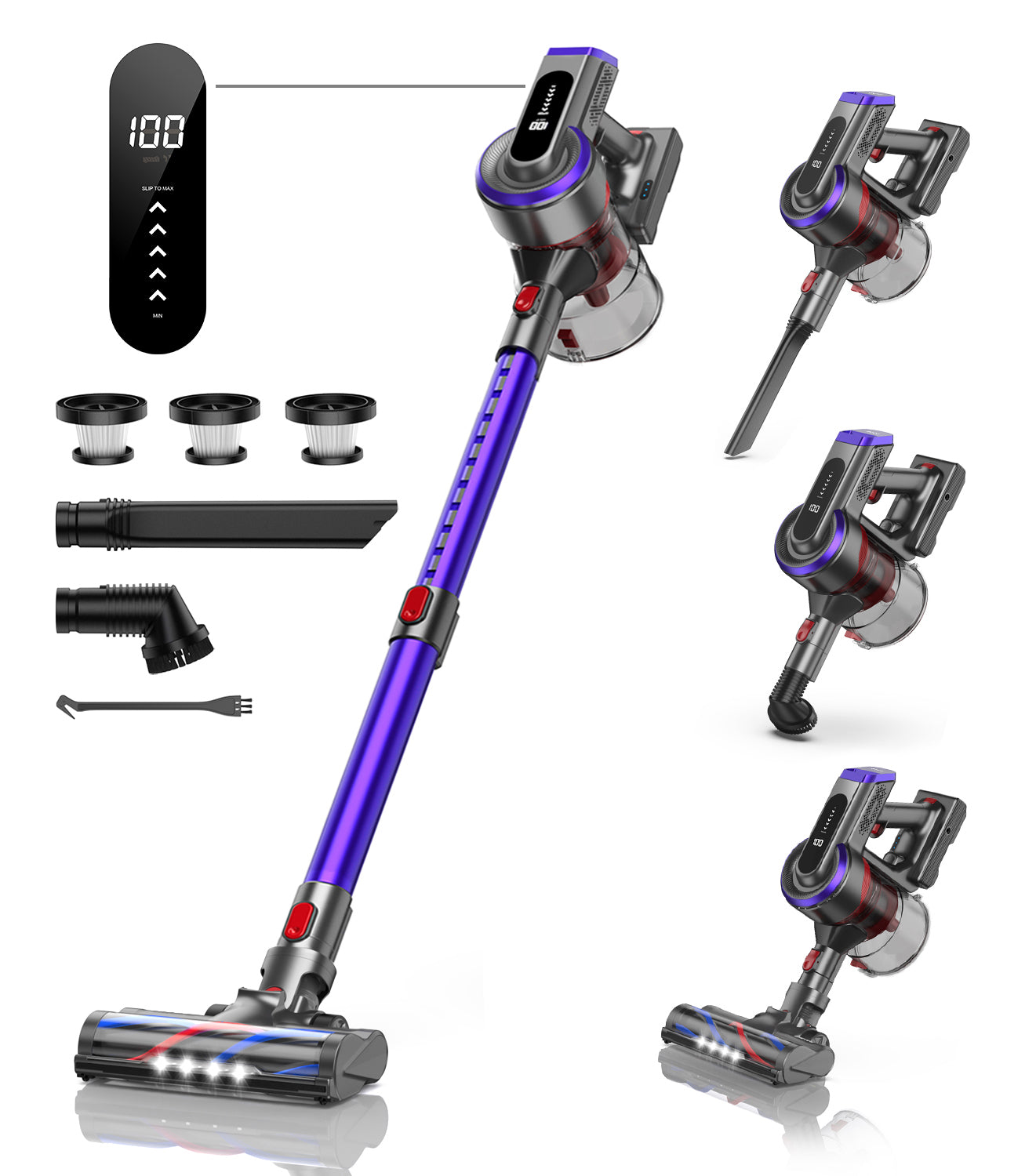
An INTETURE cordless vacuum is a battery-powered stick vacuum designed for floor cleaning without a power cord. Most units in this category use a rechargeable lithium-ion battery, a motorized floor head, a dust bin, and one or more washable or replaceable filters.
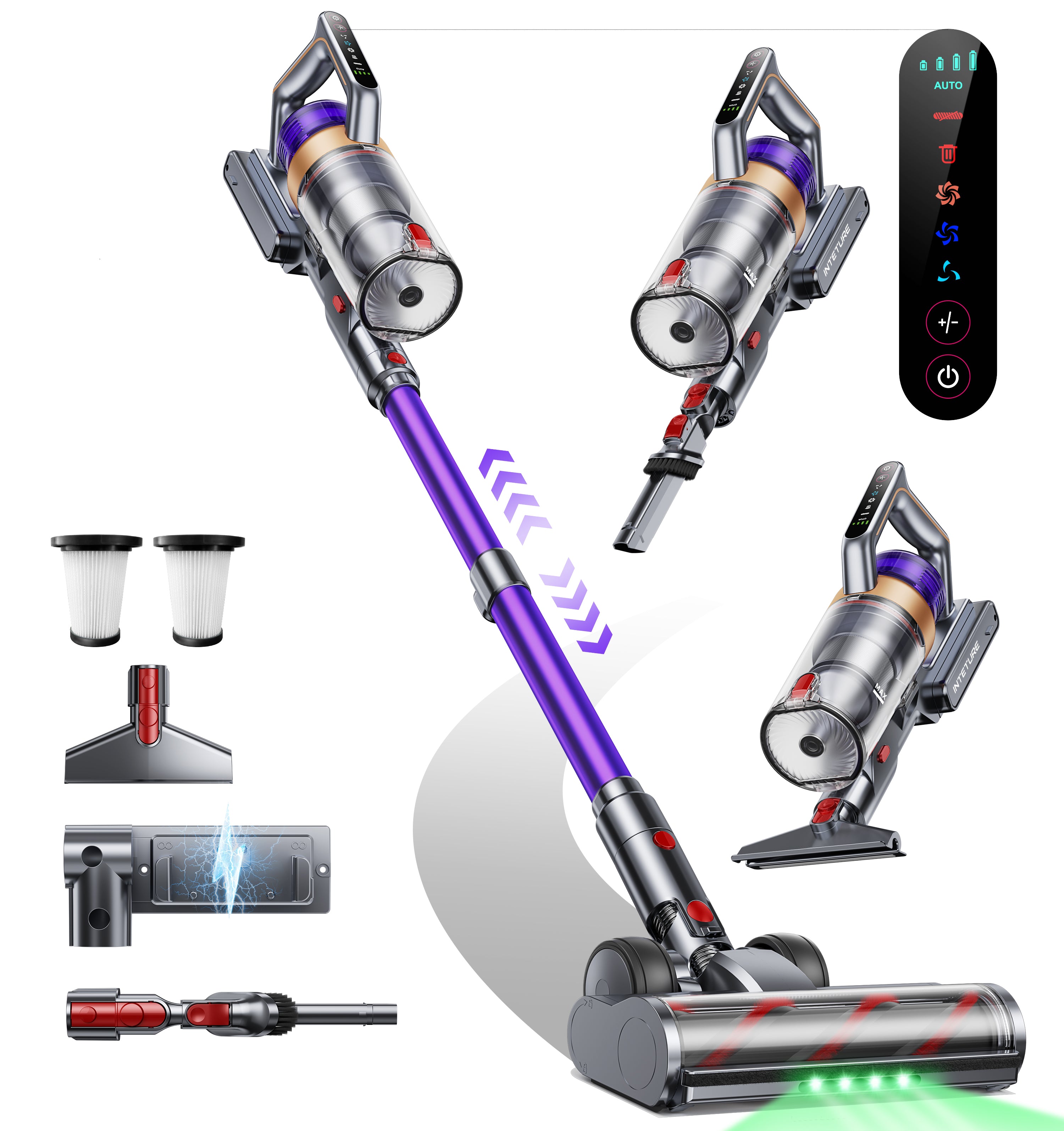
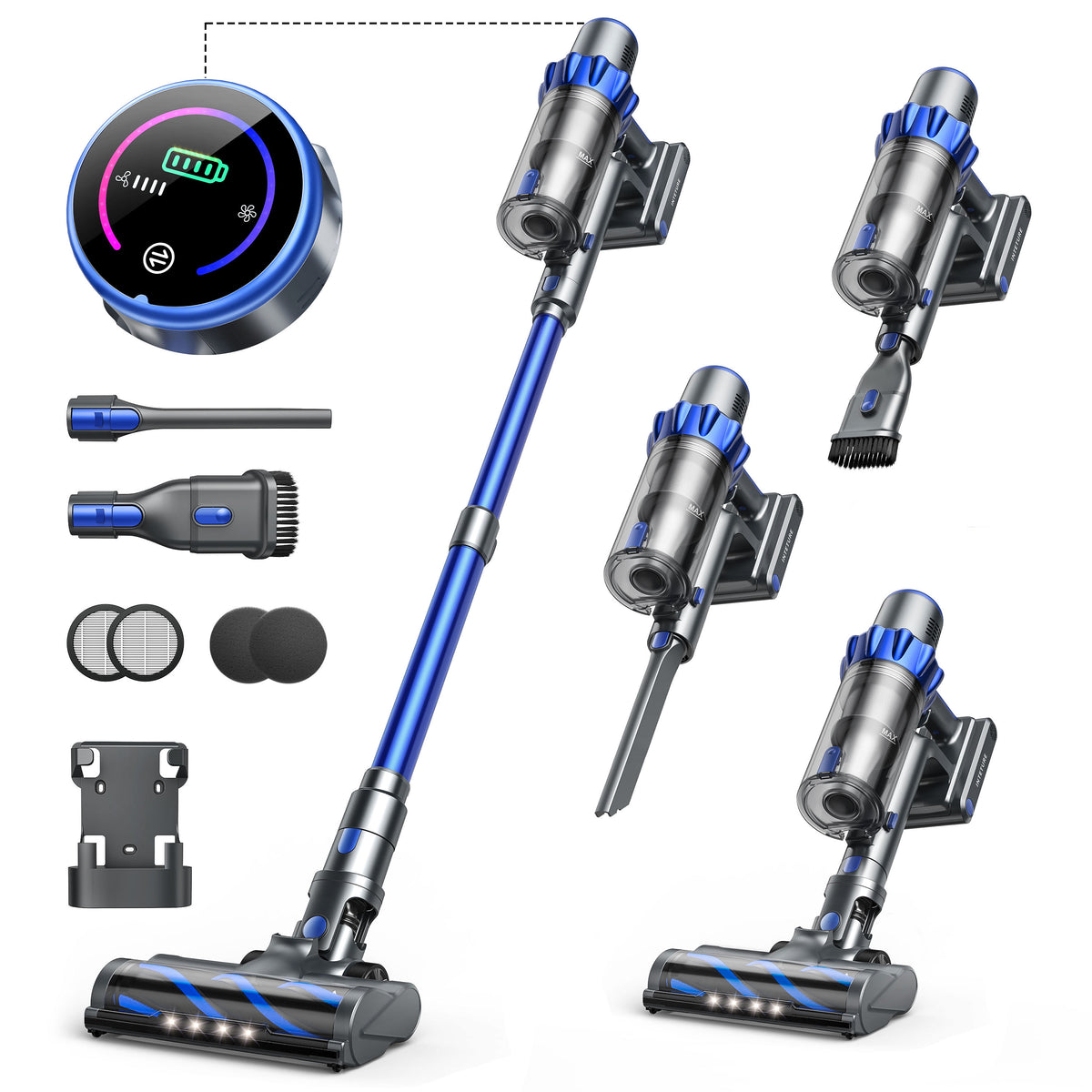
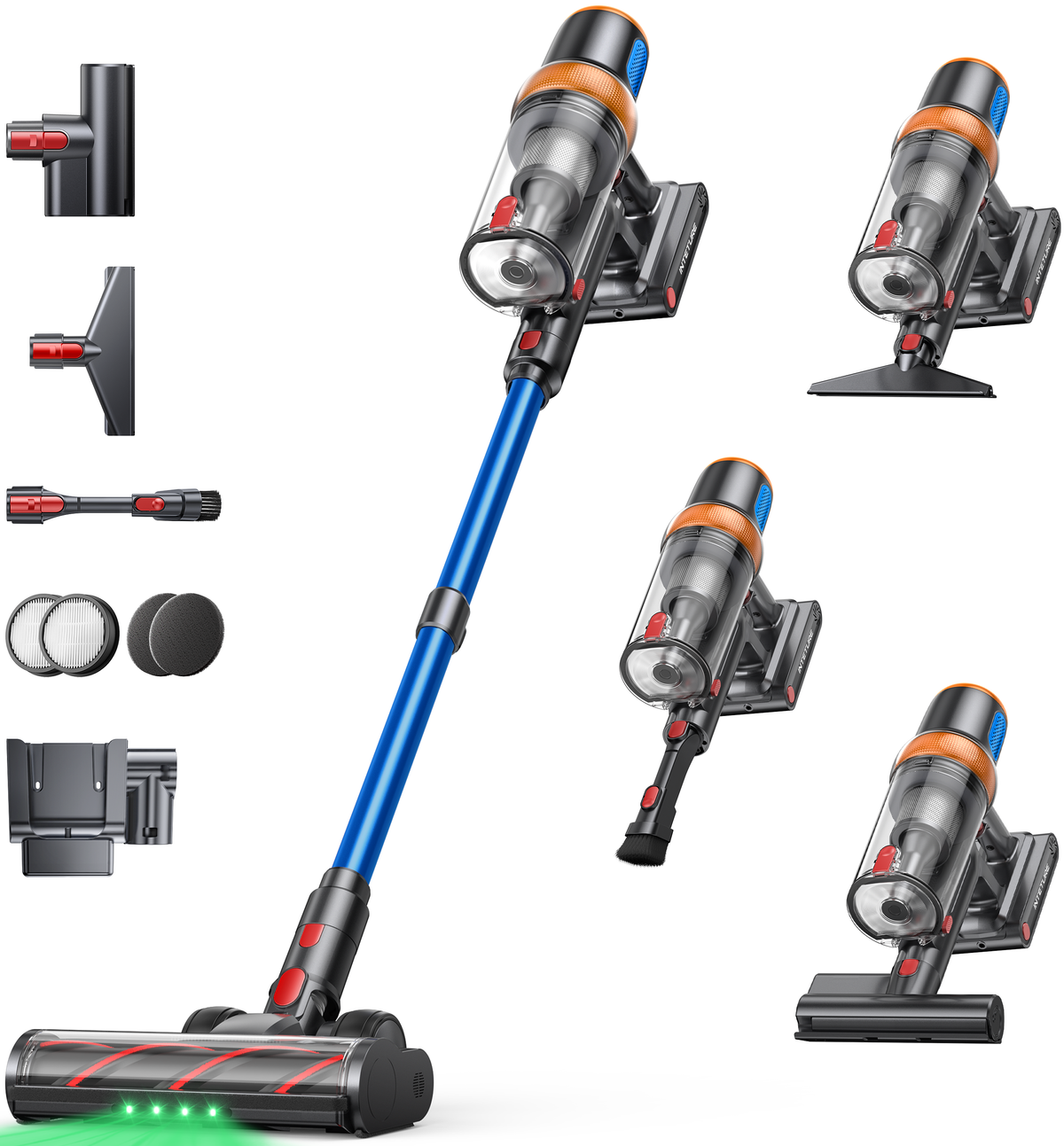
The exact configuration depends on the model. A listing may include some combination of:
- A handheld vacuum body
- A metal or plastic extension wand
- A motorized floor brush
- A crevice tool
- A dusting brush
- An upholstery tool
- A wall mount or storage bracket
- One battery or, on some packages, more than one
- A charger or charging stand
The brand name alone does not establish the vacuum’s suction power, battery capacity, filtration level, or durability. Those are model-specific characteristics.
INTETURE cordless vacuum versus a traditional vacuum
A cordless stick vacuum is generally intended for convenience and frequent cleaning. Compared with a full-size corded upright or canister vacuum, it often offers:
- Easier movement between rooms
- Faster cleanup of crumbs and surface debris
- Simpler storage in small spaces
- No electrical cord to manage
- More limited operating time
- A smaller dust bin
- Less suitability for long, uninterrupted cleaning sessions
That trade-off makes a cordless vacuum useful as a primary cleaner in some smaller homes, but it may work better as a secondary vacuum in homes with thick carpet, large floor areas, pets, or heavy debris.
Why model identification matters
Before buying filters, batteries, or replacement brush rolls, find the model number on:
- The product label on the vacuum or battery
- The original box
- The purchase receipt or online order page
- The instruction manual
- The manufacturer or seller’s support page
Do not assume that two INTETURE vacuums use interchangeable batteries or filters simply because they look similar. Compatibility should be confirmed by the exact model number and part description.
How to Choose the Right INTETURE Cordless Vacuum
The best INTETURE cordless vacuum depends on your flooring, cleaning frequency, home size, and tolerance for maintenance. A high advertised suction figure is only one part of that decision.
1. Match the vacuum to your flooring
For mostly hard floors, prioritize:
- A soft or low-abrasion brush-roll design
- Adjustable suction
- Effective pickup of fine dust
- A head that can turn easily around furniture
– A crevice tool for baseboards and gaps
For carpet, look for:
- A motorized brush roll
- A carpet-appropriate cleaning mode
- A brush roll that can be removed for hair removal
- Clear instructions about carpet compatibility
- Adequate airflow rather than suction claims alone
For homes with pets, examine:
- Hair pickup around the brush roll
- The ease of removing wrapped hair
- The size of the dust bin
- Filter–cleaning requirements
- Whether replacement filters and brush rolls are available
A cordless vacuum may collect visible pet hair effectively while still requiring frequent brush-roll cleaning. That is normal for many stick-vacuum designs.
2. Treat runtime claims as a range, not a guarantee
Manufacturers commonly state a maximum runtime measured under limited conditions, such as the lowest power mode with a nonmotorized attachment. Actual runtime is usually lower when you use:
- Maximum suction
- A motorized floor head
- Carpet mode
- A partially clogged filter
- An aging battery
- A cold or unusually hot battery
A practical comparison should ask:
| Question | Why it matters |
|---|---|
| Is the stated runtime measured with the floor head attached? | Motorized tools use more battery power. |
| Does the vacuum have multiple power modes? | Higher power normally reduces runtime. |
| Is the battery removable? | A replaceable battery may extend useful ownership. |
| Is a second battery sold separately? | This may matter for larger homes. |
| How long does charging take? | A long charge can limit back-to-back cleaning. |
For a small apartment, a single battery may be sufficient for routine cleaning. For a larger home, plan around the lower end of the claimed runtime rather than the maximum figure.
3. Compare useful features, not just specifications
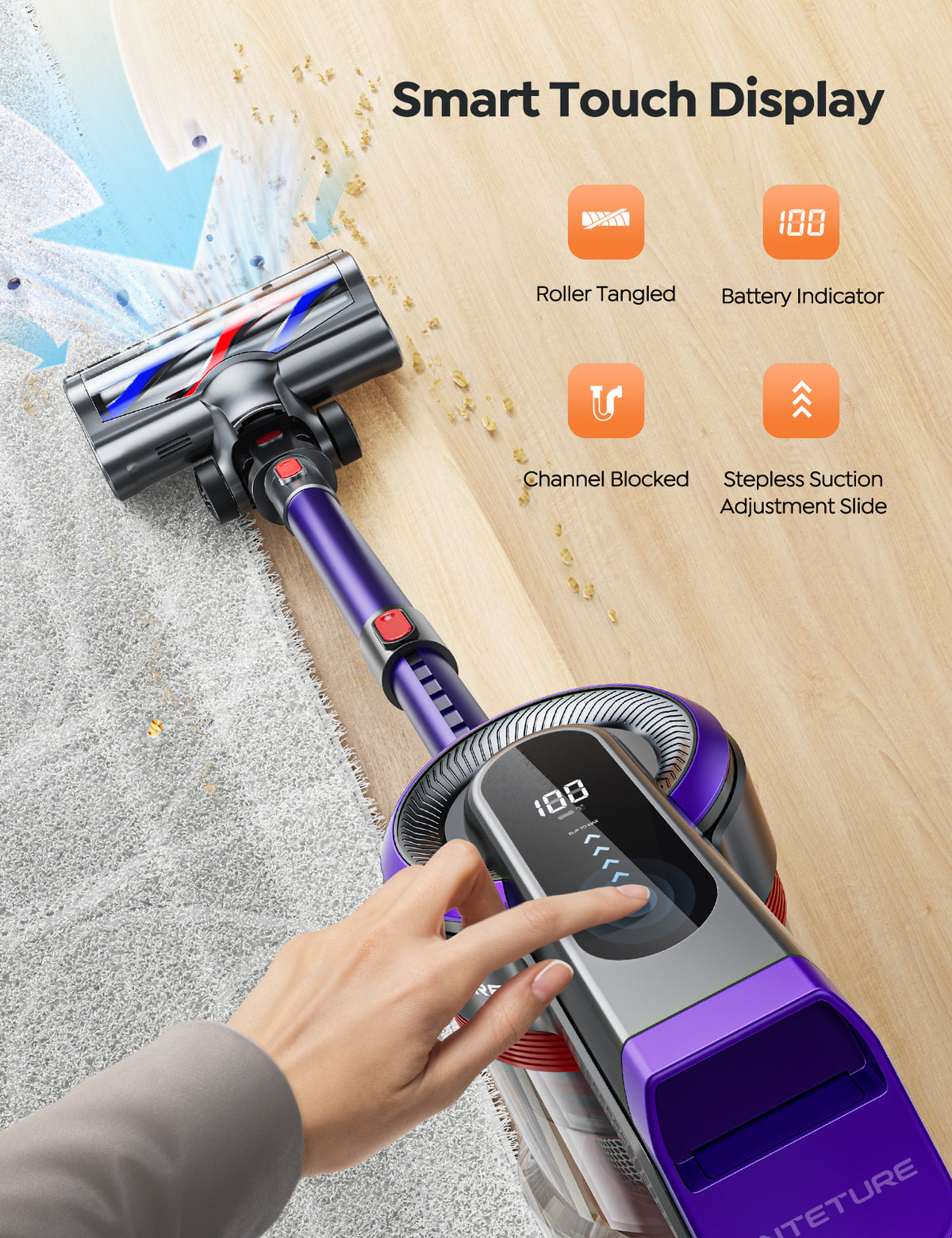
Touchscreens, LED displays, headlights, wall mounts, and self-standing designs can improve convenience, but they do not automatically indicate stronger cleaning performance.
Give greater weight to:
- Brush-roll design
- Airflow and suction adjustment
- Filtration
- Dust-bin capacity
- Battery availability
- Filter and brush-roll replacement cost
- Warranty terms
- Customer support in the United States
A feature is valuable when it solves a problem you actually have. For example, a dust-bin indicator can be useful, but a removable battery may matter more if you clean several rooms at once.
4. Check filtration claims carefully
Some cordless vacuums use multi-stage filtration and may advertise HEPA-style or HEPA filtration. Verify the exact wording in the manual or product documentation. “HEPA,” “HEPA-type,” “high-efficiency,” and “multi-layer filtration” are not interchangeable descriptions.
Filtration also depends on maintenance. A dirty filter can reduce airflow and may allow the vacuum to perform poorly even if the filter design is effective when clean.
How to Set Up and Use an INTETURE Cordless Vacuum
Correct setup helps prevent weak suction, premature battery wear, and brush-roll problems.
Before the first use
- Identify the model and read the manual. Confirm the controls, charging method, filter-washing instructions, and attachment compatibility.
- Inspect the battery and charger. Do not use a battery that is swollen, cracked, leaking, unusually hot, or physically damaged.
- Charge the battery using the supplied or explicitly compatible charger. Avoid substituting a charger based only on a matching connector.
- Assemble the wand and floor head. Push each connection together until it locks securely.
- Check the dust bin and filters. Make sure packaging material, transport inserts, or protective film have been removed.
- Test the vacuum on a small area. Confirm that the brush roll spins and that the vacuum does not make an unusual noise.
A practical cleaning sequence
For a typical U.S. home, use this sequence:
- Pick up large objects, cords, and small items from the floor.
- Select the lower or standard power setting for routine hard-floor cleaning.
- Move slowly enough for the brush roll to make repeated contact with the floor.
- Use higher power only for embedded debris, carpet, or short spot-cleaning tasks.
- Use the crevice tool along baseboards, corners, vents, and furniture edges.
- Empty the dust bin before debris reaches the maximum fill line.
- Inspect the brush roll after cleaning areas with long hair, thread, or carpet fibers.
Do not use the vacuum to collect hot ashes, liquids, wet debris, sharp glass, flammable substances, or construction dust unless the manual specifically permits that material. A cordless household vacuum is usually designed for dry residential debris.
Signs that the vacuum is working normally
Normal operation generally includes:
- Steady suction without repeated stopping
- A brush roll that rotates when the floor head is engaged
- No burning smell
- No abnormal grinding or rattling
- A battery that charges without excessive heat
- Airflow that remains consistent during a cleaning session
A short reduction in power can occur when the battery is nearly depleted or when the vacuum’s protection system responds to a blockage or overheating condition.

Maintenance: Filters, Dust Bin, Brush Roll, and Battery
Regular maintenance is one of the most important factors in cordless vacuum performance. A dirty filter or tangled brush roll can make a healthy vacuum appear defective.
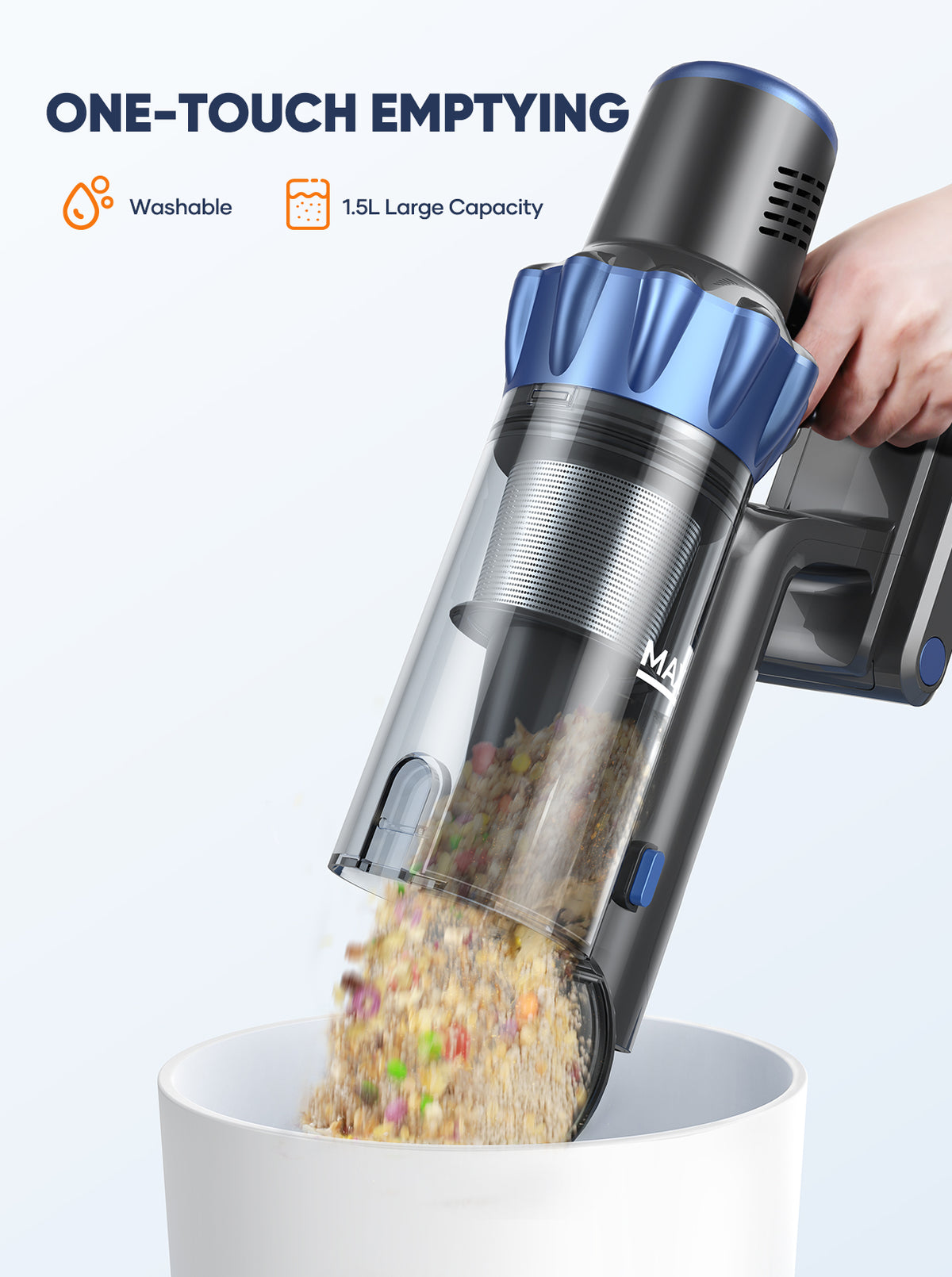
Empty the dust bin regularly
Empty the bin when it approaches the marked limit rather than waiting until it is packed tightly. Fine dust can restrict airflow, and hair or fibers can prevent the bin flap from sealing correctly.
When emptying:
- Turn off the vacuum.
- Hold the bin over a trash container.
- Open the release mechanism according to the manual.
- Remove debris without striking the bin aggressively.
- Check the inlet for compacted dust or hair.
- Close the bin securely before reuse.
Clean filters according to the manual
Many washable filters require the following general process:
- Remove the filter carefully.
- Tap or brush off loose dust outdoors or over a suitable waste container.
- Rinse only if the manual says the filter is washable.
- Use cool or lukewarm water without detergent unless instructed otherwise.
- Allow the filter to dry completely before reinstalling it.
A filter can require a full day or longer to dry depending on its construction and indoor humidity. Operating the vacuum with a damp filter can damage the motor or encourage odor and microbial growth.
Do not wash a filter labeled disposable. Do not replace a filter with an improvised material.
Remove hair from the brush roll
A wrapped brush roll can reduce pickup and place extra strain on the motor. Check the brush roll more often if your home has long hair, pets, rugs, or thick carpet.
Turn off and, when possible, disconnect the battery before clearing the brush roll. Use scissors or the tool supplied by the manufacturer to cut wrapped fibers. Keep fingers away from the brush roll’s cutting area and never attempt to remove a jam while the vacuum is powered.
Protect the battery
For safer and more reliable battery use:
- Use the intended charger
- Keep the battery away from extreme heat and moisture
- Do not use a visibly damaged battery
- Avoid storing the vacuum where temperatures are excessive
- Follow the manual’s charging and storage instructions
- Stop using the battery if it swells, leaks, smokes, or becomes unusually hot
For battery disposal in the United States, follow local household hazardous-waste or battery-recycling guidance. Do not place a loose lithium-ion battery in household trash or curbside recycling unless local authorities specifically permit it.
INTETURE Cordless Vacuum Troubleshooting
Start with the safest and simplest checks. Do not open the motor housing or battery pack unless the manufacturer specifically authorizes that repair and you have the required expertise.
The vacuum will not turn on
Possible causes include:
- An empty battery
- An incorrectly installed battery
- A charger or outlet problem
- A blocked airflow path
- A thermal protection shutdown
- A damaged switch or electronic component
Try this sequence:
- Confirm that the charger is connected to a working outlet.
- Check whether the charging indicator responds.
- Inspect the battery connection.
- Empty the dust bin.
- Check the wand, floor head, and inlet for blockages.
- Let the vacuum cool before trying again.
- Consult the model-specific manual if the unit still does not start.
If the battery becomes hot, swells, smells unusual, or shows physical damage, stop using it and seek manufacturer or qualified service guidance.
Suction is weak
Weak suction is commonly caused by:
- A full dust bin
- A clogged filter
- A blocked wand
- Hair around the brush roll
- A poorly seated filter or dust-bin seal
- Low battery charge
- Use of an unsuitable power mode for the surface
Empty the bin first, then inspect the brush roll and airflow path. Clean or replace filters only as directed. If suction remains weak after the vacuum is clean and fully charged, the issue may involve a seal, motor, sensor, or battery.
The brush roll does not spin
Check whether:
- The floor head is fully attached
- Hair or thread is wrapped around the roll
- A small object is lodged in the head
- The vacuum is in a mode that disables the brush
- The brush-roll cover is correctly closed
- The vacuum has shut down because of overload
Turn the vacuum off before removing debris. If the brush roll turns freely by hand but does not operate when powered, the problem may be electrical or related to the head connection.
The vacuum stops during use
Repeated shutdowns can indicate:
- Overheating
- A clogged filter
- A jammed brush roll
- A nearly depleted battery
- A battery that is aging or failing
- A protection circuit responding to abnormal conditions
Allow the vacuum to cool, clean the airflow path, and test it again at a lower power setting. If it continues to stop with a clean filter, clear brush roll, and charged battery, contact the seller or manufacturer rather than repeatedly restarting it.
The charger does not appear to work
Confirm that:
- The charger is the correct one for the model
- The outlet works with another device
- The battery is seated correctly
- The charging contacts are clean and dry
- The indicator behavior matches the manual
Do not use a charger solely because its plug fits. Voltage, current, polarity, and battery-management requirements must also match.
Limitations and Buying Mistakes to Avoid
An INTETURE cordless vacuum may be a practical choice, but buyers should account for several limitations.
Do not compare maximum suction numbers as if they were standardized
Manufacturers may report suction using different units, test points, modes, or conditions. A higher number in a product listing does not necessarily predict better pickup on your carpet or hard floor.
For a fair comparison, consider independent testing when available, but confirm that the test used the same surface, nozzle, battery condition, and cleaning mode.
Do not assume the maximum runtime is the usable runtime
Maximum runtime commonly represents the least demanding mode. If you expect to use a motorized head at high power, plan for substantially less operating time than the headline figure unless the manufacturer provides a condition-specific estimate.
Do not ignore ownership costs
The purchase price is only part of the cost. Check the availability and price of:
- Replacement filters
- Batteries
- Brush rolls
- Chargers
- Dust-bin components
- Warranty service
- Shipping for replacement parts
A vacuum with a lower initial price may be less economical if essential parts are difficult to obtain.
Do not buy without checking the return and warranty policy
Marketplace listings can have different sellers, return windows, and warranty procedures. Before purchasing, save the listing and verify:
- Seller identity
- Return deadline
- Warranty length and coverage
- Who handles warranty claims
- Whether the warranty applies to the U.S. purchase
- Whether batteries and wear parts are excluded
These details can change and should be checked at the time of purchase.
Key Takeaways
- INTETURE cordless vacuum specifications vary by model, so identify the exact model before comparing performance or buying parts.
- Runtime claims should be treated as maximum estimates unless the testing conditions are clearly stated.
- For homes with pets or carpet, brush-roll design, filter access, and battery availability may matter more than headline suction numbers.
- Empty the dust bin, clean filters, and remove hair from the brush roll regularly.
- Never use a damaged battery or an unverified replacement charger.
- If the vacuum repeatedly overheats, stops, smells of burning, or shows battery damage, stop using it and seek qualified support.
Frequently Asked Questions
Is INTETURE a good cordless vacuum brand?
It may be suitable for shoppers seeking a lower-cost cordless stick vacuum, but the answer depends on the exact model, seller, warranty, and availability of replacement parts. Evaluate the individual product rather than assuming every INTETURE model offers the same performance or support.
How long does an INTETURE cordless vacuum battery last?
There are two different meanings of battery life. A single charge may last for a model-specific number of minutes, depending on power mode and attachment. The battery’s total service life depends on charging habits, heat exposure, usage, storage, and battery quality. Use the exact manual or product listing for the model-specific runtime claim.
Can an INTETURE cordless vacuum clean carpet?
Many stick vacuums can clean low-pile carpet when equipped with a motorized brush roll, but carpet performance varies. Thick carpet, dense rugs, embedded pet hair, and high-pile surfaces may require a full-size upright or canister vacuum.
Can the filters be washed?
Some INTETURE filters may be washable, while others may be dry-cleaning or replacement filters. Follow the exact model’s manual. Never reinstall a washable filter until it is completely dry.
Why does my INTETURE cordless vacuum lose suction?
The most common checks are the dust bin, filters, wand, floor-head inlet, brush roll, and battery charge. If cleaning those parts does not restore performance, the vacuum may have an airflow seal, motor, sensor, or battery problem.
Can I use any replacement battery or charger?
No. Use only a battery or charger confirmed for the exact model. A connector that fits does not prove electrical or battery-management compatibility.
Conclusion
An INTETURE cordless vacuum can make routine cleaning more convenient, especially on hard floors, stairs, and small areas. Its suitability depends less on the brand name than on the exact model’s brush head, filtration, battery design, service support, and replacement-part availability.
Before buying, verify the U.S. listing, manual, warranty, and return policy. After buying, protect performance by emptying the dust bin, cleaning the filter correctly, clearing the brush roll, and using only compatible charging equipment. If the vacuum has persistent electrical or battery symptoms, stop troubleshooting mechanically and contact the manufacturer, seller, or a qualified service provider.

One Comment