The best robot vacuum matches your floors, pets, home layout, cleaning needs, and budget.
Choosing the right robot vacuum is less about buying the most expensive model and more about matching useful features to your daily life. This Robot Vacuum Buying Guide explains suction power, navigation, mopping, battery life, maintenance, privacy, and smart features so you can shop with confidence and avoid paying for tools you will not use.
What Is a Robot Vacuum?
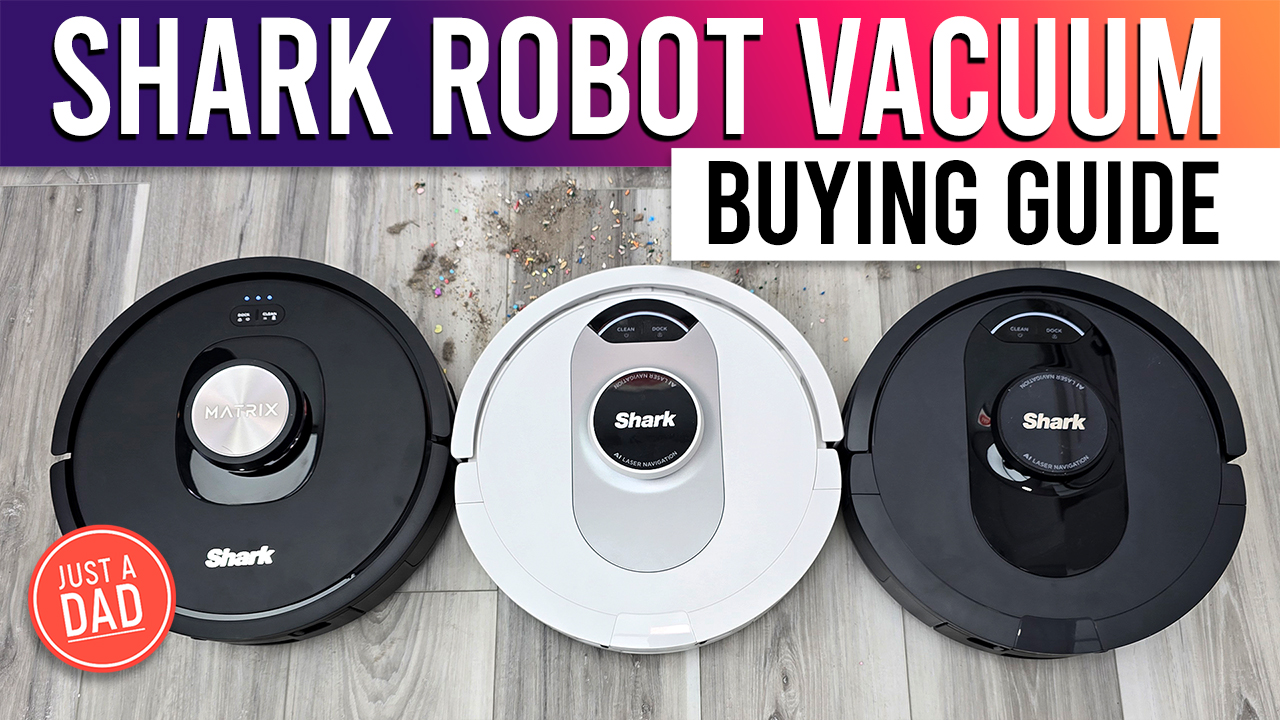
A robot vacuum is a small, automated cleaning device that travels across your floors, collects dust and debris, and returns to its dock when it needs to charge. Many newer models can also mop hard floors, avoid objects, empty their dustbins, and create maps of your home.
Think of a robot vacuum as a daily floor-care helper, not a complete replacement for a traditional vacuum. It is excellent at routine cleaning, but you may still need a full-size vacuum for stairs, furniture, tight corners, cars, and deep carpet cleaning.
The best robot vacuum can reduce the amount of sweeping and vacuuming you do each week. It works especially well for:
• Homes with hard floors
• Pet owners who deal with daily hair and dander
• Busy households with children
• People who want scheduled cleaning
• Small apartments with open floor plans
• Users who need help managing light dust and crumbs
A robot vacuum will not remove every cleaning task. Cords, socks, toys, cables, and clutter can stop it or become tangled in its brush. Good results depend on both the device and the condition of the floor.
How to Choose a Robot Vacuum
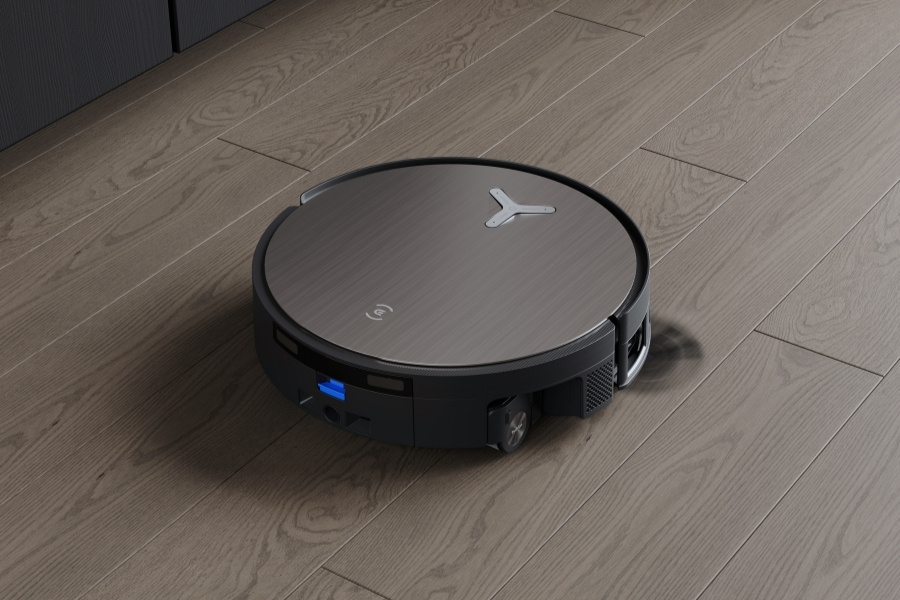
This Robot Vacuum Buying Guide starts with the features that affect cleaning performance. A strong shopping decision comes from looking at the whole system rather than focusing on one impressive number.
Set your cleaning priorities
Before comparing models, ask what problem you want to solve. A pet owner may care most about hair pickup and brush design, while someone in a small apartment may value quiet operation and a slim body.
Consider these questions:
• Do you have mostly carpet, hard floors, or a mix?
• Do you own a dog or cat?
• Does anyone in your home have allergies?
• Are there many chairs, table legs, rugs, or small spaces?
• Do you want mopping or only vacuuming?
• Can you clear the floor before each cleaning run?
• Do you need remote control when you are away?
• Is the robot’s dock easy to place in your home?
Your answers will help you avoid paying for features that do not solve your actual problem.
Check the floor types in your home
Hard floors are usually simple for robot vacuums to clean. Dust, crumbs, and hair are easy for the main brush and side brush to collect. However, some mopping systems may leave too much water on sensitive flooring.
Carpet needs more careful research. Look for automatic suction adjustment, a brush that resists hair wrapping, and enough clearance to move from hard floors onto rugs. Thick or shag rugs can cause trouble, especially if the robot has a low body or a damp mop pad.
Think about your home’s layout
Laser navigation often works well in open rooms and homes with clear paths. Camera-based systems may identify objects more accurately, but they can perform differently in dark areas. Basic random-navigation models may cost less, yet they can take longer to clean and miss areas.
For homes with several rooms, a model with reliable mapping is usually worth considering. It can remember rooms, create no-go zones, and clean one area without repeatedly bumping into the same furniture.
Understand the total cost
The purchase price is only one part of ownership. You may also need replacement filters, side brushes, main brushes, mop pads, bags for a self-emptying dock, and cleaning solution approved by the manufacturer.
A cheaper robot can become expensive if its parts are hard to find. Before buying, search for replacement supplies and check their prices. This small step can prevent a frustrating ownership experience later.

Robot Vacuum Navigation and Mapping
Navigation determines how a robot moves through your home. It affects cleaning time, coverage, obstacle handling, and your ability to control rooms from an app.
Random navigation
Entry-level models may move in changing directions when they hit an object or wall. This method can clean a floor, but it may take longer and miss small areas.
Random navigation may be enough for a small, open room. It is less useful in homes with several rooms, furniture, or frequent clutter.
Gyroscope and sensor navigation
Some robots use motion sensors, bump sensors, and wall sensors to move in organized patterns. They may clean in straight lines and offer better coverage than random models.
These robots can be good value, but they may not create advanced maps. You may have fewer options for room selection and virtual barriers.
LiDAR navigation
LiDAR uses laser measurements to map walls and objects. It often works well in low light and can create detailed floor plans. Many LiDAR models clean in organized rows and return to the exact area where they stopped.
The raised laser turret can make some models too tall to fit under low furniture. Measure the clearance under your sofa and bed before buying.
Camera-based navigation
Camera systems use visual information to recognize objects and understand the home layout. Some can identify shoes, cords, pet bowls, and other common items.
Cameras may need more light than LiDAR systems. They can also raise privacy questions because the robot uses visual sensors inside your home. Read the privacy policy and app permissions before connecting the device.
What mapping features matter?
Look for these tools if you want more control:
• Room labeling
• No-go zones
• No-mop zones
• Multi-floor maps
• Selective room cleaning
• Zone cleaning
• Map editing
• Automatic carpet detection
• Cleaning history
A map is useful only when it stays accurate. Doors, moved furniture, mirrors, and large objects can confuse some systems. The best robot vacuum navigation is the one that works reliably in your specific home.
Suction Power and Cleaning Performance
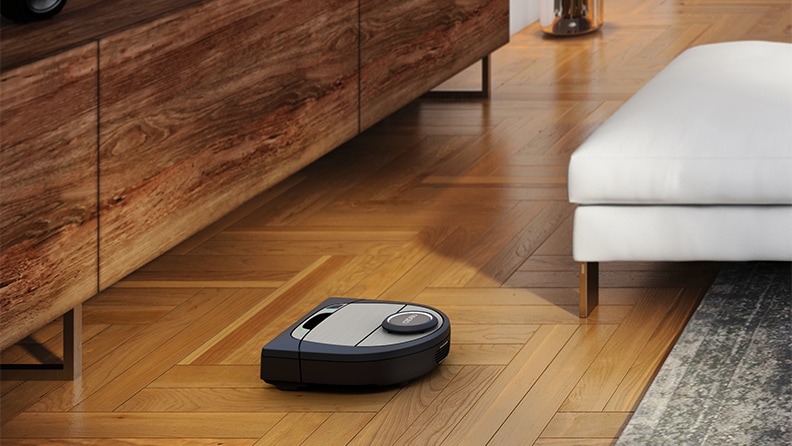
Suction power matters, but it is not the only measure of cleaning quality. Brush design, airflow, floor contact, navigation, and software all affect the final result.
Manufacturers may list suction in pascals, or Pa. Higher Pa can suggest stronger suction, but brands do not always measure it under the same conditions. Therefore, do not compare numbers as if they were identical lab scores.
A good robot vacuum should handle:
• Fine dust on hard floors
• Food crumbs
• Pet hair
• Sand near entry doors
• Light debris on rugs
• Dust along walls and furniture
Main brush design
A bristle brush can lift debris from carpet but may collect long hair quickly. A rubber brush may reduce hair tangles and work well across mixed floors.
If you have long hair or pets, look for a brush that is easy to remove. A tool for cutting wrapped hair can also save time.
Edge cleaning
Side brushes push debris from walls and corners into the robot’s cleaning path. Some models extend a side brush or cleaning arm near edges.
No robot vacuum cleans every corner perfectly. Round bodies often leave small gaps, although improved edge systems can reduce this problem.
Pet hair and dander
For pet homes, choose a model with strong airflow, a tangle-resistant brush, and a sealed dustbin. A high-efficiency filter can help capture fine particles, though it does not make the entire home allergy-proof.
Run the robot often instead of waiting for visible hair to build up. Frequent light cleaning is usually more effective than one long cleaning session each week.
Mopping Features: What You Really Get
Robot mops range from a simple damp cloth to advanced systems that scrub floors with moving pads. The word “mop” can mean very different things across brands.
Basic drag mopping
A basic model carries a water tank and drags a damp pad across the floor. This can remove light dust and fresh marks, but it may not handle dried food, sticky spills, or heavy grease.
Do not expect this style to replace manual mopping in kitchens and bathrooms.
Vibrating or rotating mop pads
Some robots use vibrating or rotating pads to add light scrubbing pressure. These systems can provide better results on sealed hard floors.
They still need regular pad washing. A dirty mop pad can spread grime rather than remove it.
Mop lifting
Mop-lifting allows the robot to raise its pad when it detects carpet. This is useful in homes with both rugs and hard floors.
Check the lift height. A small lift may not be enough for thick rugs. If the robot cannot lift the pad high enough, use no-mop zones or remove the mop before a carpet run.
Water control and cleaning solution
Adjustable water flow helps protect floors that should not become very wet. Always follow the flooring maker’s care instructions.
Use only cleaning products approved by the robot manufacturer. Household soaps can create foam, leave residue, damage seals, or affect sensors.
A robot mop is best viewed as a maintenance tool. It helps keep floors fresh between deeper cleans, but it is not a substitute for manual cleaning after spills.

Self-Emptying Docks and Maintenance
A self-emptying dock transfers debris from the robot’s dustbin into a larger bag or container. This can reduce daily work and make the robot easier to live with.
It is especially helpful for:
• Homes with pets
• People with allergies
• Large homes
• Users who run the robot every day
• Anyone who does not want to empty a small bin often
Self-emptying docks are not maintenance-free. You still need to replace bags or empty the dock container, clean filters, remove hair, and inspect the robot.
Some premium docks also wash mop pads, dry them with warm air, refill clean water, and collect dirty water. These features add convenience but also add more parts that can clog or develop odors.
A simple maintenance routine
Follow a routine like this:
- Empty or inspect the dustbin when it is full.
- Clean the filter based on the manual’s instructions.
- Remove hair from the main and side brushes.
- Wipe cliff sensors and charging contacts.
- Wash and dry mop pads after use.
- Check the dock for blocked air paths.
- Replace worn parts at the recommended interval.
Never place a wet filter back into the robot unless the manufacturer says it is safe. Moisture can damage the motor and create odors.
One lesson many owners learn late is that maintenance affects cleaning power. A clogged filter or brush can make an excellent robot perform like a weak one.

Battery Life, Noise, and Charging
Battery size is only part of a robot’s useful cleaning time. Suction level, carpet use, navigation, and mopping can all change how long it runs.
Most quality models can return to the dock, recharge, and resume cleaning. This feature matters more than a large battery rating if you live in a larger home.
Look for:
• Automatic recharge and resume
• A clear battery indicator
• Fast enough charging for your schedule
• Adjustable suction levels
• Quiet or balanced cleaning modes
Quiet operation matters if you work from home, have a baby, or live in a small apartment. Self-emptying can be louder for a short period than the robot’s normal cleaning cycle.
Schedule cleaning when noise will not bother you. Many people run the robot while they are out, but make sure the floor is safe and the device can reach its dock.
Smart Features, Apps, and Privacy
A connected robot vacuum can be controlled through a smartphone app or voice assistant. Useful controls may include scheduling, room selection, suction adjustment, map editing, and cleaning reports.
Before buying, check whether the robot supports:
• Reliable Wi-Fi setup
• Remote start and stop
• Multiple maps
• No-go zones
• Room naming
• Firmware updates
• Voice assistant control
• Local or cloud data controls
Most smart models use a 2.4 GHz Wi-Fi connection during setup, though requirements differ. If your home network combines bands, follow the setup instructions carefully.
Privacy deserves attention. A robot with LiDAR may collect maps, while a camera-based model may process images or object data. Read the company’s privacy terms, learn how data is stored, and disable optional sharing when possible.
A useful feature is not useful if the app is unstable. Read recent customer feedback about connection problems, map loss, and software updates rather than judging the app by screenshots alone.
Robot Vacuum Safety and Home Preparation
A robot vacuum works best in a prepared space. You do not need a spotless home, but you should remove objects that can cause trouble.
Before a cleaning run:
• Pick up charging cables and loose cords.
• Remove socks, small toys, and pet toys.
• Secure hanging curtains and blind cords.
• Block stairs if cliff sensors may struggle.
• Keep pet bowls away from the cleaning path.
• Check for small objects that could damage the brush.
• Close doors to rooms you do not want cleaned.
Pet owners should be careful with accidents on the floor. A robot can spread a mess across a wide area. Use no-go zones around litter boxes, food areas, and water bowls when needed.
Robot vacuums may also push light objects around. Secure floor mats, delicate decorations, and unstable stands before the first run.
For homes with pets, watch the first few cleaning sessions. This helps you discover hidden hazards that are not obvious from a quick floor check.
Common Robot Vacuum Mistakes to Avoid
Even a well-reviewed model can disappoint when the buying process focuses on the wrong details.
Choosing by suction number alone
A high suction rating does not guarantee better cleaning. Look at independent testing, brush design, floor coverage, hair performance, and user reports.
Buying a mop you will not maintain
Mopping systems need clean water, washed pads, and regular care. If you will not maintain the system, a vacuum-only model may be a better choice.
Ignoring the dock size
Self-emptying and washing docks can be large. Measure the floor area and overhead clearance before ordering.
Forgetting replacement supplies
Check the cost and availability of bags, filters, brushes, and mop pads. A device that lacks affordable parts can become difficult to own.
Skipping the return policy
Every home is different. A robot may struggle with your rugs, thresholds, furniture, or Wi-Fi. A clear return policy gives you time to test it in real conditions.
Expecting perfect deep cleaning
A robot vacuum is designed for regular maintenance. It keeps daily dust and debris under control, but it may not replace deep carpet cleaning or manual edge work.
How Much Should You Spend?
Robot vacuum prices vary widely. Entry-level models can handle basic vacuuming, while midrange models often add mapping, stronger cleaning, and better app controls. Premium models may combine advanced navigation, object detection, self-emptying, mop washing, and carpet management.
A practical budget approach is:
• Low budget: Choose simple vacuuming, basic sensors, and easy maintenance.
• Midrange budget: Look for mapping, room control, stronger cleaning, and recharge-and-resume.
• Premium budget: Consider object recognition, advanced mopping, self-cleaning docks, and better automation.
The best value is not always the lowest price. A dependable midrange robot may offer a better ownership experience than a cheap model that gets stuck or lacks replacement parts.
In this Robot Vacuum Buying Guide, the main value test is simple: Will the robot save enough time and effort to justify its price and maintenance?
A Practical Robot Vacuum Buying Checklist
Use this checklist before you buy:
- Identify your main floor types.
- Measure the height under furniture.
- Decide whether you need mopping.
- Choose navigation that fits your home layout.
- Check pet-hair and carpet performance if relevant.
- Review the dustbin and dock design.
- Confirm battery recharge and resume features.
- Check replacement part prices.
- Read privacy and app information.
- Review the warranty and return policy.
- Plan where the charging dock will sit.
- Compare long-term ownership costs, not only the sale price.
Read professional tests and verified owner reviews together. Professional testing can reveal measurable cleaning results, while owners often explain long-term issues such as odor, app failures, or difficult maintenance.
Frequently Asked Questions About a Robot Vacuum Buying Guide
Are robot vacuums worth it?
Robot vacuums are worth it for people who want frequent, automatic floor cleaning. They are most helpful on hard floors, low-pile rugs, and homes with daily dust or pet hair.
Do robot vacuums work on carpet?
Yes, many robot vacuums work well on low- and medium-pile carpet. Thick rugs, shag carpet, tassels, and dark patterns can cause navigation or movement problems, so check the manufacturer’s floor recommendations.
Is LiDAR better than camera navigation?
LiDAR often maps rooms well and can work in low light. Camera navigation may offer stronger object recognition, but it can need more light and may raise greater privacy concerns.
Do robot vacuums replace regular vacuums?
No. They reduce the need for frequent floor cleaning, but a traditional vacuum remains useful for stairs, upholstery, corners, cars, and deep cleaning.
How often should a robot vacuum run?
Many homes benefit from running a robot vacuum several times a week or daily in high-traffic areas. Pet owners may need more frequent cleaning, while low-traffic rooms may need less.
Do robot vacuums need Wi-Fi?
Some basic models can clean without Wi-Fi, but smart features such as scheduling, mapping, room selection, and remote control usually require an app and internet connection.
Are self-emptying robot vacuums worth the extra cost?
A self-emptying dock can be worthwhile if you have pets, allergies, a large home, or limited time. It still needs bag changes and cleaning, so it should be viewed as reduced maintenance rather than no maintenance.
Conclusion
The right robot vacuum should fit your floors, home layout, pets, schedule, budget, and comfort with maintenance. Focus on navigation, brush design, mapping, dock size, app quality, replacement parts, and real cleaning performance instead of chasing the highest suction number.
Use this Robot Vacuum Buying Guide to compare models as complete systems. Measure your furniture, prepare your floors, check the return policy, and choose features that solve a real problem in your home.
A well-matched robot vacuum can make daily cleaning feel lighter and more manageable. Explore trusted product tests, compare current models, and share your own cleaning experience in the comments.

One Comment